
Blog
What Gamers Should Compare Before Buying a Texas Home


A gamer can walk through a house twice and still miss the feature that may cause frustration every evening: the internet connection entering the property.
The kitchen may be modern. The bedrooms may be large. The listing photos may show a perfect spare room for a gaming setup. None of that helps when the only available connection becomes unstable during peak hours, the electrical panel cannot comfortably support planned upgrades, or the room turns hot after an hour of play.
Many buyers begin with the question Are Texas houses cheap? Purchase price matters, but a gamer should compare the home as both a living space and a technical environment. Internet quality, power reliability, cooling, property taxes, insurance, flood exposure, room layout, and repair needs can all change whether a seemingly affordable property is genuinely suitable.
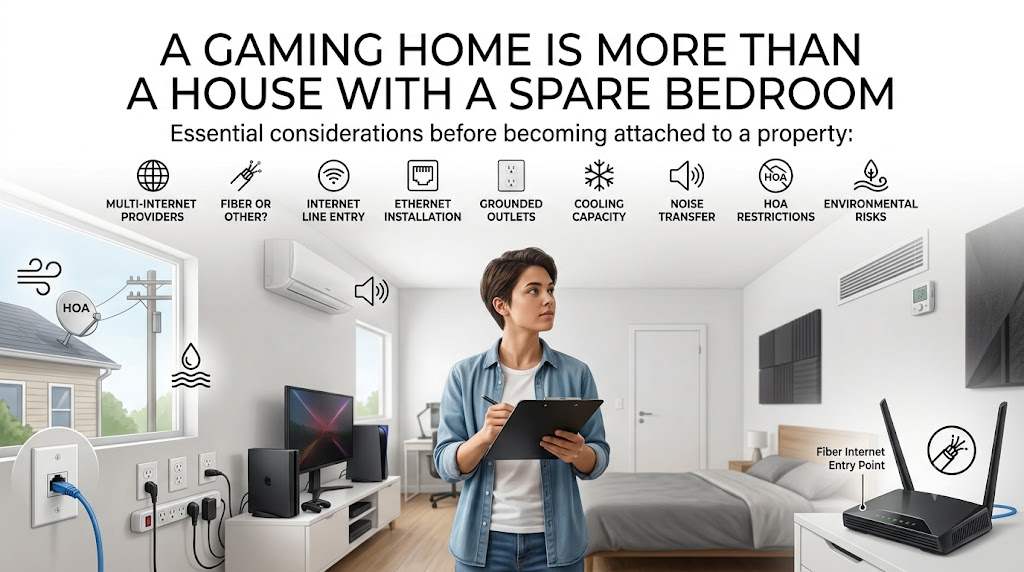
A Gaming Home Is More Than a House With a Spare Bedroom
A normal property search often focuses on the number of bedrooms, bathrooms, parking spaces, and nearby schools. A gamer needs to add another layer.
The home must support equipment that may run for several hours at a time. That equipment might include a gaming PC, multiple monitors, consoles, speakers, routers, streaming lights, capture devices, microphones, charging stations, and cooling systems.
The difference between a good gaming home and an inconvenient one is not always visible in listing photos.
Consider these questions before becoming attached to a property:
- Can more than one internet provider serve the exact address?
- Is fiber available, or is the home limited to cable, wireless, satellite, or DSL?
- Where does the internet line enter the building?
- Can Ethernet be installed without opening several finished walls?
- Does the preferred room have enough grounded electrical outlets?
- Can the cooling system handle additional heat?
- Will noise travel into bedrooms or neighboring properties?
- Does the homeowners association restrict exterior equipment or alterations?
- Is the property exposed to flooding, wind, or frequent service interruptions?
These details may sound small during a viewing. They become much larger after moving day.
Check Internet Availability at the Exact Address
Do not judge a property’s internet quality by searching for service in the city or ZIP code. Availability can change from one street to the next. A provider may serve the neighborhood without offering its best connection at the specific house.
The FCC National Broadband Map allows buyers to search an individual address and review reported fixed broadband options, including fiber, cable, DSL, satellite, and fixed wireless services. The map is a useful starting point, but it shows reported availability rather than guaranteed real-world performance, price, or reliability.
After checking the map, contact the providers directly. Give them the complete address and ask them to confirm that a new account can be activated.
A provider saying it serves the “area” is not enough.
What Gamers Should Ask Internet Providers
Ask questions that relate to actual use rather than the largest number shown in an advertisement:
- What download and upload speeds are available at this address?
- Is the connection fiber all the way to the home?
- Is there a data limit?
- Is equipment rental required?
- Does the plan use shared neighborhood capacity?
- Are there installation or construction charges?
- Can the modem or gateway be placed near the gaming room?
- Is bridge mode available for a personal router?
- Does the provider support IPv6?
- Are there contract, cancellation, or promotional price conditions?
Upload speed deserves particular attention. Someone who only downloads games may focus on download speed, but a streamer, video creator, or remote worker also depends on stable upload performance.
Test the Connection During Real Gaming Hours
A speed test taken at 10 in the morning does not necessarily represent the connection at 8 in the evening.
Ask the seller whether you can test the existing service during a second viewing. Connect a laptop through Ethernet when possible. Run several tests rather than relying on one result.
Look at:
- Download speed
- Upload speed
- Latency
- Jitter
- Packet loss
- Connection stability over several minutes
A high headline speed cannot compensate for packet loss or unstable latency during online play.
It is also useful to test mobile data inside the house. Mobile service can provide a temporary backup during a fixed-line outage, but indoor reception may be weaker than reception outside.
Walk through the likely gaming room, bedrooms, garage, and backyard while checking signal strength. Thick walls, foil-backed insulation, metal roofing, and the position of nearby towers can affect indoor coverage.
Think About the Path From the Router to the Gaming Room
A house may have fast internet available at the street while still being difficult to network properly inside.
Find the point where the provider’s line enters the property. Then compare it with the room you plan to use.
If the connection enters through a downstairs utility area and the gaming room is on the opposite side of the second floor, a clean wired connection may require professional installation. That does not make the house unsuitable, but the cost belongs in the buying decision.
Look for:
- Existing Ethernet wall ports
- A structured wiring panel
- Accessible attic or crawl-space routes
- Conduit between floors
- Coaxial outlets that might support networking equipment
- Central locations for wireless access points
- Space for a router, switch, modem, and backup power unit
Do not assume a Wi-Fi extender will solve every layout problem. A wired backhaul or direct Ethernet connection is usually more dependable for fixed gaming equipment.
Treat Electricity as Part of the Gaming Setup
A gaming room can place more demand on a circuit than a basic bedroom.
The concern is not simply whether the lights switch on. You need to know what else shares the circuit, how many outlets are available, whether they are grounded, and whether the home’s electrical system has been updated correctly.
During a viewing or inspection, check for:
- Loose or damaged outlets
- Two-prong outlets in an older property
- Frequently tripped breakers
- Extension cords used as permanent wiring
- A lack of outlets near the intended desk position
- An outdated electrical panel
- Evidence of unapproved electrical work
- No practical route for adding a dedicated circuit
A powerful PC, monitors, speakers, lights, climate equipment, and other devices do not automatically require major electrical work. However, placing everything on one heavily shared circuit can create an avoidable problem.
Ask a qualified electrician to evaluate the room when the setup is large or the property is older.
Research the Local Power Situation
Power reliability is not identical across every Texas address. The local utility, distribution infrastructure, weather exposure, trees, underground or overhead lines, and neighborhood repair history can all affect the experience.
ERCOT manages most of the Texas power grid and publishes current system information through ERCOT’s official grid resources. This information can help buyers understand the wider electricity system, although local outages are usually handled and reported by the property’s transmission and distribution utility.
Ask the seller and nearby residents practical questions:
- How often has the neighborhood lost power?
- Do outages usually last minutes or several hours?
- Are utility lines overhead?
- Have storms damaged local lines in recent years?
- Does the home have surge protection?
- Is a whole-home generator already installed?
- Can a generator be added under local and HOA rules?
For a desktop gaming setup, a small uninterruptible power supply can provide time to save work and shut down equipment safely. It should not be confused with a system designed to run the entire room for hours.
Do Not Underestimate Heat From the Gaming Room
The perfect-looking room can become uncomfortable once a gaming PC, consoles, monitors, lights, and people begin adding heat.
A west-facing upstairs bedroom may look bright and pleasant during a morning viewing. By late afternoon, it may be the hottest room in the house.
Check:
- The room’s position in the building
- Afternoon sun exposure
- Window size and condition
- Attic insulation above the room
- Supply and return air vents
- Ceiling fan installation
- Temperature differences between rooms
- The age and condition of the HVAC system
- Whether the garage or converted space is properly insulated
The Department of Energy Home Energy Score provides a standard method for comparing energy-related features in homes. A professional energy assessment can also help identify insulation, leakage, and cooling weaknesses that may not appear in a normal property tour.
A lower-priced home with weak insulation and an aging air-conditioning system may cost more to operate than a slightly more expensive property with better energy performance.
Ventilation Matters in a Closed Gaming Room
Closing the door may reduce noise, but it can also make the room feel warmer and less comfortable.
A room needs a sensible path for air to enter, circulate, and leave. A supply vent without a useful return path may not perform as expected when the door remains closed.
The EPA’s home indoor-air guidance recommends controlling pollution sources, providing adequate ventilation, and managing moisture. It also notes that indoor humidity should generally remain below 60 percent, with 30 to 50 percent presented as an ideal range.
Gaming equipment is not the only consideration. Dust, pet hair, high humidity, and blocked filters can also affect the room and the equipment inside it.
Look for signs such as:
- A musty smell
- Condensation near windows
- Dirty or damaged vents
- Visible moisture marks
- A room that feels much warmer with the door closed
- No return-air pathway
- Dust building up unusually quickly
A portable fan can improve comfort, but it will not correct a damaged HVAC system or poor insulation.
Compare Property Taxes Using the Actual Address
The listing price is visible. The future tax bill requires more work.
Texas does not impose a state property tax. Property taxes are assessed and administered locally, which means the total burden can vary according to the appraisal district and the taxing units connected to the property. The Texas Comptroller’s property tax resources explain the system and provide access to official guidance.
Before making an offer, review:
- Current appraised value
- Taxable value
- Recent assessment history
- Local tax rates
- Existing exemptions
- Whether the seller’s exemptions will remain after the sale
- Any special district assessments
- The estimated tax amount after purchase
Do not rely only on the amount currently shown in the seller’s mortgage payment. That figure may reflect exemptions or valuations that will not apply to the buyer.
Two houses with similar prices can create noticeably different annual ownership costs.
Price Insurance Before Committing to the Property
Home insurance should be researched before the option period expires, not after closing.
The premium may be influenced by location, roof age, construction type, claims history, weather exposure, coverage limits, deductibles, and the insurer’s underwriting requirements.
The Texas Department of Insurance home insurance guide explains common coverages, exclusions, deductibles, consumer rights, and insurance options available within the state.
Ask an insurance agent whether your gaming equipment is adequately covered under the standard personal-property limit. A valuable collection of PCs, consoles, monitors, recording equipment, and accessories may require closer review.
Important questions include:
- Is replacement-cost coverage included?
- What is the deductible for wind or hail?
- Is accidental damage to electronics covered?
- Are there sublimits for certain equipment?
- Does the policy cover equipment used to earn income?
- Is water backup coverage included?
- Is flood insurance separate?
- Would a roof replacement change the premium?
A standard homeowners policy should never be assumed to cover every type of loss.
Check Flood Exposure Before Choosing a Ground-Floor Setup
A gaming room on the ground floor may be convenient until water enters the building.
Use the FEMA Flood Map Service Center to search the property address and review official flood-hazard information. FEMA identifies the service as the official public source for flood maps and related National Flood Insurance Program products.
A flood-zone label should not be the end of the investigation.
Ask:
- Has water ever entered the house, garage, or street?
- Does water collect near the foundation?
- Where does roof runoff go?
- Is the gaming room below the surrounding ground level?
- Are computers and power strips placed directly on the floor?
- Has drainage work been completed?
- Is separate flood coverage available and affordable?
Even shallow water can damage flooring, wiring, furniture, consoles, computers, stored games, and recording equipment.
Use the Inspection to Investigate Gamer-Specific Concerns
A standard home inspection is essential, but the inspector will not automatically understand your intended room setup.
The Texas Real Estate Commission’s consumer inspection guidance explains why buyers should use properly licensed inspectors and why a brief walkthrough should not be treated as a substitute for a complete inspection. Texas inspectors follow state Standards of Practice and use a standard reporting framework.
Tell the inspector which room you plan to use and ask for special attention to:
- Electrical outlets and circuits
- HVAC airflow
- Moisture
- Window condition
- Attic insulation
- Roof leaks above the room
- Foundation movement
- Unapproved garage or attic conversions
- Signs of pests near wiring
- Drainage around exterior walls
A general inspection may still recommend further evaluation by an electrician, HVAC technician, structural engineer, roofer, or other specialist.
That recommendation is useful information, not an inconvenience to ignore.
Listen to the House Before Buying It
Noise works in both directions.
You may not want traffic, trains, aircraft, barking dogs, or nearby construction coming through a microphone. Neighbors may not want loud speakers or excited late-night conversations passing through a shared wall.
Visit the property at different times:
- Weekday morning
- Evening gaming hours
- Friday or Saturday night
- School arrival or departure time
- Rush hour
- After heavy rain, when possible
Stand quietly in the intended gaming room. Close the door and windows. Listen for road noise, plumbing, HVAC vibration, garage doors, dogs, upstairs footsteps, and sound travelling from nearby rooms.
A large room is not automatically a good recording room. Hard floors, empty walls, high ceilings, and large windows can create echo. Soft furnishings and acoustic treatment may help, but they should be included in the setup budget.
Read HOA Rules Before Planning Changes
A homeowners association may affect more than lawn care.
Its rules may influence:
- Satellite dishes
- Exterior internet equipment
- Generators
- Window air-conditioning units
- Additional electrical work
- Garage conversions
- Exterior cameras
- Business activity from the home
- Visitor parking
- Noise
- Solar installations
Ask for the current declarations, restrictions, rules, financial documents, and fee information before closing.
Do not rely on a seller saying the association is “relaxed.” Written rules matter more than a casual description.
Compare Homes With a Gamer’s Scorecard
A simple comparison table can stop an attractive kitchen or discounted price from controlling the entire decision.
| Buying Factor | Why It Matters to a Gamer | What to Verify |
| Internet | Affects latency, downloads, streaming, and remote work | Providers, connection type, upload speed, data limits |
| Internal wiring | Determines whether equipment can use stable wired connections | Ethernet ports, attic access, conduit, router location |
| Electricity | Supports equipment safely and consistently | Panel condition, grounded outlets, circuit capacity |
| Cooling | Gaming equipment adds heat to the room | HVAC age, airflow, insulation, sun exposure |
| Power reliability | Outages can interrupt play, streams, work, and updates | Local outage history, surge protection, backup options |
| Property taxes | Changes the true monthly ownership cost | Appraisal history, tax rates, exemptions |
| Insurance | Protects the building and valuable equipment | Premium, deductibles, limits, exclusions |
| Flood exposure | Water can damage equipment even at shallow depths | FEMA map, drainage, seller history |
| Inspection | Reveals repair and upgrade costs | Electrical, HVAC, moisture, roof, foundation |
| Noise | Affects microphones, speakers, sleep, and neighbors | Traffic, shared walls, room acoustics |
| HOA rules | May restrict useful equipment or improvements | Generator, antenna, cooling, wiring, home-business rules |
Give each property a score based on evidence rather than first impressions.
A home with a slightly higher listing price may be the better purchase if it already has fiber, updated wiring, an efficient cooling system, lower insurance costs, and a room that needs little modification.
Buy the House That Supports Real Life

A gaming room should not consume the entire housing budget.
The mortgage, taxes, insurance, repairs, utilities, internet plan, equipment protection, and planned upgrades all need to fit without putting essential expenses under pressure.
The best Texas home for a gamer is not necessarily the property with the largest spare room or the lowest listing price. It is the one that supports a reliable connection, safe electrical use, manageable temperatures, reasonable ownership costs, and a comfortable life outside the screen.
Before making an offer, test what can be tested, verify what can be verified, and price the upgrades that are still missing. A careful comparison now is far easier than rebuilding the network, cooling, wiring, and budget after moving in.