
Blog
Top 10 AI Anime Video Generators for 2026 (Tested, Compared, and Explained)

A few years ago, making a single anime scene meant storyboards, keyframes, in-between drawings, color passes, and a small team working for days. Today, a solo creator can sit down with a prompt, a reference image, and a cup of coffee, and walk away with a moving anime clip before that coffee gets cold. That shift is real, and it is changing who gets to tell animated stories.
If you have been scrolling through expressive anime edits, cinematic fan scenes, or short emotional clips and wondering how people make them so fast, the answer is almost always an AI video generator. The tricky part is that no single tool is best at everything—some shine at cinematic realism, others at fluid motion, and others at quick social clips.
Why AI Anime Video Creation Took Off So Quickly
Anime has always been popular online, but the recent jump in AI tools has turned it into something almost anyone can produce. A few clear forces are driving that growth.
| Topic | Explanation |
|---|---|
| Why short-form platforms favor anime visuals | Anime is built around emotion and exaggeration. Wide eyes, dramatic lighting, sweeping camera moves, and big reactions read instantly on a small phone screen. That makes anime-style clips a natural fit for short-form feeds where the first second decides whether someone keeps watching. Creators noticed that stylized animation often holds attention better than plain footage, and AI made producing it realistic for one person. |
| Why AI matters for anime production | Traditional anime production is slow and expensive. Hand-drawn animation is beautiful, but it is also one of the most labor-heavy art forms there is. A few seconds of polished motion can take a studio hours of skilled work. AI removes a large part of that barrier. Instead of weeks of drawing, a creator can generate a usable scene in minutes and spend their time on story, pacing, and editing rather than redrawing frames. |
| How AI video quality improved | Early AI video looked unstable. Faces melted, hands drifted, and backgrounds shifted between frames. The newer models in 2026 are far stronger at character movement, lighting consistency, cinematic framing, and stylized animation flow. Because of these improvements, AI anime video has moved from a fun experiment into a genuine production method that creators rely on every day. |
What Separates a Great AI Anime Video Generator From an Average One
Not every AI video tool handles anime well. Anime has specific visual demands that expose weak models quickly. Before you commit to any platform, it helps to know what to look for.
- Character consistency: Anime depends on recognizable characters. If a face, hairstyle, or outfit changes between shots, the scene feels broken. Strong tools keep a character stable across frames and even across separate clips.
- Motion quality: Anime loves dramatic movement, from slow emotional beats to fast action. A good model handles that motion smoothly without warping limbs or smearing detail.
- Cinematic camera control: The best anime scenes feel directed, not random. Tools that let you guide camera angles, pans, and zooms give your work a more intentional, film-like quality.
- Style flexibility: Some creators want soft, painterly anime visuals. Others want sharp, high-contrast cinematic looks. A flexible tool lets you steer the aesthetic instead of locking you into one default style.
- Speed and editing support: If you post regularly, generation speed and built-in refinement features matter as much as raw quality. The fastest path to good content is a tool that lets you iterate quickly and clean up the result.
Top 10 AI Anime Video Generators for 2026
Here are the standout tools and models for anime-style video this year, along with where each one earns its place.
1. Loova AI: Best Multi-Model Anime Workflow Platform
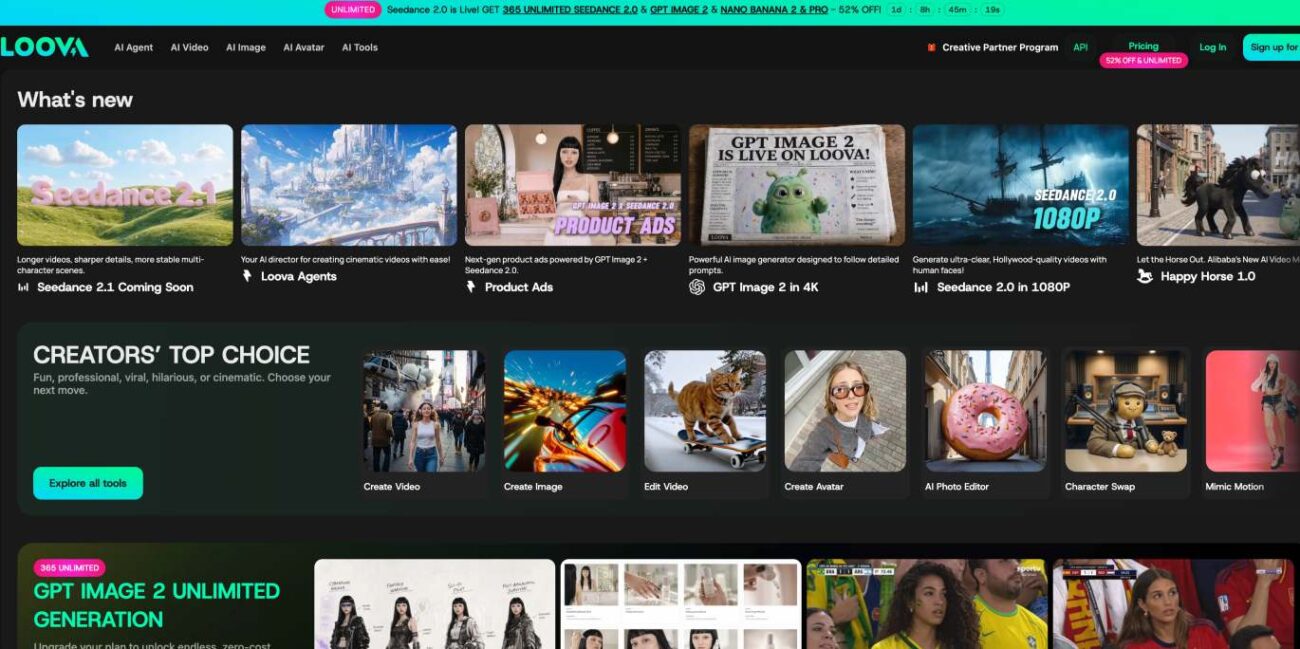
Loova AI takes a different approach from the others on this list. Instead of being a single model, it is an all-in-one platform that brings several leading AI video models, such as Seedance 2.0, Kling 3.0, and VEO 3.1, into one connected workflow.
That matters more than it sounds. Because different models produce different anime styles, serious creators usually end up juggling multiple tools and subscriptions. With Loova AI, you can switch between models, test several anime looks side by side, and combine text-to-video and image to video AI workflows without leaving the platform.
For anime work, this is useful because a single project often needs more than one style. You might want a cinematic establishing shot, a stylized emotional close-up, and a quick social cut, each suited to a different model. Doing all of that in one environment removes the friction of exporting, re-uploading, and relearning interfaces.
Pros
- Access to multiple top models in one place
- Easy to compare anime styles before committing
- Combines text and image-based generation in one flow
Cons
- More options can feel overwhelming for total beginners
- You still need to learn which model suits each shot
2. Seedance 2.0: Best Cinematic Anime Realism
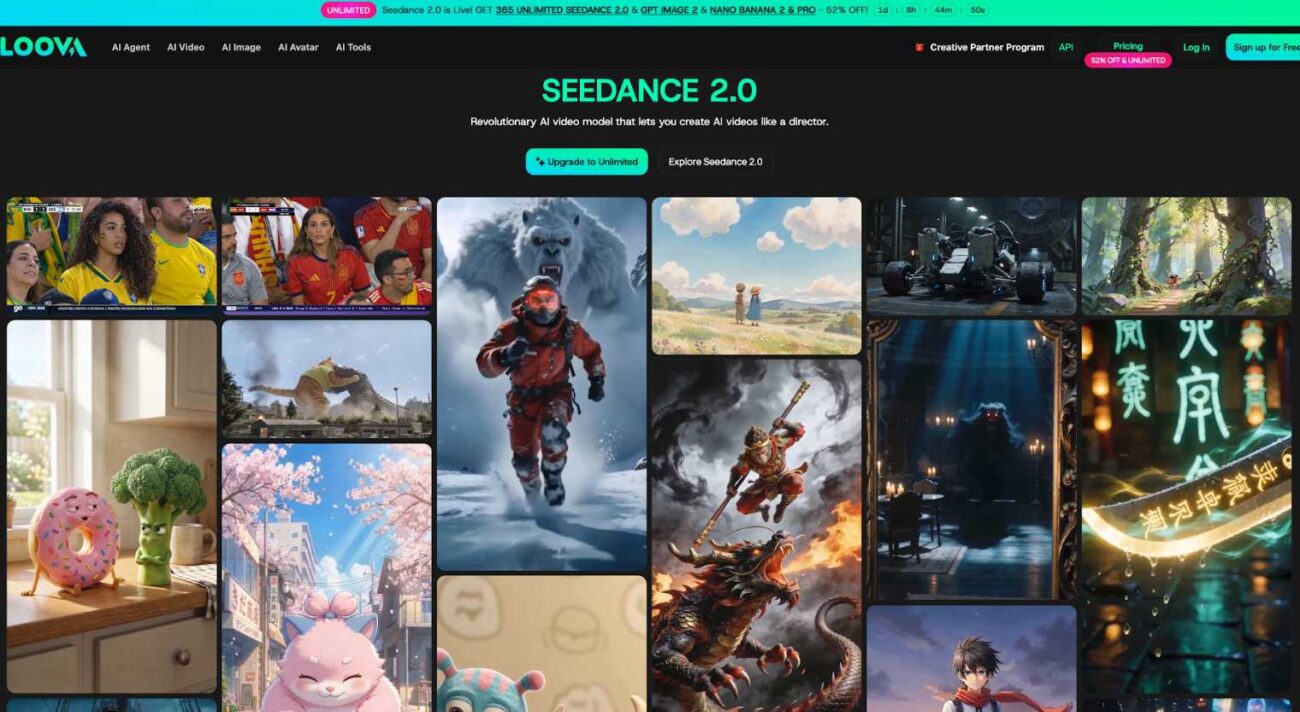
Seedance 2.0 is one of the strongest choices for cinematic, film-grade anime. It handles lighting and atmosphere with care, renders emotional scenes convincingly, and produces camera movement that feels deliberate.
What sets it apart is direction quality. Scenes feel composed rather than accidental, which makes it a favorite for storytelling and high-impact dramatic moments. If you want a clip that looks like it came from a polished anime film, this is a model worth reaching for.
3. Wan: Best for Stylized Anime Visuals
Wan leans toward artistic expression rather than strict realism. It is a strong pick when you want soft anime aesthetics, expressive character design, and creative visual interpretation.
Many creators use Wan for experimental or identity-driven content where mood matters more than photoreal accuracy. If your goal is a distinct visual signature instead of a cinematic recreation, Wan gives you room to play.
4. Kling AI: Best for Anime Motion and Camera Movement
Kling AI is known for motion, and motion is where a lot of anime lives. Action sequences, dynamic camera tracking, and fluid animation are its strengths. The Kling 3.0 generation brought stronger consistency, longer clips, and more natural movement, which helps a great deal in busy action scenes.
If your content is movement-heavy, with fights, chases, or energetic transitions, Kling is one of the most dependable options available.
5. PixVerse: Best for Fast Anime Content Creation
PixVerse is built around speed. When you need anime-style clips for social posts, short edits, or trend-based content, it lets you generate many variations quickly and keep the best one.
The real advantage here is iteration. Instead of agonizing over a single render, you can produce several takes, compare them, and publish faster. For creators chasing trends, that turnaround time is a competitive edge.
6. Runway: Best for Anime Editing and Refinement
Runway is not only a generator. Its strength shows up in post-production, where it helps clean up clips, refine animation, smooth transitions, and lift overall visual quality. Many creators generate elsewhere and finish in Runway.
Think of it less as the first step and more as the polish stage that takes a rough clip and makes it feel finished.
7. Vidu: Best for Fast Anime Shorts
Vidu focuses on short-form generation speed, which makes it well-suited to TikTok clips, YouTube Shorts, and Instagram Reels. If your publishing schedule is aggressive and you need to ship content often, Vidu helps cut production time without forcing you to compromise on the anime look.
8. Pika: Best for Beginner Anime Creators
Pika is one of the friendliest entry points into an AI anime video. It handles simple animations and basic character scenes well, and its approachable design makes it easy to experiment while you learn.
If you are new to AI video and want to understand prompting and motion before moving to heavier tools, Pika is a comfortable place to start.
9. Grok Imagine: Best for Experimental Anime Styles
Grok Imagine leans into creative, unusual output rather than strict realism. It suits abstract visual styles, experimental storytelling, and scenes that intentionally break away from the typical anime mold.
If you are tired of looks that feel familiar and want something that stands out, Grok Imagine gives you a more unpredictable, exploratory canvas.
10. Happy Horse 1.0: Best for Cute Anime and Mascot Animation
Happy Horse 1.0 is designed for softer, more playful styles. It works well for mascot characters, cute anime visuals, and light, friendly storytelling. Brands and creators who want warm, approachable animation rather than dramatic cinematic scenes will find it a strong fit.
How to Choose the Right Tool for Your Workflow
The best tool depends far more on what you make than on any ranking. Here is a simple way to match a tool to your needs.
- If you are a filmmaker or storyteller, cinematic models like Seedance 2.0 and Kling AI will serve you best, since direction and motion quality carry the scene.
- If you are a short-form creator who lives on speed, PixVerse and Vidu let you publish often without burning hours per clip.
- If you are a beginner, Pika gives you a gentle learning curve so you can build confidence before scaling up.
- If you want a distinct, stylized identity, Wan or Grok Imagine give you more creative range than realism-focused models.
And if you want to avoid being locked into one model, a multi-model platform lets you test several styles in one place, which is exactly why creators increasingly build their workflow around platforms rather than single tools.
A Simple Step-by-Step Workflow for Creating Anime Video With AI
If you are starting from zero, this practical sequence will save you a lot of trial and error.
- Define the scene first: Write one or two sentences describing the moment, mood, and action before you touch any tool. Clarity in your head leads to clarity in the prompt.
- Pick a model that matches the goal: Choose a cinematic model for drama, a motion-focused model for action, or a fast model for social clips.
- Anchor the character with a reference: Use an image-to-video approach when you can, since a reference image keeps the character far more consistent than text alone.
- Write a focused prompt: Describe the subject, setting, lighting, camera movement, and style. Keep it specific but not cluttered, since overloaded prompts confuse the model.
- Generate several takes: Never settle on the first render. Produce a handful of variations and compare them.
- Refine and clean up; Take your best clip into an editing-focused tool to smooth motion, fix transitions, and sharpen the final look.
- Adapt for the platform; Export in the right aspect ratio and length for where it will live, whether that is a vertical short or a wider cinematic frame.
Practical Tips to Get Better Anime Results
A few small habits separate frustrating output from clips you are proud to post.
- Keep prompts descriptive but controlled. Naming the lighting, camera angle, and emotion usually helps more than piling on adjectives.
- Reuse the same reference image across shots to hold character consistency.
- Generate short clips and stitch them together rather than asking for one long take, which tends to drift.
- Resist the urge to stack effects and transitions. Restraint reads as polish, while clutter reads as noise.
- Keep a small library of prompts and settings that worked, so you can repeat your wins instead of starting fresh every time.
Common Problems and How to Fix Them
Even with strong tools, AI anime videos still throw up a few recurring issues. Knowing them in advance keeps you calm when they appear.
- Character consistency drift: Faces and outfits can change between frames. Fix it by leaning on reference images, keeping clips short, and using models built for consistency.
- Motion instability: Some scenes feel slightly unnatural or jittery. Simpler movement and clearer prompts usually steady the result, and a refinement tool can smooth what remains.
- Style drift: The anime look can shift partway through a scene. Locking your style language in the prompt and avoiding overly long generations helps hold it together.
- Over-editing: Too many transitions and effects can bury a good clip. When something feels off, the answer is often to remove rather than add.
- Most strong results come from a balance of careful prompting and controlled editing, not from a single perfect generation.
Where AI Anime Video Is Heading
AI anime creation is still moving fast, and the next wave of improvements is already taking shape. The clearest priorities are longer scene consistency, stronger character memory across shots, more precise camera control, and steadier movement over time. Real-time generation is also creeping closer, which would let creators direct scenes almost interactively.
The bigger picture is that AI is shifting from a single-step generator into a creative partner that supports an entire production pipeline. None of this replaces the human spark. Story, taste, and timing still come from the creator. What changes is how much of the heavy mechanical work gets handled for you, which frees more energy for the parts that actually make a piece of anime feel alive.
Frequently Asked Questions
| Question | Answer |
|---|---|
| What is the best AI video generator for anime? | There is no single winner, because the right tool depends on your goal. Seedance 2.0 leads for cinematic realism, Kling AI for motion-heavy scenes, and Wan for stylized looks. Many creators use a multi-model platform so they can switch between strengths in one place. |
| Can AI really generate anime-style videos? | Yes. Modern AI video models support anime generation with solid visual consistency and motion control. The quality in 2026 is strong enough that AI anime clips appear across social feeds, edits, and short cinematic projects every day. |
| Which AI model is best for anime motion? | Kling AI is among the strongest for motion-heavy anime, especially action sequences with dynamic camera movement and fast character animation. |
| What is the fastest AI anime generator? | PixVerse and Vidu are both built for speed and quick iteration, which makes them ideal for social clips and trend-based content where turnaround time matters. |
| Can AI create a full anime episode? | Not as a single seamless render yet. AI can already produce strong short scenes and sequences, and creators combine those clips into longer stories. Full automated episodes are likely as scene consistency and character memory continue to improve. |
| Why use more than one AI tool for anime? | Different tools specialize in different parts of the process, such as realism, motion, speed, or stylization. Combining them, or using a multi-model platform, gives you better results than forcing one tool to do everything. |
| What is Loova AI used for? | Loova AI is a multi-model platform that lets creators generate and test anime-style videos using several leading AI video models inside one workflow, which is helpful when a project needs more than one style. |
Disclaimer
This article is provided for general informational and educational purposes only. The tools, models, and features mentioned are described based on information available at the time of writing, and AI video platforms update frequently, so capabilities, pricing, and availability may change. Always review each provider’s current documentation, terms of service, and licensing rules before using a tool for commercial work. Mentions of specific products do not constitute endorsements, and you are responsible for ensuring your generated content respects copyright, character ownership, and platform guidelines. Nothing here should be treated as legal or professional advice.
Conclusion
AI anime video creation has crossed the line from novelty to practical production. The tools on this list each bring something different. Seedance 2.0 and Kling AI handle cinematic and motion-heavy work, PixVerse and Vidu cover speed, Pika welcomes beginners, Wan and Grok Imagine push creative styles, Runway refines and finishes, and Happy Horse 1.0 keeps things cute and friendly. Sitting above all of them, multi-model platforms like Loova AI make it easier to combine these strengths instead of choosing just one.
The smartest approach in 2026 is not to find one perfect tool. It is to understand what each one does well, build a small workflow that fits your style, and let AI handle the heavy lifting while you focus on the story you want to tell. Start with one project, test a couple of models, and grow from there. The barrier to making anime has never been lower, and the creative ceiling has never felt higher.