
Blog
Best Beat-Synced Video Generator Tools in 2026 for Music, Gaming, and Social Clips

Beat-synced videos are now one of the most popular styles across TikTok, Instagram Reels, YouTube Shorts, gaming montages, and AI music content. When visuals match the rhythm of a Song, the final video feels sharper, more professional, and easier to watch until the end.
The problem is that manual beat editing takes time. You need to find the beat, cut clips at the right moments, adjust transitions, match energy changes, and keep the pacing natural. For creators who publish often, that process can become slow and tiring.
That is why beat-synced video generator tools are becoming more useful in 2026. The right tool can analyze music, detect rhythm, understand energy changes, and create a polished video without requiring advanced editing skills.
Why Beat-Synced Videos Work So Well
| Creator Type | Video They Want to Make | Why Beat Sync Matters |
| Gamers | Kill montage or highlight reel | Cuts feel more intense and satisfying when they land on the beat |
| TikTok creators | Short trend edit or hook clip | Beat timing improves retention and hook strength in the first three seconds |
| AI music creators | AI song visualizer or lyric clip | Gives generated music a watchable visual format |
| Streamers | Best moments compilation | Makes clips feel faster, more polished, and share-ready |
| Mobile creators | Quick social video | Saves the time that manual editing on a phone would take |
| Musicians | Beat-synced music video | Turns an audio release into a stronger visual asset across platforms |
Common Uses for Beat-Synced Videos
| Creator Type | How Beat Synced Editing Helps |
|---|---|
| Gamers | Gamers use beat synced editing to create kill montages, highlight reels, clutch moments, and fast paced edits. |
| Musicians | Musicians use it to promote songs, lyric videos, visualizers, and album teasers. |
| TikTok and Reels Creators | TikTok and Reels creators use it to make trend edits, hook clips, and aesthetic videos. |
| AI Music Creators | AI music creators use it to turn generated songs into visual content that can be posted across social platforms. |
| Streamers | Streamers use it to turn long recordings into short, engaging clips. |
| Mobile Creators | Mobile creators use it to make quick videos without learning complex editing software. |
What Makes a Good Beat-Synced Video Generator
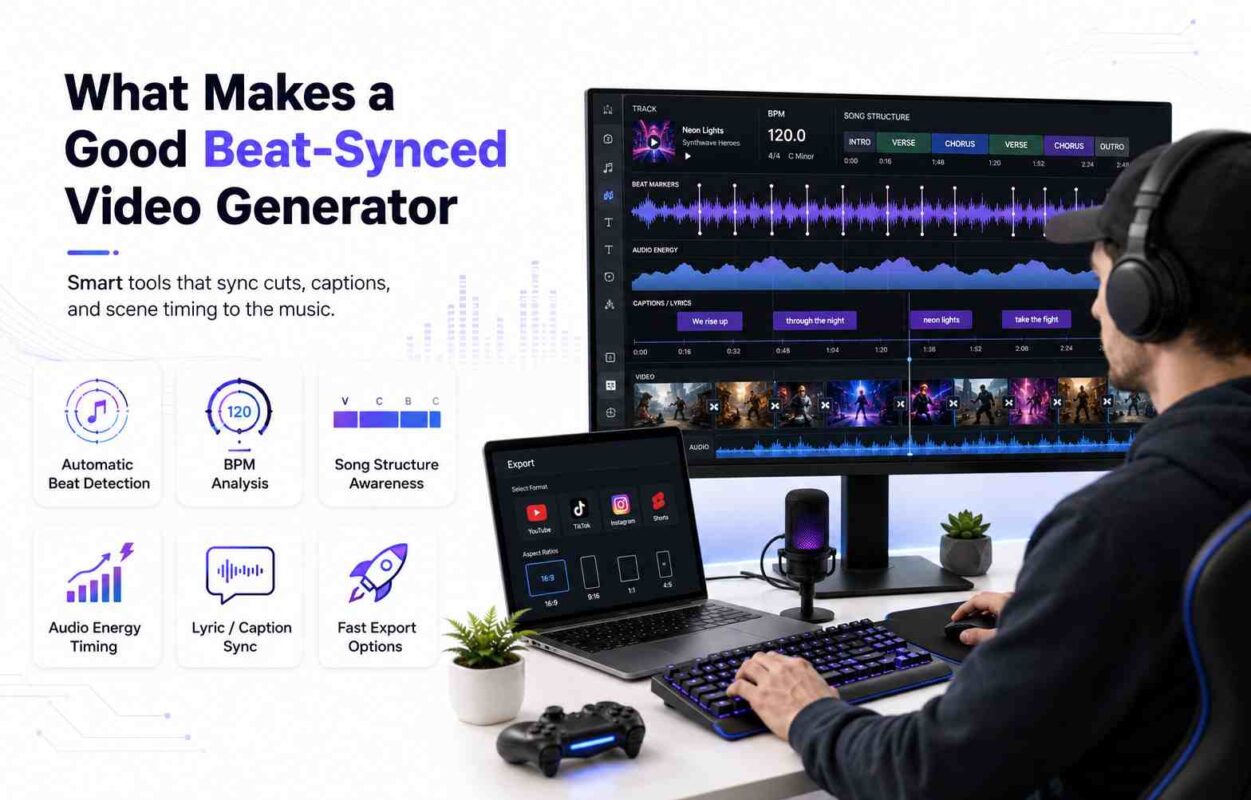
Not every tool that claims to offer beat sync gives the same result. Some tools only show beat markers, while others actually build the edit around the music.
A strong beat-synced video generator should do more than place random cuts on a waveform. It should understand how the track changes from verse to chorus, when the drop happens, and when the energy rises or slows down.
Key Features to Look For
A good tool should include:
- Automatic beat detection
- BPM analysis
- Song structure awareness
- Scene timing based on audio energy
- Caption or lyric timing
- Multiple export sizes for social platforms
- Easy editing after generation
- Support for full songs and short clips
- Fast export options
- Simple workflow for beginners
The best tools reduce the amount of manual work while still giving creators enough control to adjust the final video.
Quick Comparison of the Best Beat-Synced Video Generator Tools
Freebeat
- Freebeat is one of the strongest options for creators who want music-first, beat-synced videos with very little manual editing. It starts with the audio and builds the video around the track.
- It can analyze rhythm, BPM, beat drops, energy changes, and Song structure. This allows the video to feel connected to the music instead of looking like a random template placed over a Song.
- Freebeat is especially useful for AI music creators, lyric video makers, musicians, and social media creators who want videos that feel ready for TikTok, Reels, Shorts, and YouTube.
Best For
Freebeat is best for:
- AI music videos
- Lyric clips
- Beat-synced social videos
- Full music visuals
- Short promotional clips
- Music first video workflows
Why Freebeat Stands Out
- Freebeat works well because it focuses on the music before anything else. A verse can have slower visuals, while a chorus can have faster movement and stronger transitions. A beat drop can trigger a more dramatic scene change.
- This makes the output feel more planned and professional.
- Creators who are still developing their Song ideas can also use a free AI lyrics generator before creating the final beat-synced video. This helps shape the lyrics first, then turns the finished track into visual content.
Where It Could Improve
Freebeat is strong for fast video creation, but creators with very specific visual styles may still need to refine prompts or regenerate some scenes to get the exact look they want.
CapCut
- CapCut is one of the most popular editing tools for mobile creators. It is easy to use, has many templates, and works well for TikTok and Reels-style edits.
- CapCut is useful if you want more hands-on control. You can choose clips, adjust timing, add effects, use captions, and follow beat markers.
Best For
CapCut is best for:
- Mobile creators
- TikTok edits
- Reels videos
- Simple gaming clips
- Template-based videos
Main Limitation
- CapCut is not fully automatic for beat-synced music videos. It can help with beat timing, but you still need to place clips, adjust cuts, and make many editing decisions yourself.
- This makes it better for creators who enjoy editing, not for those who want a complete video created from audio automatically.
Runway
- Runway is known for high-quality AI video generation. It can create cinematic scenes, realistic motion, and visually impressive clips.
- For creators who care about premium-looking visuals, Runway can be powerful. It is useful for music video scenes, dramatic intros, creative experiments, and AI-generated footage.
Best For
Runway is best for:
- Cinematic AI visuals
- Concept videos
- Music video scenes
- Creative visual experiments
- Premium-looking clips
Main Limitation
- Runway does not create true beat-synced edits on its own. You can generate beautiful video clips, but you still need another editor to cut those clips to the music.
- This makes Runway better as a visual creation tool than a complete beat-synced video generator.
Kaiber
- Kaiber is useful for stylized animated visuals. It works well for creators who want artistic loops, music backgrounds, and mood-based videos.
- Its strength is style. If your goal is to create a unique visual mood around a Song, Kaiber can be a good option.
Best For
Kaiber is best for:
- Animated music loops
- Aesthetic visuals
- Artist promo clips
- Short music teasers
- Mood-based videos
Main Limitation
Kaiber responds more to general audio energy than to deep Song structure. It may create visuals that feel connected to the music, but it is not always precise with verse, chorus, and drop-based editing.
Pika
- Pika is fast, simple, and beginner-friendly. It is good for testing short visual ideas, meme-style clips, and quick social content.
- For creators who want to experiment with different AI visuals, Pika can be useful because it does not require much setup.
Best For
Pika is best for:
- Quick visual tests
- Short AI clips
- Meme-style videos
- Social media experiments
- Creative idea testing
Main Limitation
Pika does not work as a full beat-synced music video tool. It can generate short clips, but you still need to edit those clips to match the music.
Rotor Videos
- Rotor Videos is designed for musicians who need simple promotional videos, lyric videos, and release assets.
- It is template-based, which makes it easy to use. You upload music, choose a style, adjust basic settings, and create a video quickly.
Best For
Rotor Videos is best for:
- Basic lyric videos
- Music promo clips
- Simple artist content
- Fast release assets
- Template-based visuals
Main Limitation
- Rotor Videos is easy, but the creative ceiling is limited by its templates. Videos can look clean, but they may not feel as original or flexible as videos created with more advanced AI tools.
- An album name generator can also be useful during the release planning stage, especially for artists who want a stronger identity before creating videos, covers, captions, and promotional content.
How to Choose the Right Beat-Synced Video Tool
The best tool depends on your content style and how much editing you want to do.
| Tool | Choose This Tool If | Best For | Helpful Guidance |
|---|---|---|---|
| Freebeat | Choose Freebeat if you want a complete beat synced video from music with minimal editing. | AI songs, lyric clips, music videos, social videos, and full song visuals. | This is the best option if your main goal is to upload a song and get a video that follows the rhythm, beat drops, chorus, and overall structure of the track. It is useful for creators who want fast results without editing every cut manually. |
| CapCut | Choose CapCut if you enjoy manual editing and want control over every cut, transition, caption, and effect. | TikTok videos, Reels, mobile edits, gaming clips, and template based social content. | This is a good choice if you like editing on your phone and want to adjust the video yourself. It works well for creators who want templates and simple mobile tools, but it still requires more hands on work than automatic beat synced tools. |
| Runway | Choose Runway if you want cinematic AI visuals and already know how to edit clips after generating them. | Premium AI scenes, cinematic clips, creative visuals, music video scenes, and concept videos. | This is best when visual quality matters more than automatic beat syncing. Runway can create impressive footage, but you will usually need another editor to arrange the clips and match them with the music. |
| Kaiber | Choose Kaiber if you want artistic animated loops and care more about mood, style, and atmosphere than exact beat timing. | Animated music visuals, aesthetic clips, artist promos, short teasers, and mood based videos. | This is a strong option for creators who want a unique visual style. It works well for short music teasers and artistic content, but it may not be the best choice if you need precise beat by beat editing. |
| Pika | Choose Pika if you want fast AI clip generation and are testing creative ideas for social media. | Short AI clips, meme style videos, quick experiments, visual tests, and social content ideas. | This is useful when you want to quickly create and test different visual ideas. It is not the best option for full music synchronization, but it works well for quick creative drafts and short social videos. |
| Rotor Videos | Choose Rotor Videos if you want quick music promo videos and prefer a simple template based workflow. | Lyric videos, release promos, artist content, simple music visuals, and promotional clips. | This is a good option for musicians who need clean and simple videos without much setup. It is easy to use, but the final result may feel less unique because it depends heavily on templates. |
Practical Tips for Better Beat-Synced Videos
| Tip | Why It Matters |
|---|---|
| Start With the Strongest Part of the Song | The hook, chorus, or beat drop usually works best for short clips because these parts have more energy and are more likely to hold attention. |
| Keep the First Few Seconds Strong | Short-form platforms move fast, so your video should show movement, emotion, or a strong visual moment almost immediately. |
| Match Visual Energy to Audio Energy | Slow parts of a song should not always use fast cuts, while high-energy sections should not feel visually flat. The best videos rise and fall with the music. |
| Use Captions When Lyrics Matter | If the song has vocals, captions can make the video more watchable. Beat-timed captions are especially useful for lyric clips and AI music videos. |
| Export in Multiple Formats | One song can become several pieces of content, including a full video for YouTube, a |
Which Tool Gives the Best Value
| Tool | Best Value For | Main Benefit |
|---|---|---|
| Freebeat | Creators who want music-first, beat-synced videos without manual timeline editing | Saves time, supports different formats, and creates videos built around the audio. |
| CapCut | Mobile creators who enjoy hands-on editing | Offers strong mobile editing tools, templates, and manual control. |
| Runway | Creators who want cinematic AI footage | Produces high-quality visuals, but needs extra editing for beat sync. |
| Kaiber | Creators who want stylized music visuals | Useful for artistic loops, mood-based clips, and animated music content. |
| Pika | Creators who want quick creative testing | Good for experimenting with short AI visuals and social clip ideas. |
| Rotor Videos | Musicians who need simple music promotion videos | Works well for template-based lyric videos, release promos, and basic music visuals. |
The cheapest tool is not always the best value. If a free tool takes an hour of editing, it may cost more time than a paid tool that creates a polished video in minutes.
Final Conclusion
Beat-synced video generators are valuable because they solve one of the hardest parts of video editing: timing. Knowing where to cut, when to change scenes, how fast to pace visuals, and how to match movement with music used to require real editing experience.
In 2026, creators need faster ways to turn music, gaming clips, AI songs, and social ideas into watchable content. The best tools make that process easier by analyzing the audio and building the video around rhythm, energy, and structure.
For creators who want a no-editing music first workflow, Freebeat is the strongest overall choice. CapCut is better for mobile editors who want control. Runway is best for cinematic visuals. Kaiber works well for artistic loops. Pika is useful for quick experiments. Rotor Videos is a solid option for simple promo videos.
Beat-synced content will continue to perform well because it feels polished, energetic, and easy to watch. Creators who can produce it quickly and consistently will have a clear advantage across music, gaming, and short-form video platforms.