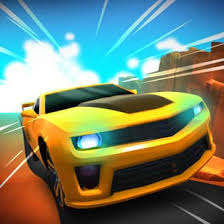
Super Star Car
| Detail | Information |
|---|---|
| Game Name | Super Star Car |
| Developer | Barnzmu |
| Release | April 2021 |
| Last Update | May 19, 2025 |
| Engine | Unity 6 |
| Genre | Formula-style 3D racing |
| Main Mode | Career |
| Progression | Money, stars and car upgrades |
| Tracks | Multiple circuits |
| Camera Views | In-car and third-person options |
| Player Statistics | Yes |
| Mini-Map | Yes |
| Speedometer | Yes |
| Platform | Desktop web browser |
| Controller Support | Xbox controller |
| Main Controls | WASD or Arrow Keys |
| Camera Control | C |
| Respawn | Spacebar |
Super Star Car is a 3D Formula-style racing game where winning is not simply a matter of holding the accelerator from the starting grid to the chequered flag. The career mode rewards race results with money and stars, tougher circuits demand more controlled driving, and upgrades gradually make your car better prepared for later events.
The first few races can make the controls feel forgiving. That changes once faster sections lead directly into tight corners. Carry too much in-game speed into a bend and the car can run wide, lose several positions or leave the circuit completely. The useful skill is learning when speed is helping and when it is about to cost you the race.
Players who enjoy track-focused driving can find more titles in Mopoga’s Racing games collection.
About Super Star Car
Super Star Car was developed by Barnzmu and released in April 2021.
The supplied reference lists its latest update as May 19, 2025.
The current game information identifies Unity 6 as the engine and lists the browser version as desktop-only. It also supports an Xbox controller, giving players an alternative to keyboard steering.
Super Star Car focuses on Formula-style circuit racing rather than open-world driving. Its main systems include:
- career progression
- several race circuits
- money rewards
- stars
- car upgrades
- championship progression
- detailed player statistics
- multiple camera views
- a mini-map
- a speedometer
- keyboard controls
- Xbox controller support
The campaign is the centre of the experience. You begin as a developing racer and gradually work towards the championship trophy instead of simply choosing a track for an isolated race.
Super Star Car Game Details
How To Play Super Star Car
The basic goal is familiar:
finish races as strongly as possible and progress through your career.
During a race, you accelerate, steer around the circuit, pass rivals and try to stay on the track.
Strong results provide:
- money
- stars
- career progress
- opportunities to improve your vehicle
Those rewards matter because later events are not simply repeats of the opening races.
The circuits change and the competition becomes more demanding.
This creates the main progression loop:
race → earn rewards → improve the car → enter harder races → climb towards the championship
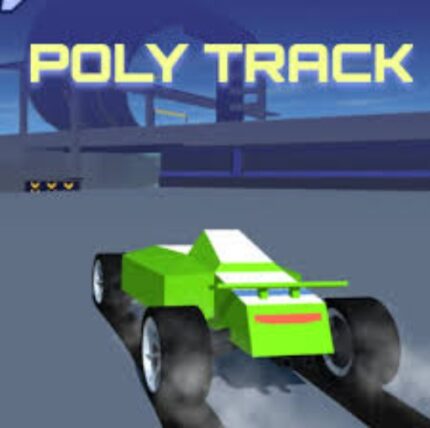
Mopoga’s PolyTrack is another good option for players who particularly enjoy learning circuits and improving how consistently they can complete technical corners.
Career Mode Is The Main Progression System
Career mode gives Super Star Car more structure than a simple quick-race browser game.
Every completed event contributes towards a longer journey.
You are not only trying to win the race currently on screen.
You are also building:
- your career standing
- your available money
- your stars
- your upgraded car
- your statistical profile
- your progress towards the championship
That makes a less-than-perfect result still meaningful.
You might not win every event immediately, but finishing races and building resources can prepare the car for later attempts.
Money And Stars
Race results provide money and stars.
These two rewards form an important part of career progression.
Money can be used in the car-development side of the game, while stars help represent your progress through the campaign and its opportunities.
The reference does not provide a complete table showing the exact reward for every finishing position.
That means Mopoga does not invent figures such as:
- first place gives a specific amount
- second place gives another fixed amount
- a certain number of stars unlocks a named circuit
Follow the values shown directly inside your current game version.
The important confirmed point is that stronger career results produce resources that support continued progression.
Upgrading Your Car
Car upgrades are an important part of the campaign.
As competition becomes harder, winnings can be invested into improving performance.
The source describes upgrades as a way to make the car better prepared for tougher races later in the career.
What it does not provide is a verified complete upgrade-stat list.
For accuracy, Mopoga does not claim that the browser version definitely contains separate named upgrades for:
- engine power
- brakes
- tyres
- gearbox
- downforce
- suspension
unless those categories are displayed in the version you are playing.
The practical rule is simpler:
use the game’s upgrade interface to strengthen the car as the career gets more demanding.
Do Not Ignore Upgrades Just Because Early Races Feel Easy
A common game-progression mistake is saving every reward because the current events are manageable.
That can leave the car behind the difficulty curve.
If later opponents begin pulling away or your existing performance stops being competitive, the money earned earlier has a purpose.
Upgrades are not only a reward screen.
They are part of preparing for later campaign races.
At the same time, there is no reason to invent a rigid upgrade order without verified stat details.
Use what the game shows and respond to where your current car is falling behind.
Several Circuits Change The Challenge
Super Star Car includes multiple race tracks.
The supplied reference specifically identifies circuits including:
- Arcport Circuit
- Yafield Park
- Riverside Circuit
It also indicates that more tracks are available beyond those examples.
Each circuit creates a slightly different problem because the layout changes.
One track may give you long sections where in-game speed can build.
Another may punish that same approach with tighter sequences of corners.
This is why memorising one control rhythm is not enough.
You need to read each circuit.
Learn The Circuit Before Chasing A Perfect Race
During an early attempt on a new circuit, one useful goal is simply learning where the difficult sections are.
Trying to win every unfamiliar race through maximum aggression can lead to repeated off-track mistakes.
Notice:
- where sharp corners appear
- where one corner quickly leads into another
- where there is enough room to build speed
- where the mini-map warns of a direction change
- which areas repeatedly cause you to run wide
The next attempt then becomes less reactive.
Instead of discovering the corner at the last moment, you already know it is coming.
Corners Are The Main Test
The supplied reference specifically identifies corners as one of the hardest parts of Super Star Car.
That makes sense within the game.
Straight sections are relatively simple.
The car is pointing in the direction you want to travel, so building speed feels natural.
A corner changes that.
Now you need to preserve enough control to follow the track rather than simply maintaining maximum virtual speed.
The easiest mistake is entering every bend with the same approach used on the straight before it.
In-Game Speed Is Not Always Your Friend
A high number on the speedometer feels like progress.
It is only useful when the virtual car can still follow the circuit.
In a tight bend, excessive in-game speed can cause the car to:
- run wide
- leave the racing surface
- lose time
- lose positions
- require a respawn
This is why the speedometer should not be read as a score.
A higher speed is not automatically better at every point on the circuit.
Formula 1’s official F1 glossary provides useful real-sport context around terms such as braking point, but Super Star Car remains an arcade-style browser interpretation rather than a professional driving simulator.
Use The Mini-Map Before The Corner Arrives
One of the most useful interface elements sits in the bottom-left corner.
The mini-map gives you advance information about the circuit.
Do not treat it as decoration.
It can tell you that:
- a major corner is approaching
- the track changes direction again quickly
- a long straight is coming
- a complex section is nearly finished
That information is especially useful when you have not memorised the circuit.
Instead of waiting until the track edge visibly turns in front of the car, you can prepare earlier.
The Mini-Map Is Most Useful On A New Track
Once you know a circuit well, much of the route may become familiar.
During early races, the mini-map is far more valuable.
A practical in-game habit is to glance at it during easier sections.
Do not stare at it while trying to steer through traffic.
Use calmer straight sections to check what shape is coming next.
That gives you information without taking attention away from the immediate road when precision matters most.
Watch The Speedometer
The speedometer appears in the bottom-right corner.
It gives you another piece of information beyond simply judging speed from the visual movement of the track.
This becomes useful when trying to understand why the same corner keeps causing trouble.
If one attempt repeatedly ends with the car running wide, notice how quickly you were approaching that section inside the game.
On the next attempt, change the approach rather than repeating exactly the same mistake.
That creates a much more useful learning loop than simply restarting.
Do Not Stare At The Speedometer
The speed display is information, not the main playing area.
Checking it constantly can make you miss:
- the corner
- another car
- the edge of the circuit
- the next change in direction
Use quick glances.
Most attention should stay on the virtual track.
Steering Through Sharp Corners
Use:
- A or Left Arrow to steer left
- D or Right Arrow to steer right
The source describes the controls as straightforward, but sharp bends still demand steady input.
A useful game-specific mistake to avoid is holding one direction for too long after the car has already started following the bend.
That can push the vehicle farther across the track than intended.
Try to respond to what the car is currently doing rather than holding a steering input automatically until the corner is completely finished.
Overcorrecting Can Cause A Second Mistake
Suppose your car drifts too far towards one side of the track.
The immediate instinct is often to make a large correction in the opposite direction.
Inside the game, that can create another problem.
You may avoid the first edge only to cross too far towards the other side.
This is especially awkward when another corner follows immediately.
Smaller virtual corrections can feel less dramatic but often keep the car in a more manageable position.
Going Off The Track
Leaving the circuit costs time.
It can also leave the car somewhere awkward enough that continuing normally becomes difficult.
Super Star Car provides a convenient recovery control:
Spacebar
Pressing Space respawns your position.
That means one mistake does not necessarily require abandoning the entire race.
The important decision is recognising when trying to recover manually is wasting more time than using the reset.
Use Respawn When Recovery Is Clearly Going Nowhere
There is a temptation to rescue every off-track situation manually.
Sometimes the car is already almost back on the racing surface.
In that case, continuing may make sense.
Other times it is pointed badly or stuck far enough away that the attempt to recover keeps becoming worse.
That is what the respawn function is for.
The important thing is not avoiding the button because using it feels like admitting a mistake.
The mistake has already happened.
Now you are choosing the fastest way to return to the race.
Do Not Press Space Accidentally
The reset button is useful precisely because its effect is significant.
It should not become part of your normal steering rhythm.
If you are switching between keyboard controls frequently, remember that:
- WASD/Arrow Keys control the car
- C changes the camera
- Spacebar respawns
Keeping those functions clear prevents an unnecessary reset during an otherwise clean race.
Camera Views
Super Star Car includes multiple camera perspectives.
The reference confirms:
- in-car view
- third-person views
- a higher bird’s-eye-style perspective
Press C to switch between them.
This is more than a visual novelty.
Different cameras change what information is easiest to see.
In-Car View
The in-car perspective places you closer to the driver’s position.
It can make the race feel faster and more immersive.
The trade-off is visibility.
You may have less awareness of:
- the full width of the car
- nearby opponents
- exactly how close you are to an edge
That does not make it a bad view.
It simply changes the information available.
Use it if the perspective helps you judge the circuit comfortably.
Third-Person View
A camera behind the car gives you more awareness of the vehicle’s position.
That can make it easier to judge:
- how centred the car is
- whether another racer is alongside
- how much room remains at the circuit edge
- where the rear of the car sits through a corner
For new players, this wider spatial information can be useful while learning a track.
Bird’s-Eye Perspective
A higher viewpoint gives a broader view of the immediate racing area.
This may make corner geometry easier to understand.
The downside is that it can feel less immersive than the driver’s-seat perspective.
There is no universal best camera.
The most useful one is the view that helps you make better in-game decisions.
Change Cameras Before A Difficult Section
Testing the camera options is worthwhile.
Switching repeatedly while already struggling through a sharp sequence is less useful.
Every perspective changes your visual reference slightly.
Do the experimentation during a calmer part of the race or during an early attempt.
Then give yourself enough time to adjust.
Racing Against Other Cars
Super Star Car places rivals on the circuit rather than turning every event into a solo time trial.
That means your preferred line through a section may not always be completely open.
Sometimes another car occupies the space you wanted.
The important in-game mistake is becoming so focused on one rival that you stop reading the circuit itself.
Passing a competitor does not help much if the manoeuvre immediately puts you off the track.
Do Not Treat Every Rival As An Emergency
Seeing another car ahead naturally encourages an immediate attempt to pass.
That is not always necessary.
If the next section is already difficult, forcing an overtake there can add another problem to manage.
There may be a cleaner opportunity later in the race.
The goal is not to pass at the earliest possible second.
The goal is to finish ahead.
Those are not always the same thing.
Use The Track Before Watching The Rival
When following another car, it is easy to stare almost exclusively at that vehicle.
Keep noticing the circuit around it.
A rival may brake or turn because a difficult section is approaching.
If your attention is fixed only on their rear wing, you may react to the track too late.
Treat the opponent as one piece of information, not the entire screen.
Career Difficulty Changes As You Progress
A career mode needs a reason for upgrades and improvement to matter.
Super Star Car provides that by increasing the demands of later competition.
Your early understanding of:
- steering
- camera choice
- track reading
- mini-map use
- upgrade progression
becomes increasingly valuable.
What felt forgiving in an opening race can become expensive when opponents are faster and one off-track moment costs several positions.
Learn From Repeated Mistakes
One of the easiest ways to remain stuck on a racing game is restarting without identifying the problem.
If you repeatedly lose time at the same section, ask what actually happened.
Possible in-game causes include:
- carrying too much speed into the bend
- steering too late
- steering for too long
- looking at the rival instead of the circuit
- failing to notice the mini-map
- choosing a camera that makes the corner difficult to judge
- running off track and taking too long to respawn
Each explanation suggests a different change.
“Drive better” does not.
Your Profile Tracks Detailed Statistics
One of the listed features is a profile with detailed stats.
That gives career performance another layer beyond the championship itself.
Statistics can help show progression over time.
The source does not publish the complete list of tracked statistics, so Mopoga does not invent categories that may not exist.
Use the profile information visible in your game version to judge how your career is developing.
Statistics Are More Useful When You Compare Yourself With Yourself
A profile can become another score screen you barely look at.
It is more useful when it answers a question.
For example:
- Are results improving?
- Are you consistently finishing stronger?
- Has upgrading the car changed your performance?
- Is a particular circuit still causing problems?
That turns statistics into feedback rather than decoration.
Championship Progression
The main long-term goal is reaching the championship trophy.
Each career race moves you closer to that objective.
The championship structure gives individual races more meaning because they are connected to one larger goal.
This is different from a game such as Real Cars in City, where free driving and an open urban environment are much more central than progressing through a Formula-style championship campaign.
Super Star Car Is Not An Official Formula 1 Simulator
The game clearly draws inspiration from Formula-style racing.
That does not mean it should be presented as an officially licensed Formula 1 simulation.
The supplied reference does not describe:
- licensed F1 teams
- real F1 drivers
- official Formula 1 branding
- exact current championship circuits
- current FIA technical regulations
The names Arcport Circuit, Yafield Park and Riverside Circuit are fictional game circuits rather than current Formula 1 Grand Prix venues.
For readers curious about how the real championship is structured, Formula 1’s official beginner’s guide to an F1 weekend explains practice, qualifying, the Grand Prix and championship points.
That context is useful without pretending Super Star Car reproduces every real-world rule.
Formula-Style Racing Versus Real F1
Super Star Car takes the recognisable ideas players expect from Formula racing:
- open-wheel-style cars
- circuit competition
- high virtual speeds
- career progression
- championship goals
- multiple camera perspectives
The real FIA Formula One World Championship is far more complicated.
Professional Formula 1 involves areas such as:
- team engineering
- tyre management
- qualifying formats
- pit strategy
- technical regulations
- driving standards
- safety procedures
Formula 1’s current driving standards explanation gives a sense of how much formal regulation surrounds real racing situations.
Super Star Car intentionally removes most of that complexity.
The result is an arcade-friendly browser racing experience.
Keep The Racing Inside The Game
Super Star Car is built around virtual high-speed racing.
Its career rewards aggressive competition because mistakes can be corrected with a respawn and another attempt.
Real public-road driving is completely different.
The speed, overtaking and cornering behaviour used for success in a racing game should stay inside the game rather than being copied on real roads.
Unity 6 Engine
The current reference lists Unity 6 as the game engine.
That is a newer engine generation than the original April 2021 release date, which indicates that the game has been maintained and updated over time.
Unity’s official Unity 6 web documentation explains that its web platform can publish real-time interactive 3D content through browser technologies including WebGL.
This helps explain how Super Star Car can provide:
- detailed 3D circuits
- several cars
- changing camera views
- real-time racing
- responsive controls
inside a desktop browser.
Desktop-Only Browser Version
The supplied reference specifically lists:
Browser (desktop-only).
That means Mopoga should not automatically claim this version works on:
- Android browsers
- iPhones
- tablets
just because Unity itself can support web content on other devices.
The game developer and hosting configuration determine the platforms available for this specific build.
For broader free-form driving on Mopoga, Car Simulator 3D is a useful alternative when you want a less campaign-focused experience.
Xbox Controller Support
Super Star Car supports an Xbox controller.
That can make sense for racing because analogue controller input may feel more familiar to players who normally use gamepads.
Browser controller support is possible through standards such as the Gamepad API documented by MDN, which lets web applications receive information from connected gamepad buttons and axes.
The game itself is the authority on its Xbox controller mapping.
The supplied reference confirms support but does not provide a full button-by-button Xbox layout.
For that reason, Mopoga does not invent controller mappings.
Follow the prompts shown by your current build.
Keyboard Controls
The confirmed keyboard controls are:
| Control | Action |
|---|---|
| W | Accelerate |
| Up Arrow | Accelerate |
| A | Steer Left |
| Left Arrow | Steer Left |
| D | Steer Right |
| Right Arrow | Steer Right |
| C | Change Camera View |
| Spacebar | Respawn Position |
The source does not list a separate keyboard brake key in its official control section.
That is worth keeping accurate.
Some third-party versions may display additional commands, but Mopoga’s game guide is based on the supplied reference rather than borrowing controls from unrelated copies.
Should You Use WASD Or Arrow Keys?
Both layouts control the same basic driving actions.
Use whichever feels more natural.
The useful thing is consistency.
Switching between layouts in the middle of a difficult race does not give you an advantage.
Choose one and build familiarity with it.
Super Star Car Features
Career Mode
Progress from early races towards a Formula-style championship.
Money And Stars
Race results provide resources and career progression.
Car Upgrades
Improve performance as later events become tougher.
Multiple Circuits
Race on several tracks including Arcport Circuit, Yafield Park and Riverside Circuit.
Championship Goal
Work towards the career trophy rather than playing disconnected races only.
Detailed Player Profile
Track career statistics through the profile system.
Mini-Map
Preview upcoming circuit direction and difficult sections.
Speedometer
Monitor in-game speed while racing.
Several Camera Views
Switch between in-car, third-person and higher perspectives.
Detailed 3D Graphics
Unity powers the game’s full 3D circuits and cars.
Engine Audio
The game uses racing engine sounds to support the Formula-style atmosphere.
Xbox Controller Support
Use a compatible Xbox controller instead of relying only on the keyboard.
Desktop Browser Play
The current supplied reference identifies the game as desktop-only.
Practical Super Star Car Tips
Learn New Tracks Before Trying To Dominate Them
Use the first attempts to understand the circuit layout.
A known corner is easier to prepare for than a surprise one.
Check The Mini-Map On Easier Sections
Use straight sections to see what the circuit is about to do.
Do Not Treat Maximum Speed As The Goal Everywhere
In-game speed is useful only if the car stays under control and on the circuit.
Watch The Track Beyond The Rival
Do not let another car hide the fact that a corner is approaching.
Use A Camera That Helps You Judge Position
The most immersive view is not necessarily the view that produces your strongest race.
Avoid Huge Steering Corrections
Within the game, repeated smaller adjustments can be easier to manage than swinging from one side of the circuit to the other.
Use Respawn When You Are Clearly Stuck
Do not waste half the race attempting to rescue an off-track position that is getting worse.
Spend Career Rewards With The Future In Mind
Upgrades exist because later competition becomes more demanding.
Diagnose The Exact Problem
If the same corner ruins several races, identify what you are doing differently there.
Common Super Star Car Mistakes
Holding The Accelerator Mentally As The Only Goal
The game is about finishing races, not simply producing the highest possible speedometer reading.
Not Looking At The Mini-Map
You are giving up advance information about the circuit.
Reacting To Corners Too Late
Learning the track reduces the need for last-second correction.
Steering Too Long
The car may continue farther across the track than you intended.
Watching Only The Opponent
The track remains the larger threat.
Refusing To Respawn
A manual recovery can sometimes cost more time than using Spacebar.
Constantly Changing Camera
Every perspective takes a moment to adjust to.
Ignoring Career Upgrades
Later events are designed around continued progression.
Assuming The Game Is An Official F1 Simulation
Its Formula-style theme is much simpler than the real championship.
Super Star Car Versus PolyTrack
Both are 3D racing games centred around circuits.
The difference is progression.
Super Star Car
Focuses on:
- career racing
- rival cars
- money
- stars
- upgrades
- championship progression
PolyTrack
Focuses more heavily on:
- track mastery
- clean lines
- repeated attempts
- improving racing performance
Players interested in building a racing career may prefer Super Star Car.
Players more interested in pure circuit repetition may prefer PolyTrack.
Super Star Car Versus Drive Mad
Drive Mad is much less interested in conventional racing.
Its challenge comes from unusual vehicles, obstacles and physics.
Super Star Car stays much closer to a traditional circuit-racing structure.
You are competing for position rather than simply trying to survive a strange obstacle course.
The shared lesson is control.
In both games, blindly holding the movement control is much less effective than understanding what the next section requires.
Super Star Car Versus Real Cars In City
Real Cars in City focuses much more heavily on driving around an urban environment.
Super Star Car keeps you on organised racing circuits.
That creates two very different types of car game.
Choose Super Star Car for:
- competition
- careers
- circuits
- championships
- upgrades
Choose Real Cars in City for a more open driving environment.
Super Star Car Versus Car Simulator 3D
Car Simulator 3D gives players a freer driving experience without making championship competition the main objective.
Super Star Car is more structured.
Its career gives each race a clear purpose.
This makes it better suited to players who enjoy seeing a progression path rather than simply driving around a 3D environment.
Why The Career Makes Super Star Car Replayable
The racing itself could work as a simple quick-play game.
Career progression gives you more reasons to return.
A race can contribute towards:
- a stronger result
- more money
- more stars
- a better vehicle
- improved statistics
- another championship step
That creates a feedback loop where the next event feels connected to the one before it.
Mopoga’s Games articles and player features cover more of the systems that make browser games worth returning to, including progression, competition and replay-focused design.
What The Reference Does Not Confirm
For accuracy, the supplied reference does not document a complete list of:
- every car
- every circuit
- exact upgrade statistics
- upgrade prices
- named real Formula 1 teams
- real Formula 1 drivers
- pit stops
- tyre compounds
- fuel management
- weather systems
- online multiplayer
- qualifying sessions
- damage modelling
- manual gears
- a dedicated keyboard brake control
- touchscreen controls
Mopoga does not add those systems just because they are common in other Formula racing games.
The confirmed core is already substantial:
career racing, rewards, upgrades, multiple circuits, stats, several cameras, a mini-map, Xbox controller support and desktop browser play.
Frequently Asked Questions
What Is Super Star Car?
Super Star Car is a 3D Formula-style racing game developed by Barnzmu. You race across several circuits, earn money and stars, upgrade your vehicle and progress through a career towards the championship.
Who Developed Super Star Car?
The developer is Barnzmu.
When Was Super Star Car Released?
The supplied reference lists April 2021.
When Was Super Star Car Last Updated?
The current reference lists May 19, 2025.
What Engine Does Super Star Car Use?
The current game listing identifies Unity 6.
What Is The Main Game Mode?
Career mode is the main progression structure.
What Do You Earn From Races?
Career races provide stars and money.
What Is Money Used For?
Money supports the game’s car-upgrade progression.
Can You Upgrade Your Car?
Yes. Improving the car is part of progressing through tougher campaign races.
Does Super Star Car Have Several Tracks?
Yes.
The reference names circuits including:
- Arcport Circuit
- Yafield Park
- Riverside Circuit
and indicates additional tracks are available.
Does The Game Have Real Formula 1 Tracks?
The supplied reference describes Formula-style racing but uses fictional circuit names such as Arcport and Yafield. Mopoga does not present them as official Formula 1 Grand Prix tracks.
Does Super Star Car Have Real F1 Teams?
No licensed team list is documented by the supplied reference.
Is Super Star Car An Official Formula 1 Game?
The reference describes it as a Formula 1-style racing experience, but no official Formula 1 licensing is documented.
What Is The Mini-Map For?
The mini-map appears in the bottom-left corner and helps you see the shape of upcoming circuit sections before reaching them.
Where Is The Speedometer?
The speedometer is displayed in the bottom-right area of the interface.
Can You Change The Camera?
Yes.
Press C to switch between different racing views.
Is There An In-Car Camera?
Yes.
An in-car perspective is one of the confirmed camera modes.
Is There A Third-Person Camera?
Yes.
Third-person views are also available.
What Are The Keyboard Controls?
Use:
- W or Up Arrow to accelerate
- A or Left Arrow to steer left
- D or Right Arrow to steer right
- C to change camera
- Spacebar to respawn
What Does Spacebar Do?
Spacebar resets your position if the car goes off the track or becomes difficult to recover.
Can I Play With An Xbox Controller?
Yes.
The supplied reference explicitly confirms Xbox controller support.
What Are The Xbox Controller Buttons?
The reference confirms controller compatibility but does not provide a complete controller mapping. Follow the control prompts displayed in the version you are playing.
Can I Play Super Star Car On A Phone?
The current supplied browser reference lists the game as desktop-only.
Does It Work On Tablets?
Tablet browser support is not confirmed by the current reference.
Is Super Star Car Multiplayer?
No online multiplayer system is documented in the supplied reference.
Does Super Star Car Have Career Statistics?
Yes.
A profile with detailed statistics is one of its listed features.
What Is The Main Career Goal?
Continue progressing through campaign races and work towards winning the championship trophy.
What Is The Hardest Part Of Super Star Car?
The reference specifically points to sharp corners as one of the major challenges. Learning the circuits, watching the mini-map and managing your virtual speed around difficult sections makes later races more consistent.
What Should I Do If I Keep Leaving The Track?
Pay attention to which circuit section causes the problem and adjust your in-game approach before reaching it on the next attempt. If recovery becomes awkward after leaving the circuit, Spacebar can reset your position.
Which Camera View Is Best?
There is no universal best view. A third-person perspective can make car positioning easier to judge, while the in-car camera gives a closer Formula-style experience. Use the one that helps you read the track most comfortably.
Is Maximum Speed Always Best?
No.
The goal is to finish strongly. In tight in-game sections, control can matter more than keeping the speedometer at its highest possible value.
More Racing Games To Play On Mopoga
If you enjoy learning circuit layouts, PolyTrack is one of the closest Mopoga choices.
Try Drive Mad when you want more physics and obstacle-based vehicle challenges.
Real Cars in City gives you a more open urban driving environment.
Car Simulator 3D is better suited to players who prefer free-form driving without a championship career.
You can also browse Mopoga’s full Racing category for more car, bike and driving games.

Reviews
There are no reviews yet.