
Blog
Viddo Text-To-Video For Listings Without Capture


Mobile game listings have a still, a title, and a short blurb, and the page still looks asleep next to anything that moves. A capture rig is the honest way to show play. It is also the thing a small catalog does not have for every title, especially a browser game that never asked the player to install a build. Viddo text to video can turn that blurb into a few seconds of motion. It cannot turn the blurb into a match.
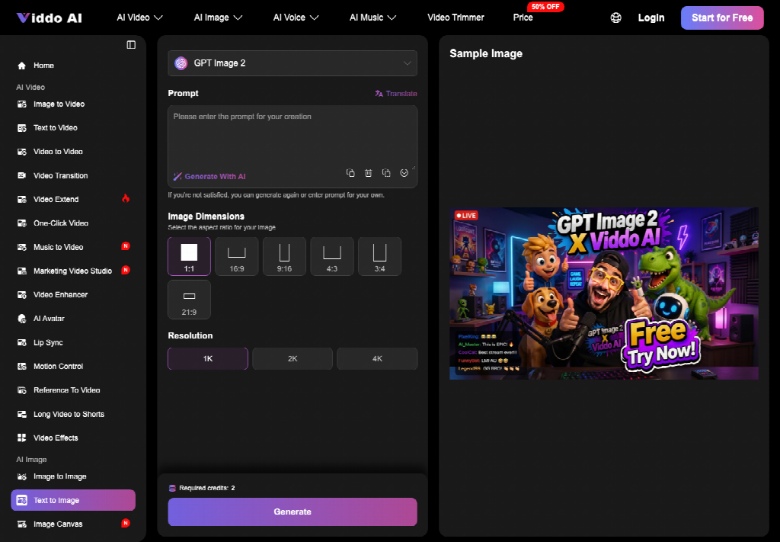
Hold that line before you open a panel. The teaser is an illustration of the description you already wrote. Viddo AI reaches it by a text path: you choose the text-to-video mode, you enter a prompt taken from the blurb, you pick one model, you set the frame, you generate. There is also a web-search switch for clips that should follow live information. A game listing should leave that switch off. You do not want today’s unrelated page leaking into a cartoon race or a puzzle board.
Listings Need Motion Without A Capture Rig
A listing page is a shelf. The title is the spine. The still is the cover. Motion helps a thumb stop, which is why catalogs keep asking for a clip on games that were never filmed. For a download-free mobile game, “filmed” may mean there is no build to hook a recorder to, only a page and a play field in the browser. Waiting on a capture volunteer stalls the row.
The stall has a cost in time, not in a studio invoice. The game is ready to list. The art is a screenshot or a key image. The blurb already says what the player does. The missing piece is a short loop that does not pretend the screenshot is a recorded session. If you skip that distinction, you will publish a clip players can falsify in one tap: the buttons are wrong, the score is nonsense, or a second hero walks in.
So the job is narrower than “make a trailer.” The job is a listing teaser that a player can believe as a mood, and that you would never submit as proof of a level. A catalog editor can check that in one sitting: read the blurb aloud, watch the clip once, and ask whether every noun on screen was already in the sentence. If a noun showed up on its own, the teaser has started writing a different game.
What The Old Listing Options Cost You
Option one is to ship the still and hope. On a page full of moving thumbnails, a still loses the glance. You did not spend money. You spent the visit. Option two is to borrow a clip from a similar game. That is how a puzzle listing grows a character it does not have, and how a comment shows up saying the video is a different title. Option three is a full capture when you finally have a device and a build. That is the right option for gameplay proof. It is the wrong option for filling forty listings before the weekend.
A generated teaser sits between option one and option three. It moves. It is not a capture. The moment you describe it as gameplay, you have chosen a claim the file cannot carry. The rework then lands as a trust problem on the catalog, long after the render itself is forgotten. People remember the mismatch longer than they remember the blurb.
- Still only: honest, easy to ignore on a moving shelf.
- Borrowed clip: fast, and often the wrong game.
- Capture: true play, slow if you have no rig.
- Blurb teaser: motion from words you already approved, never a match report.
Turn A Game Blurb Into A Short Teaser
On Viddo AI, start from the blurb, not from a wish. If the blurb says a chef stacks ingredients, the prompt says a chef stacks ingredients. If the blurb says one car on a track, the prompt does not add a second car because races look busier. Copy the nouns. Delete the marketing adjectives. Then take that sentence to the panel.
Choose Text To Video And One Model
Choose the text mode so you are not pretending an upload happened. Pick one model and keep it for the retries on that title. Set 9:16 if the teaser sits in a vertical module, or 16:9 if it sits in a wide row. Keep the duration short enough that the action in the blurb can finish. Leave web search off. A listing is not a news clip, and a live lookup can drag in a name, a date, or a mode your blurb never promised.
Write the ban list in the same prompt. No score bug. No extra playable character. No readable title, because generated letters will misspell the game and you already have a logo. Generate. When it returns, read it against the blurb the way you would read a screenshot against a store claim. If you are not satisfied, generate again or rewrite the prompt yourself. Do not “fix” a wrong hero by cropping.
Reject A Clip That Fakes A Match
A lively clip from Viddo AI can still be a wrong listing. The test is whether a player would think they are watching this game being played. If the answer is yes, and you do not have a capture, the clip is too close to a lie. Pull it. A teaser should look like an illustration that moves: the character, the board, the track, the mood. It should not show a full HUD you did not draw.
Watch For A Second Hero Or UI
Pause twice. Once at the start, once when the action peaks. A second hero, a weapon the blurb never names, or a health bar with unreadable numbers is a fail. So is a title card that almost spells the game. Those frames are unusable on a catalog because they teach the wrong toy. Reject them. The cost of shipping one is a comment thread you cannot win with “it was only a teaser” after the picture already showed a different match.
A text to video ai retry should go back to the same blurb with a harder ban, not to a more exciting genre. Exciting is how a solitaire listing becomes a battle. If the still you already use on the page contradicts the clip, trust the still. The still was chosen. The clip is a draft.
Who Should Publish A Listing Teaser
Publish the teaser when the blurb is specific, web search stayed off, and the clip could not be mistaken for a recorded level. Hold it when the only way to be honest is a capture, or when the blurb itself is too thin to name a character and an action. Viddo AI will still make frames from a thin line. Thin lines are how catalogs fill up with clips that could belong to any game in the row.
Use the teaser on the listing. Skip it as soon as someone needs proof of play, a real score, or a UI that matches the build. In that case, the file you want is a capture, and the blurb should stay a blurb until you have one.
Final Thoughts
A listing teaser is a small promise. It says the game has this character, this board, this mood, and nothing more. Viddo text-to-video is useful for exactly that promise: motion built from words you already approved, on a shelf where a still gets passed over. Keep the prompt tied to the blurb, keep web search off, and keep one model through the retries. Reject any clip a player could mistake for recorded play. When someone needs proof, a score, or the real UI, go and get the capture. Until then, let the teaser be what it is: an illustration that moves.