
Blog
Should Kids Play Mobile Games? A Balanced Guide for Parents


Mobile games are now a normal part of childhood. Many children use smartphones and tablets to play puzzle games, learning games, racing games, building games, and multiplayer games. For many families, mobile gaming is no longer something unusual. It is part of daily life.
This makes many parents ask an important question: Should kids play mobile games?
The answer is not simply yes or no. Mobile games can be helpful when they are used in the right way. They can support learning, problem-solving, creativity, and social play. But when children play too much, or when they use unsafe games, mobile gaming can also create problems.
The goal is not to ban every game. The better goal is to help children build healthy gaming habits. With the right limits, the right games, and parent guidance, mobile games can be part of a balanced childhood.
Why Mobile Games Are So Popular Among Kids
Mobile games are popular because they are easy to access. A child does not need a console, gaming computer, or expensive setup. A phone or tablet is often enough.
Many mobile games are also simple to start. Children can open an app, play for a few minutes, and return later. This makes mobile games attractive for short breaks, travel, waiting rooms, and free time at home. Even adults who use casual digital entertainment platforms such as PH Bingo understand how easy it is for mobile games to become part of daily routines. That is why parents should guide children’s gaming habits carefully and make sure the games they play are age-appropriate, safe, and balanced with offline activities.
Main Reasons Kids Like Mobile Games
| Reason | Why It Matters |
|---|---|
| Easy to use | Children can start playing quickly |
| Colorful design | Bright visuals keep attention |
| Short levels | Games feel quick and rewarding |
| Rewards and points | Children feel motivated to continue |
| Social features | Some games let kids play with friends |
| Variety | There are games for learning, building, racing, puzzles, and stories |
Mobile games also give children a sense of control. They can choose what to play, how to play, and when to stop a level. This feeling of choice makes games more enjoyable.
Are Mobile Games Bad for Kids?
Mobile games are not automatically bad for children. The real issue is how they are used.
A short, age-appropriate game after homework is very different from hours of unsupervised gaming late at night. A learning app is very different from a game filled with ads, spending pressure, or unsafe chat features.
Parents should focus on three things:
- What the child is playing
- How long has the child been playing
- How the game affects daily life
If gaming is balanced with school, sleep, outdoor play, family time, and hobbies, it is less likely to become a problem.
Benefits of Mobile Games for Kids
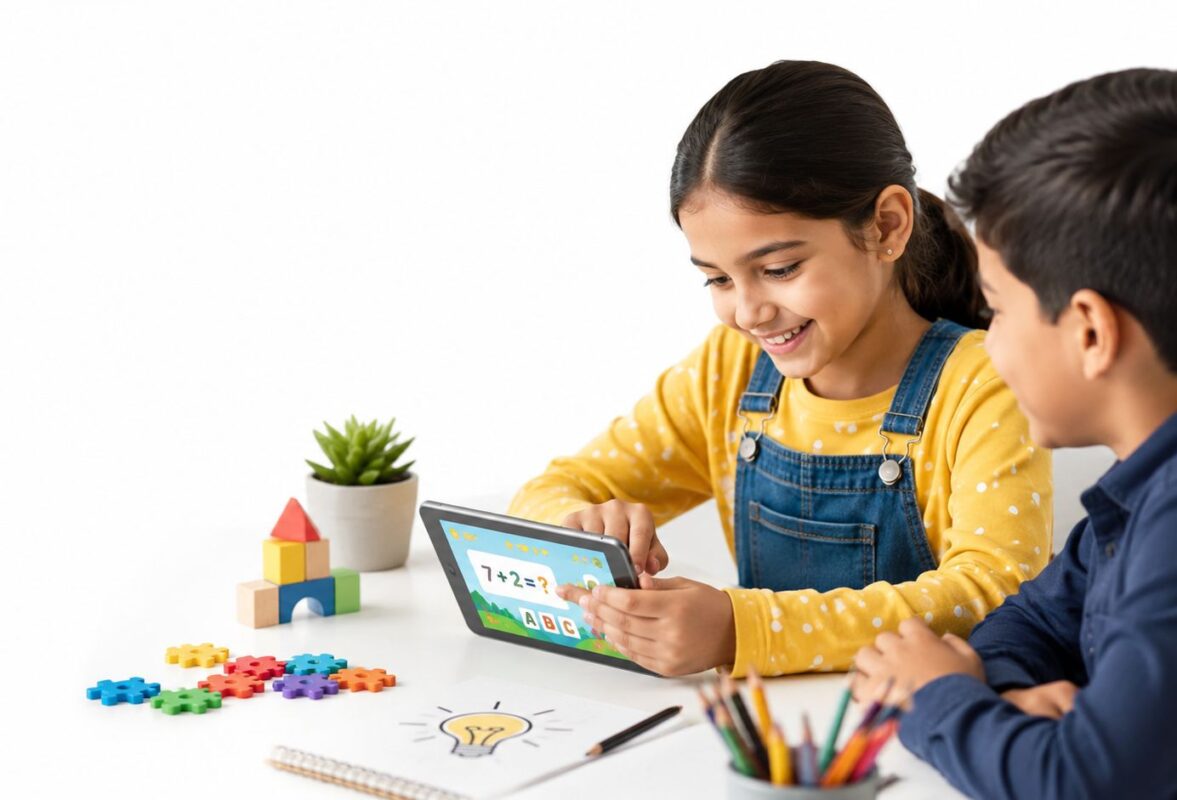
Mobile games can offer real benefits when chosen carefully. Not every game is useful, but many games can support skills that children use in daily life.
1. Mobile Games Can Improve Problem Solving
Many mobile games ask children to think, plan, and make decisions. Puzzle games, building games, and strategy games often require players to solve problems before moving forward.
A child may need to find a pattern, choose the right move, test an idea, or try again after making a mistake. These small challenges can help children learn patience and flexible thinking.
Skills Children Can Practice
| Skill | How Games Can Help |
|---|---|
| Planning | Children think before making a move |
| Patience | Some levels take more than one try |
| Memory | Players remember steps, patterns, or rules |
| Focus | Children pay attention to goals |
| Decision making | Players choose between different options |
Problem-solving games can be useful because they make thinking feel fun instead of stressful.
2. Mobile Games Can Support Learning
Some mobile games are designed for education. These games can help children practice math, reading, spelling, science, geography, and language skills.
Learning games work well because they turn practice into play. A child may answer questions, complete puzzles, earn stars, or unlock new levels. This can make learning feel more exciting.
Examples of Learning Game Topics
| Subject | What Kids Can Practice |
|---|---|
| Math | Counting, addition, subtraction, shapes |
| Reading | Letters, words, sentence building |
| Spelling | Word matching and vocabulary |
| Science | Animals, weather, space, nature |
| Geography | Countries, maps, flags, locations |
| Language | New words and simple conversations |
Parents should still check the quality of the app. A game that says it is educational is not always useful. The best learning games are simple, age-appropriate, and not filled with too many ads.
3. Mobile Games Can Build Hand and Eye Coordination
Mobile games often require children to tap, drag, swipe, match, and react quickly. These actions can help improve hand and eye coordination.
For younger children, simple games can help with touchscreen control and fine motor skills. For older kids, faster games may improve reaction time and accuracy.
Helpful Game Actions
- Tapping the right object
- Dragging shapes into place
- Matching colors or symbols
- Moving characters through paths
- Reacting to timed challenges
These skills should not replace physical play, but they can be part of a wider mix of activities.
4. Mobile Games Can Encourage Creativity
Creative games are especially valuable for children. Games that allow building, decorating, designing, drawing, or storytelling can support imagination.
Sandbox games and building games let children make their own worlds. They can create homes, towns, characters, stories, and challenges. This can feel similar to playing with blocks, toys, or art supplies, but in a digital space.
Creative Benefits
| Creative Activity | How It Helps |
|---|---|
| Building | Supports planning and design |
| Decorating | Helps children make style choices |
| Story games | Encourages imagination |
| Character design | Lets children express personality |
| Open-world play | Gives freedom to explore ideas |
Creative mobile games are often better than games that only ask children to tap endlessly without thinking.
5. Mobile Games Can Support Social Play
Some mobile games allow children to play with friends or family members. When managed safely, this can support teamwork, communication, and shared fun.
Children may work together to complete a challenge, build something, solve a puzzle, or compete in a friendly way.
Social Skills Kids May Practice
- Taking turns
- Helping teammates
- Explaining ideas
- Listening to others
- Handling wins and losses
- Following rules
Parents should be careful with games that include open chat or contact with strangers. Social play is best when children play with people they already know.
Risks of Mobile Games for Kids
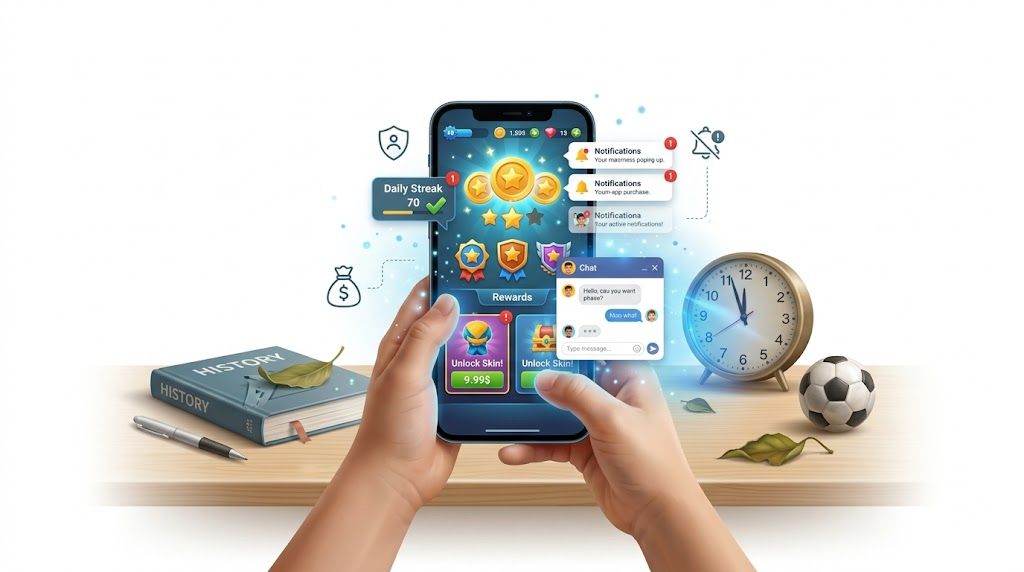
Mobile games can be helpful, but there are also risks. Parents should understand these risks so they can set better rules.
1. Too Much Screen Time Can Create Problems
The biggest concern is too much screen time. If children spend long hours on mobile games, it can affect sleep, schoolwork, mood, and physical activity.
Children need time for movement, reading, outdoor play, family conversation, hobbies, and rest. If gaming replaces these things, it becomes unhealthy.
Signs of Too Much Gaming
| Warning Sign | What It May Mean |
|---|---|
| The child gets upset when asked to stop | Limits may be unclear |
| Homework is ignored | Gaming is affecting responsibility |
| Sleep gets worse | Games may be used too late |
| Outdoor play decreases | Screen time is taking over |
| The child only talks about games | Other interests may be fading |
| Mood changes after gaming | The game may be too intense or overstimulating |
A small amount of gaming is usually easier to manage than long, unlimited sessions.
2. Some Games Are Designed to Keep Kids Playing
Many mobile games use reward systems to keep players engaged. They may include daily rewards, streaks, coins, badges, timers, and unlockable items.
These features can make children want to return again and again. Young children may find it hard to stop because they are still learning self-control.
Common Features That Encourage Long Play
- Daily login rewards
- Time-limited events
- Bonus coins
- New levels after every win
- Notifications
- Rewards for watching ads
- Pressure to keep a streak
Parents should turn off unnecessary notifications and avoid games that make children feel pressured to play constantly.
3. In-App Purchases Can Become a Problem
Many mobile games are free to download, but include paid items inside the game. These can include coins, skins, extra lives, power-ups, and special content.
Children may not fully understand real money spending inside games. A small purchase can easily lead to more purchases if limits are not set.
How Parents Can Manage Spending
| Step | Why It Helps |
|---|---|
| Turn on purchase approval | Stops surprise spending |
| Set a budget | Helps children learn limits |
| Avoid saving payment details on shared devices | Reduces accidental purchases |
| Explain real money clearly | Helps children understand value |
| Check the game before installing | Shows whether spending pressure exist |
Parents should talk about money in simple words. For example, “Coins in the game can cost real money, so we need permission before buying anything.”
4. Ads May Not Always Be Child-Friendly
Some free games show ads. These ads may not always be suitable for children. Some ads may promote other games, spending, or content that is not age-appropriate.
This is one reason parents should test a game before allowing regular play.
What to Check Before Letting Kids Play
- Does the game show many ads?
- Can the child close the ads easily?
- Are the ads suitable for children?
- Does the game reward watching ads?
- Does the game push paid items too often?
Ad-free or paid educational apps can sometimes be a better choice for younger children.
5. Online Chat Can Be Unsafe Without Supervision
Some mobile games include chat, voice chat, friend requests, or public multiplayer features. These features can expose children to strangers, rude language, bullying, or unsafe conversations.
Parents should be extra careful with online games. Younger children should not use open chat without supervision.
Online Safety Tips
| Safety Rule | Why It Matters |
|---|---|
| Play only with known friends | Reduces contact with strangers |
| Turn off public chat when possible | Keeps communication safer |
| Use privacy settings | Protects personal information |
| Teach children not to share details | Keeps name, school, and location private |
| Report bad behavior | Helps children respond safely |
Children should know they can tell a parent if someone online makes them uncomfortable.
6. Gaming Can Affect School Focus
Mobile games become a problem when they affect schoolwork. If a child rushes homework, hides gaming, or thinks about games during study time, the routine needs adjustment.
Gaming should come after important tasks, not before them.
Healthy Order for Daily Routine
- Schoolwork first
- Chores or responsibilities next
- Outdoor play or movement
- Family time
- Limited gaming time
- No gaming close to bedtime
This order helps children understand that gaming is a reward, not the center of the day.
Should Kids Play Mobile Games?
Yes, kids can play mobile games, but they need clear limits.
Mobile gaming can be positive when the game is safe, the time is limited, and parents stay involved. It becomes harmful when it replaces sleep, school, exercise, face-to-face time, and family rules.
Simple Answer for Parents
| Question | Balanced Answer |
|---|---|
| Should kids play mobile games? | Yes, with limits |
| Are all mobile games good? | No, parents should choose carefully |
| Can games help learning? | Yes, if the game is well designed |
| Can gaming become unhealthy? | Yes, if there are no boundaries |
| Should parents play with kids sometimes? | Yes, it helps parents understand the game |
| Should kids play before bed? | It is better to avoid it |
Best Types of Mobile Games for Kids
Not all games offer the same value. Some games are more helpful than others.
Better Game Choices
| Game Type | Why It Can Be Good |
|---|---|
| Puzzle games | Builds thinking skills |
| Word games | Supports reading and vocabulary |
| Math games | Makes practice more fun |
| Building games | Encourages creativity |
| Drawing games | Supports expression |
| Music games | Builds rhythm and listening |
| Memory games | Helps focus and recall |
| Calm games | Better for relaxed play |
Games to Be Careful With
| Game Type | Why Parents Should Check |
|---|---|
| Games with open chat | May expose children to strangers |
| Games with many ads | Ads may not be suitable |
| Games with heavy spending pressure | Can lead to unwanted purchases |
| Very violent games | May not fit younger children |
| Games with constant notifications | Can make stopping harder |
| Games with gambling-style rewards | Can create unhealthy habits |
Age-Based Guide for Mobile Gaming
Children of different ages need different rules. A teenager can handle more freedom than a preschool child, but even teens still need balance.
Ages 2 to 5
Very young children need limited screen time. If they play mobile games, the games should be simple, calm, and educational.
Good choices include:
- Letter games
- Shape games
- Color matching
- Simple puzzles
- Story apps
Parents should sit with young children during play. This helps turn screen time into shared learning.
Ages 6 to 9
Children in this age group can enjoy more variety, but they still need strong limits.
Good choices include:
- Puzzle games
- Reading games
- Math games
- Simple building games
- Creative drawing games
Parents should explain time limits clearly. For example, “You can play for 30 minutes after homework.”
Ages 10 to 12
Older children may want multiplayer games, building games, and more advanced challenges. This is a good age to teach online safety and spending responsibility.
Helpful rules include:
- Ask before downloading a new game
- Ask before making purchases
- Use privacy settings
- Play online only with approved friends
- Stop when time is up
Teens
Teens can handle more independence, but gaming should still not harm school, sleep, physical health, or family life.
Good rules for teens include:
- No gaming during homework time
- No gaming late at night
- Keep devices out of bed when possible
- Balance gaming with offline hobbies
- Discuss online safety and spending clearly
How Parents Can Create Healthy Gaming Rules
Rules work best when they are simple and consistent. Children are more likely to follow rules when they understand them.
Helpful Gaming Rules
- Finish homework before gaming
- Set a daily or weekly time limit
- No games during meals
- No games before school
- No gaming close to bedtime
- Ask before downloading new games
- Ask before spending money
- Play online only with safe settings
- Take breaks during longer play sessions
- Balance gaming with outdoor activity
Make Gaming a Family Conversation
Instead of only saying “stop playing,” parents can ask questions. This helps children feel heard and helps parents understand the game.
Questions Parents Can Ask
- What do you like about this game?
- Is this game easy or hard?
- Are you playing alone or with friends?
- Does the game have chat?
- Can you show me how it works?
- Does the game ask you to buy anything?
- How do you feel after playing it?
These questions can reveal whether the game is helpful, harmless, or becoming a problem.
How to Know If a Game Is Worth Downloading
Before downloading a mobile game for a child, parents can use a simple checklist.
Parent Checklist
| Checkpoint | What to Look For |
|---|---|
| Age rating | Is it right for the child’s age? |
| Ads | Are there too many ads? |
| Purchases | Does it push paid items? |
| Chat | Can strangers contact the child? |
| Content | Is it calm, violent, educational, or social? |
| Reviews | Do other parents mention problems? |
| Privacy | Does the app collect too much information? |
| Replay value | Will the child learn or create, or only tap for rewards? |
Healthy Alternatives to Balance Gaming
Mobile games should not be the only fun activity in a child’s day. A balanced routine gives children different ways to grow.
Good Offline Activities
- Outdoor play
- Sports
- Reading
- Drawing
- Music
- Board games
- Building toys
- Family walks
- Cooking with parents
- Creative writing
The goal is not to remove mobile games. The goal is to make sure games are only one part of a healthy routine.
Final Verdict
Kids can play mobile games, but they should not play without limits. Good mobile games can help children learn, think, create, and connect with friends. But too much gaming, unsafe content, open chat, ads, and spending pressure can create problems.
The best approach is balance. Parents should choose quality games, set clear rules, monitor spending, check privacy settings, and keep gaming away from bedtime.
Mobile games are part of modern childhood. Instead of treating them as all good or all bad, parents can teach children how to enjoy them healthily.
Final Conclusion
Mobile games can be safe and useful for kids when parents guide the experience. The right games can support learning, creativity, problem-solving, and social play. The bad habits, however, can lead to too much screen time, poor sleep, spending issues, and unsafe online contact.
Children do not need unlimited gaming. They need healthy limits, safe choices, and adults who pay attention. When mobile games are used in moderation, they can be part of a balanced lifestyle.
The most important thing is not whether kids should play mobile games. The real question is how they should play. With good rules, parent involvement, and age-appropriate games, mobile gaming can be enjoyable without taking over a child’s life.
Disclaimer
This article is for general information only. It is not medical, parenting, or mental health advice. Every child is different, and families should choose screen time rules based on the child’s age, behavior, school routine, sleep needs, and overall health. Parents or caregivers should speak with a qualified professional if they are worried about a child’s gaming habits, sleep, mood, school performance, or online safety.