
Blog
From Idea to Visual Story: A Practical Guide to AI Images and Video

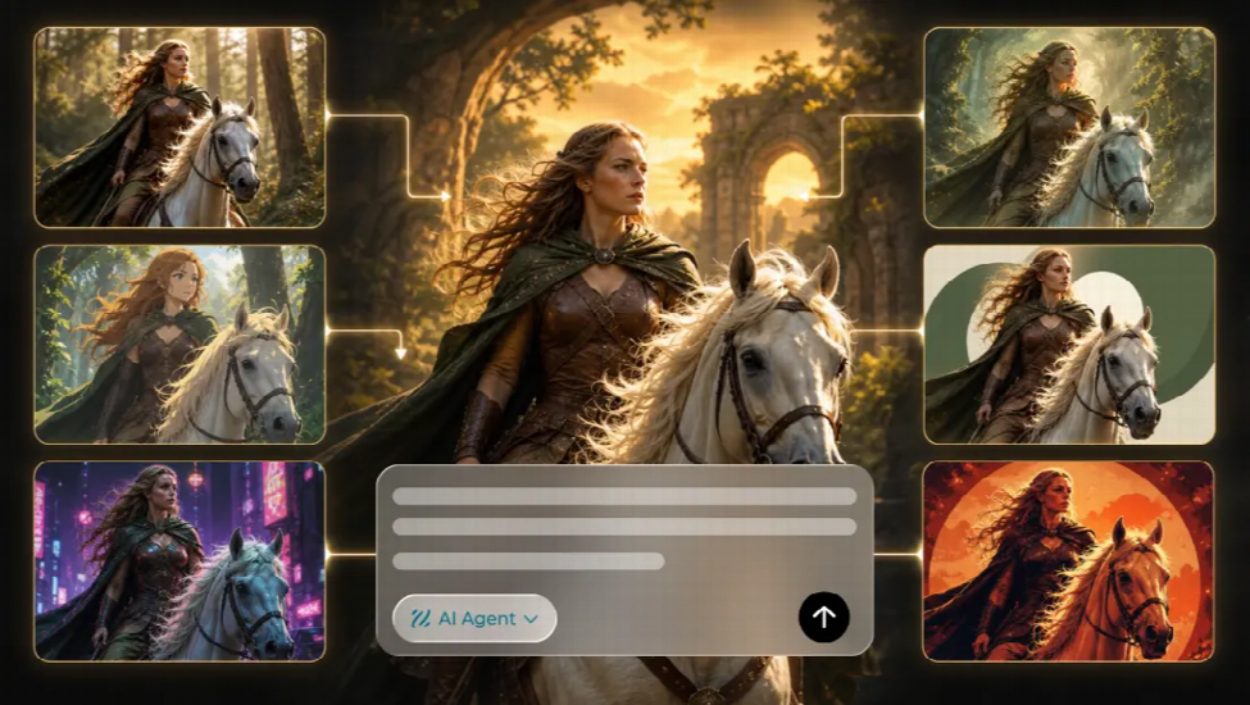
Dreamina concept artwork showing several visual treatments of one fictional subject; compare each variation with the original brief.
Creating a useful visual starts long before choosing a filter or writing a prompt. Whether the goal is a hobby blog illustration, a community announcement, or a short social clip, the creator needs to know what the audience should understand. An ai image generator can help explore an initial concept quickly, but the best results still come from a clear brief, thoughtful revisions, and a final human check. This guide explains how to approach that process without treating every generated image as a finished asset.
Begin With The Message, Not The Tool
A visual can look impressive while communicating very little. Eye-tracking work by the Nielsen Norman Group found that readers study pictures carrying real information and largely skip the ones added for decoration, which is a useful reminder before generating anything at all. Write down the intended audience, the main message, and the destination. A wide image for a blog header has different requirements from a vertical story or a square event graphic. Identifying those requirements early reduces the chance of producing attractive images that cannot be used.
Consider a neighborhood gardening group announcing a seed exchange. Its graphic should suggest plants and community while leaving enough room for a date, location, and short call to action. A detailed fantasy garden might be beautiful, but it could make the practical information hard to read. A simpler scene featuring seed packets, small pots, and an uncluttered tabletop may be a better starting point.
The same approach works for educational content. A writer explaining a complicated concept can ask what single visual relationship would make the topic easier to grasp. A carefully composed illustration can establish context, while labels and factual details are added later in an editor where they can be checked. Treating image generation as part of communication design leads to more useful choices than generating for novelty alone.
Write Prompts That Describe Visible Decisions
A good prompt is a compact creative brief. It names the subject, setting, composition, lighting, and mood. Instead of requesting “a beautiful picture about reading,” describe an open book beside a window on a rainy afternoon, with soft natural light, muted colors, and clear negative space on the right. The description gives the model concrete choices to work with.
Prompts should also reflect the final format. A blog header may need the subject off-center so the headline can sit beside it. A social post may benefit from a stronger focal point and fewer small details. If a design will be cropped for several channels, ask for generous margins around the subject rather than filling every corner of the frame.
Avoid stacking too many unrelated style terms into one request. Contradictory directions such as minimalist, highly detailed, flat, cinematic, and documentary can make the result harder to control. Start with a coherent visual direction, then make one or two specific adjustments after seeing the first output. A focused revision makes it easier to understand what improved.
Evaluate The First Result Systematically
Do not judge a generated image only by whether it looks attractive at first glance. Check whether the subject is recognizable, the visual hierarchy is clear, and the composition fits the intended destination. Zoom in to inspect hands, objects, text-like marks, reflections, and other details that may look convincing at thumbnail size but become distracting when published.
Next, compare the image with the original brief. Does it leave enough space for copy? Does the lighting support the intended mood? Is the scene appropriate for the audience? If the answer is mostly yes, refine the specific weakness rather than restarting with a completely new concept. Keep a record of promising variations so a useful direction is not lost during experimentation.
When Accuracy Matters More Than Style
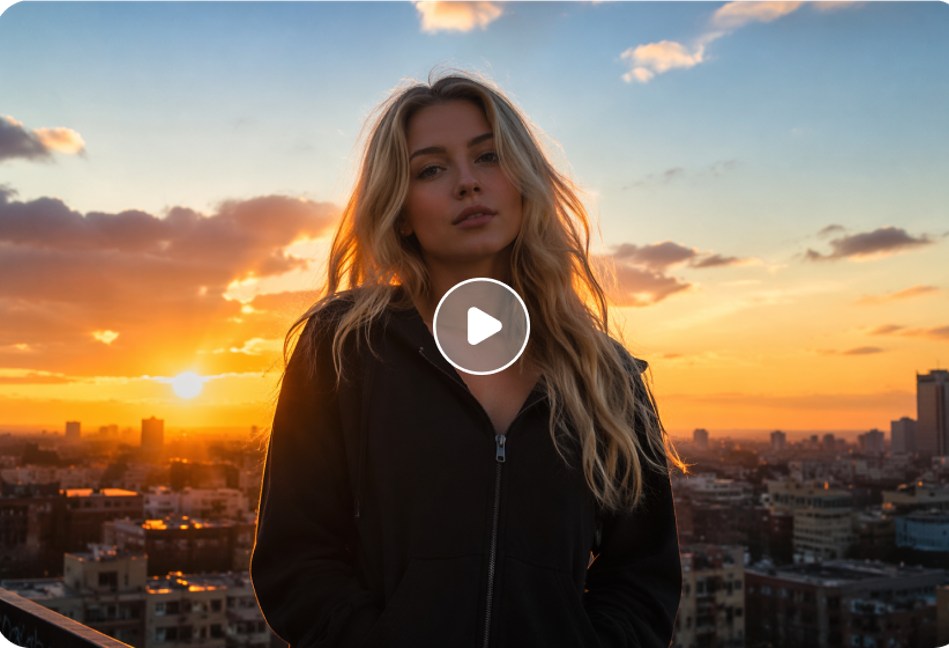
When an image includes real products, locations, or people, accuracy becomes more important than style. Generated objects may contain features that do not exist, and a fictional scene can look like a photograph of an actual event. Use verified references when factual representation matters, and avoid suggesting that an invented scene documents a real customer experience. The FTC’s endorsement guidance sets out why any depiction of a customer’s experience has to reflect something that genuinely happened.
Turn A Strong Still Image Into A Sequence
Once a visual concept is established, motion may help explain it or make it more engaging. An ai image generator free online can help creators develop or refine the starting visual before animation, but turning a still image into a video requires additional decisions about motion and pacing. Define what should change between the beginning and end of the clip, how the camera should behave, and what the viewer should notice during those seconds.
A gardening announcement, for example, might begin with a close view of seed packets and slowly reveal a tabletop with small plants. The movement should support the message rather than distract from it. An educational clip might show one object entering a scene at a time to illustrate a process. Keeping the sequence simple often makes the result easier to review and adapt.
Checking Motion For Errors
Motion introduces its own quality checks. Look for objects changing shape unexpectedly, inconsistent lighting, unnatural transitions, and details that appear or disappear between frames. If the sequence includes captions or spoken information, verify those separately. A polished visual style cannot compensate for a misleading statement or an unreadable title.
Design For The Platform Where People Will See It
A single concept can be adapted across several formats, but each export needs its own review. Vertical video may crop out details that remain visible in a landscape version. A square image may need the focal point closer to the center. On small screens, subtle contrast and tiny objects can disappear. Check the final composition at realistic display sizes instead of relying only on the full-resolution preview.
Text, Contrast, And Accessibility
Leave text placement to a reliable editing workflow whenever possible. Dates, prices, addresses, and other essential facts should be entered and proofread as editable copy. Use sufficient contrast, following the W3C’s minimum contrast criterion as a baseline, avoid placing words over busy details, and consider whether the message remains understandable without sound. Accessibility and clarity are part of the creative brief, not afterthoughts.
Consistency matters when producing a series of assets. A simple palette, similar subject treatment, and recognizable spacing can make separate images feel connected. However, consistency does not mean using the same layout everywhere. Each asset should still suit its audience, channel, and purpose.
Make Room For Editing And Human Judgment
AI-generated output is best treated as a draft. A creator may need to crop an image, correct color, add typography, replace an inaccurate object, or combine generated elements with original photography. Those steps are not evidence that the tool failed. They are normal parts of turning a concept into something suitable for publication.
For collaborative work, separate creative approval from factual approval. One person can assess whether the image fits the story and brand style; another can verify claims, product details, permissions, and source materials. In a small team, the same person may perform both checks, but keeping the questions distinct reduces the chance that a compelling image will hide an important error.
Be thoughtful about reference material. Personal photos, private documents, customer screenshots, and commissioned artwork may involve privacy or usage restrictions. When the exact reference is not necessary, a generic description or a neutral stand-in may be enough. The choice of input materials is part of responsible production, and open provenance standards such as Content Credentials are making it easier to record how a file was made and edited before it goes out.
Measure Usefulness Rather Than Output Volume
Generating many images is not automatically productive. Track the time spent briefing, generating, selecting, revising, and exporting. If an approach produces dozens of options but requires extensive correction, the apparent speed of generation may not translate into a faster finished project. Compare workflows based on complete, usable deliverables.
A Four-Question Final Review
A useful final review asks four questions. Does the visual communicate the intended idea? Does it fit the destination? Are its important details accurate and appropriately sourced? Can the audience understand it easily? If any answer is uncertain, another round of editing may be more valuable than generating additional variations.
Dreamina is one example of a creative environment that can fit into this broader workflow. The platform choice matters less than the discipline of starting with a purpose, making controlled revisions, and publishing only after reviewing the result. The most effective use of generative tools is not to replace judgment, but to give creators more ways to test and express ideas.
A Practical Workflow To Repeat
For a new project, begin with a one-sentence communication goal and a clear destination. Draft a prompt that describes the subject and composition. Generate a few variations, select the one that best fits the brief, and revise specific weaknesses. Add verified text and other factual elements in an editor, then review the exported file at the size and format in which it will appear.
If motion genuinely helps the audience understand the idea, develop a short sequence from the approved concept and check it frame by frame. If a still image already communicates everything needed, keep it simple. Choosing not to add animation can be as deliberate a creative decision as choosing to use it.
For a first project, keep the approved brief beside the final export and compare them once more. The image should still support the original message after cropping, typography and any motion have been added. If the finished asset has become visually impressive but less informative, simplify the element that introduced the distraction rather than assuming the first concept was wrong.
The larger lesson is straightforward: better visual content comes from clearer decisions. Generative image and video tools can expand the range of ideas available to an individual creator or a small team, but they do not decide which message matters, which details are true, or what deserves to be published. Those responsibilities remain with the people making the content.