
Blog
Virtualization and Multi-Environment Hosting for Developer Tools


Not all websites and web platforms are equal. As a result, they all have specific needs and experience different challenges. For sites that host online developer tools, such as code formatters and regex testers, the core challenge lies in infrastructure.
These platforms usually need to process hundreds of queries and code snippets simultaneously, while maintaining optimal speed, responsiveness, and security. In a traditional single-server setup, a single resource-intensive task or security issue can easily crash the entire platform, bringing down every other tool.
To prevent this, some developers have opted for public cloud alternative infrastructures. While this offers a reasonable solution, it comes with challenges such as performance lag and unpredictable monthly bills.
A true solution for a multi-tool platform lies in smart virtualization. By running a robust hypervisor like Proxmox VE directly on dedicated hardware, you can isolate each tool in a secure environment. In this article, we’ll explore how this solution provides the perfect blend of strict security sandboxing, rapid deployment, and raw bare-metal performance.
Understanding the Challenges of Multi-Tool Environments

When a single site hosts multiple different developer tools, software compatibility is a serious concern. These sites can quickly experience a dependency nightmare.
For example, a legacy SQL formatter may require an older version of Python, while a new API testing tool may require the latest version of Node.js. Forcing these different tools to share the same operating system means that updating one tool can easily break many others.
Beyond software compatibility, security is a greater concern for these sites. Developer platforms are prime targets for attacks because they often execute unverified user code. Without strict boundaries, a malicious script can easily slip out of its designated folder.
This can lead to serious system vulnerabilities, such as directory traversal or server-side request forgery (SSRF), that can trick your servers into attacking other internal systems.
Fortunately, virtualization can solve all these issues through sandboxing. Here, a hypervisor acts as a digital security guard, creating an isolated wall around each app. It completely separates the core operating system of the physical server from the guest environments where the individual tools live.
This way, if a specific tool is flooded with traffic or hit by a malicious script, the impact is contained in that isolated environment. The rest of the platform remains online and perfectly safe.
Why Proxmox VE is the Ideal Hypervisor for Developers
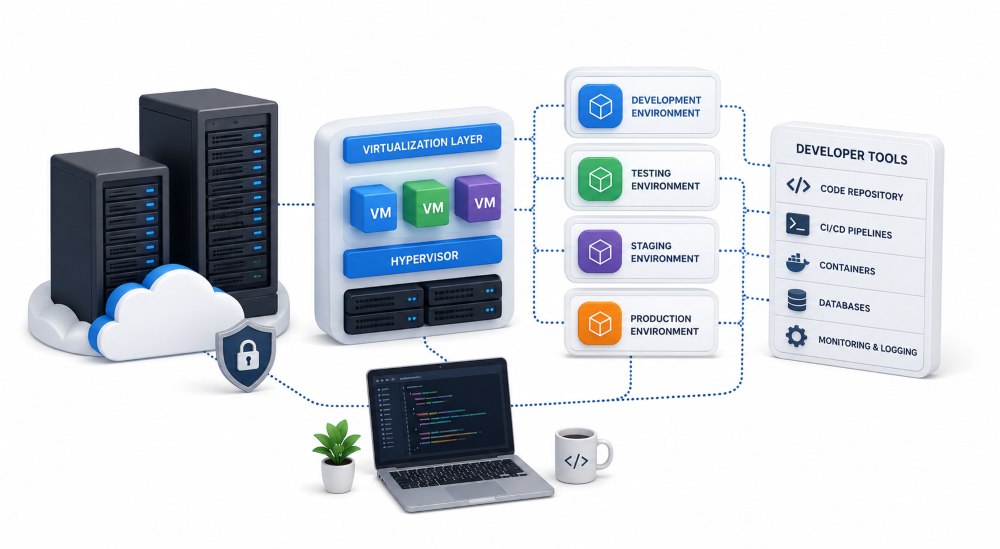
Developers often have to choose between two options when considering virtualization platforms: lightweight containers or heavy-duty virtual machines.
This is why Proxmox VE stands out: it lets you enjoy the best of both worlds. Proxmox supports both technologies on a single dashboard, allowing you to mix and match depending on what each tool requires.
On Proxmox VE, you get the following:
Linux Containers (LXC)
This is usually primed for speed. For simple stateless utilities, such as string converters, code formatters, and markdown previewers, Proxmox uses LXC. These containers are significantly lightweight because they share the main server’s core kernel.
They spin fast and consume almost zero idle memory. This allows you to pack dozens of tools onto a single server without lagging.
Kernel-based Virtual Machines (KVM)
Proxmox offers KVM for complex tools that require deep operating system access, like running custom backends. KVM provides full isolation and security by creating a fully independent machine with its own virtual hardware.
In addition to its hosting capacity, Proxmox offers built-in snapshot and version control features. Before deploying an update or changing a tool’s internal configurations, you can take an instant snapshot of that environment. If the update or environment fails, you can roll back to the exact working state with a single click—no need to spend hours troubleshooting.
Eliminating the Cloud Tax With Dedicated Infrastructure
In theory, using a virtualization system like Proxmox is excellent! However, the software efficiency depends on the underlying physical hardware.
Some teams set up virtual environments on a multi-tenant cloud platform. This exposes them to the noisy neighbor effect, resulting in latency issues for users whenever another company on the shared server experiences traffic spikes.
Public cloud providers also penalize growing platforms with volatile pricing models, charging extra for every gigabyte of data transferred or for random storage read/write operations.
You can bypass these limitations by running your hypervisor on a dedicated infrastructure. This offers you exclusive access to raw CPU cycles and ultra-fast NVMe storage.
It also eliminates the need to build and manage a complex physical data center. A pre-configured solution like Bacloud’s Proxmox dedicated server allows your team to deploy an effective single-tenant server that is fully optimized for immediate virtualization out of the box.
This allows you to take complete ownership of your infrastructure for total data control and freedom from vendor lock-in.
Streamlining CI/CD and Rapid Deployment with Proxmox
Virtualization not only improves performance and addresses overlooked security issues, but it also speeds up how you build, test, and update your tools. Proxmox VE allows you to create “golden templates.” These are base versions of an OS or container configured with pre-installed software and security settings.
You can easily clone these templates in seconds to speed up projects, instead of building a new test environment each time you launch a feature.
In addition, Proxmox offers an automation interface that allows your background code to communicate directly with the server hardware.
So, if a user requests a temporary sandboxed testing environment, the platform can automatically spin up an isolated container and tear it down immediately after the user closes their session. This automation keeps your server free of clutter, allowing it to run at peak efficiency.
The table below shows how different hosting infrastructure stacks up when running multi-environment developer platforms:
| Feature | Traditional Shared Hosting | Public Cloud VPS | Proxmox VE on Dedicated Hardware |
| Security & Isolation | Poor | Medium | Excellent |
| Performance Lag | Low, but highly unpredictable due to other websites | Moderate | Near-Zero |
| Setup Flexibility | Extremely limited | High (But gets expensive with scale) | Maximum |
| Recovery & Backups | Slow and completely dependent on host backups | Good, but providers charge per gigabyte | Instant Snapshots |
| Cost Predictability | Fixed, but offers low performance | Highly variable | Fixed & Predictable |
Conclusion
When running a platform with dozens of interactive developer tools, you can’t rely on generic cloud or shared hosting environments. These infrastructures limit performance while draining your budget.
The best way to keep your tools fast, isolated, and secure is to move to a virtualized framework. Pairing Proxmox VE with the raw power of dedicated hardware will enable you to create an efficient, budget-friendly ecosystem that can handle whatever code your users throw at it.
FAQs
1. Does virtualization introduce a performance lag to online tools?
- In a shared public cloud environment, virtualization introduces noticeable lags due to resource contention. But running Proxmox on a dedicated server eliminates this issue by offering exclusive access to the underlying hardware.
2. What is the difference between Proxmox LXC and KVM?
- Linux Containers (LXC) share the host server’s OS kernel, making them lightweight and efficient in terms of RAM usage. On the other hand, KVM simulates a full hardware environment with an independent OS.
3. Do Proxmox snapshots consume a lot of storage space on a server?
- No, it doesn’t. Proxmox handles snapshots efficiently, especially with modern file systems like ZFS. The snapshots do not duplicate the entire VE. But it creates a marker and records only changes made after the marker is placed. This keeps the snapshots small.