
Blog
Your Business Software Is Why Your Best Employees Are Leaving

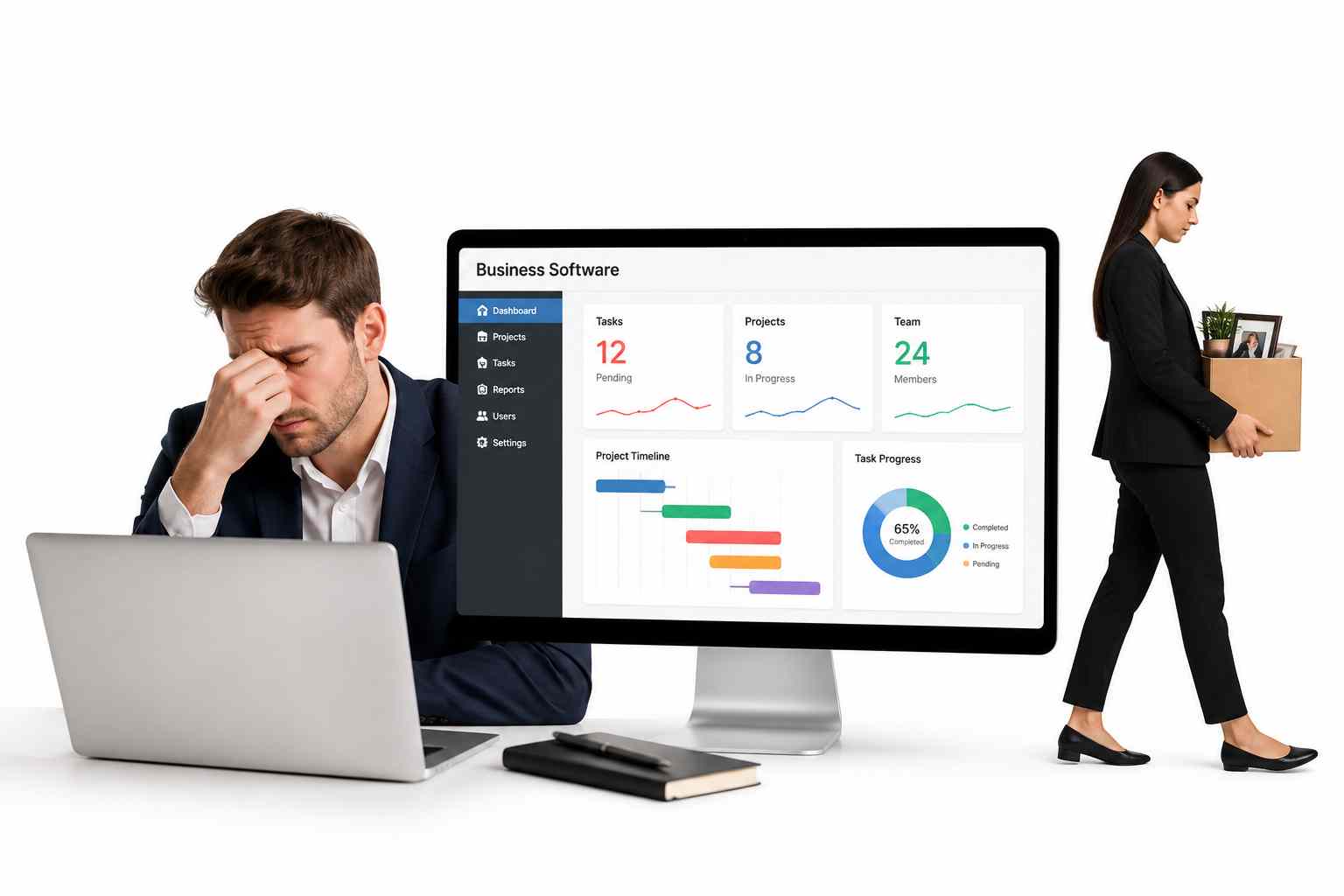
Nobody quits a good job because of the work. They quit because of the tools forced upon them. The wrong software vendor is costing you far more than you realize.
A regional restaurant chain manager in Chicago documented it in painful detail in a 2024 industry forum post: 52 minutes of administrative work for every table-turn shift. Inventory updates, scheduling overrides, and payroll reconciliations were all trapped inside a POS and management platform that was never built for the way her kitchen actually operates.
She left the company within eight months. Her replacement was gone in five. The chain is still rebuilding its management bench.
That story repeats across industries, including hospitality, retail, logistics, professional services, and construction. The software your employees use every single day is either quietly multiplying their output or silently grinding them down.
The difference between those two outcomes is decided almost entirely before a single contract is signed, during the moment when a business chooses what kind of software development partner to trust.
The ERP, POS, or operations platform is not a neutral administrative tool. It is either your biggest operational asset or your most expensive liability.
Key Statistics at a Glance
| Statistic | Meaning |
|---|---|
| 71% | Of employees say frustrating tools directly impact their decision to stay or leave |
| $15,000+ | Average cost to replace a single mid-level employee, excluding lost productivity |
| 30% to 50% | Reduction in admin time consistently reported after purpose-built software deployments |
Problem Nobody Names Correctly
Most software discussions in business open in the wrong place. Executives evaluate features, pricing tiers, and implementation timelines. None of that matters if the underlying workflow design is wrong for your specific operation.
Research published by Harvard Business Review found that poorly designed workplace technology is one of the most consistently underestimated drivers of employee disengagement, ranking above compensation concerns in certain industries. Employees who rate their digital work tools as frustrating are more than twice as likely to be actively searching for a new job.
This is not a minor software inconvenience. It is a workforce retention crisis wearing a technology mask.
Organizations that solve this problem permanently are not the ones that buy the most popular platform. They are the ones who build or procure software genuinely designed around their operational reality.
Real Cost of Misfit Software on Your Workforce

Productivity Drain Is the Visible Damage
The easiest cost to quantify is time.
A field service manager clicking through seven screens to log a routine service call, a retail supervisor manually reconciling a shift report that should generate automatically, or an accounts payable clerk re-entering invoice data between systems that were never integrated are not rare problems.
These are daily realities for employees whose companies chose software for its price tag or brand name rather than operational fit.
Gartner’s Digital Employee Experience research found that knowledge workers lose an estimated 4.2 hours per week navigating poorly designed software workflows.
Across a 50-person team, that is more than 200 hours of capacity disappearing every single week. That capacity could be going toward customers, growth, or quality.
Attrition Is the Hidden Damage
The deeper cost is human.
Your most skilled employees have the most options. When they face friction every single day and watch a system slow them down rather than accelerate them, they start paying attention to recruiters they would otherwise ignore.
McKinsey Talent Research identifies operational friction and poor tooling as a top-five reason high performers voluntarily exit, ranking above compensation in several industry segments.
The damage compounds. When a high performer leaves, they take institutional knowledge, client relationships, and the informal training they provided to junior staff with them.
Replacement Math
The Society for Human Resource Management estimates that replacing an employee costs between 50% and 200% of their annual salary when recruitment, onboarding, and lost productivity are combined.
If your operations manager earns $70,000 and leaves because of software frustration, you may be looking at $35,000 to $140,000 in replacement cost for one person and one departure.
A software investment that prevents three such exits in a year can pay for itself many times over.
5 Warning Signs Your Current Software Vendor Is Wrong for Your Business
Most organizations do not recognize the mismatch until they are already deep into it. These five signals are early warning indicators worth evaluating honestly.
| Sign | What It Means |
|---|---|
| Your Staff Has Built Elaborate Workarounds | Spreadsheets, manual checklists, and messaging groups often show that employees are compensating for software that does not properly support daily workflows. |
| Onboarding New Employees Takes Weeks, Not Days | If new hires require long training periods just to use the system, the platform may be too complex or poorly designed for practical business use. |
| Customization Requests Go Nowhere | Repeated requests for workflow improvements that never get implemented may indicate the vendor prioritizes larger clients over your company’s needs. |
| Your Best People Complain About It Most | High-performing employees often recognize inefficiencies first because they focus strongly on productivity and results. |
| You Are Paying for Features You Do Not Use | Expensive enterprise-level plans may include unnecessary features while charging extra for the specific tools your business actually depends on daily. |
Why Industry Fit Matters More Than Feature Checklists
Walk into a logistics dispatch center and ask the operations coordinator what slows her down. She will describe load assignment workflows, driver communication logs, real-time route adjustment, and exception handling for delayed deliveries. None of those needs are properly addressed inside a generic project management or CRM platform.
Ask the same question at a boutique legal firm. You will hear about matter management workflows, client billing tied to time entries at six-minute increments, document version control with audit trails, and deadline tracking synced to court calendars. Ask the same question inside a healthcare clinic, and the conversation quickly turns to patient records, appointment workflows, billing accuracy, compliance, and secure data access, which is why choosing the right ehr software development company matters for healthcare organizations that cannot rely on generic software.
Ask at a trade services company running field technicians. They will describe dispatch-to-invoice workflows, parts inventory tied to job completion, photo documentation of work done, and customer sign-off captured on mobile.
Every industry has this list.
The businesses that suffer longest are the ones that believe a general platform can be configured to fit their requirements. Then they spend two years discovering that “configurable” means adjustable within a fixed template rather than being rebuilt around actual operations.
Forrester Research identifies industry alignment as a tier-one evaluation criterion, ranking it above total feature count and brand recognition.
3 Questions That Reveal a True Partner vs. a Software Vendor
Most vendor evaluation processes ask the wrong questions. Feature demos, pricing tiers, and client reference counts tell you almost nothing about whether a firm can actually deliver software that improves how your business runs.
These three questions cut through the noise.
Question 1: Who Spends Time in Your Operation Before Building Anything?
A development or implementation firm that moves directly from a requirements document to wireframes has skipped the step that determines whether the system will actually be used.
Requirements documents capture what managers think employees need. Direct operational observation records what employees actually do, including the shortcuts, workarounds, and behaviors the current system created without anyone designing them.
The best implementations happen when developers and UX designers spend real time inside your business before making a single interface decision.
This is not a nice-to-have. It is the difference between software that accelerates your team and software that slows them down in a different way.
Question 2: What Happens When Your Industry or Regulations Change?
This is not a hypothetical.
Labor laws update. Tax reporting requirements shift. Industry-specific compliance rules evolve.
A vendor that treats post-deployment modifications as billable incident responses is a transactional supplier, not a long-term partner. The firms worth working with have structured update processes and regulatory monitoring built directly into their support agreements.
Question 3: Can You Show Me a Client in My Specific Industry Vertical?
Generic case studies featuring a mid-sized manufacturing company are insufficient.
You want documented work done for a business with your specific operational model, not a vaguely adjacent one. A vendor who cannot produce that reference has not been tested in your environment.
Your business will bear the full cost of that learning curve.
Custom Software Development vs. Off-the-Shelf SaaS
| Consideration | Off-the-Shelf SaaS | Custom Development |
|---|---|---|
| Time to deploy | Weeks to months | 3 to 12 months depending on scope |
| Upfront cost | Lower at signing | Higher at signing |
| Ongoing fees | Perpetual licensing and upgrade costs | Owned outright, maintenance only |
| Workflow fit | Generic: you adapt to the software | Purpose-built: software adapts to you |
| Scalability | Tier upgrades with price jumps | Modular additions at marginal cost |
| Integrations | Vendor-approved connectors only | Built for your specific stack |
| Employee adoption | Often resisted due to generic UX | Higher because it is built around actual workflows |
| Vendor dependency | High: their roadmap controls your operations | Low: you own the codebase |
The standard SaaS argument is that lower upfront cost makes it the sensible default. That argument ignores annual licensing compounding, integration add-on fees, and the invisible cost of a workforce adapting to software that does not fit their work.
The Wall Street Journal found that companies pay for an average of 3.2 times more SaaS capabilities than they actively use, while simultaneously paying integration fees for functions the base platform does not cover.
Total Cost of Ownership Argument Always Wins
Year One Looks Very Different From Year Three
The upfront number for a commercial software license looks attractive until the full cost picture emerges.
Recurring license fees, mandatory upgrade charges, integration costs for connections the base platform does not natively support, and the invisible labor cost of employees working around a misfit system change the total picture entirely.
Custom software costs more at contract signing. However, the organization owns it outright with no licensing fees, no vendor roadmap dependency, and no forced upgrades that break existing customizations.
Modules added in year two do not require a new license tier. Integrations built for your specific operation do not require purchasing a vendor-approved connector.
Your Employees Are Your Most Expensive Asset
The people using software daily are the most expensive resource in most organizations.
Every hour of administrative time saved per employee per day compounds across a year into a number that can dwarf the original development cost.
Accenture Technology Strategy research consistently reports administrative time reductions of 30% to 50% in post-implementation reviews of purpose-built systems.
For example, if a purpose-built platform saves each of your 30 employees 45 minutes per day and their fully loaded cost is $35 per hour, you recover about $590,000 in productive capacity annually.
A $120,000 custom development investment pays back in under three months and keeps compounding every year the system operates.
Compounding Advantage
Every year your team operates purpose-built software instead of a misfit platform, the productivity difference grows.
Year one savings fund, year two growth. Year two reduces hiring pressure. By year three, you are retaining employees that your competitors are actively losing.
The businesses that made this transition five years ago are not just more efficient today. They have built a workforce retention advantage that competitors cannot quickly replicate.
What to Do Before Your Next Software Decision

Step 1: Audit Your Current Workarounds
Before evaluating any new platform, spend one week documenting the unofficial systems your team has built around your current software.
Every spreadsheet running alongside your ERP, every manual process, and every workaround is a specification document telling you exactly what your next system must solve.
Most organizations skip this step and end up replicating the same gaps inside an expensive new platform.
Step 2: Include Front-Line Employees in the Evaluation
The people who will use the software daily should be genuine evaluators with specific workflow questions the vendor must answer.
They should not be included only as a rubber-stamp review panel at the end of the process.
SHRM research on software adoption consistently shows that employee participation in selection correlates directly with adoption rates and significantly reduces implementation friction.
Step 3: Evaluate Partners on Industry Depth, Not Feature Breadth
A vendor with 50 features, only 10 of which are directly relevant to your operation, is less valuable than a partner with 20 features built precisely around your workflows.
Prioritize depth over breadth. Prioritize industry fit over checkbox completeness on a feature demo sheet.
Step 4: Plan for Change, Not Just Launch Day
Your industry will evolve. Your team will grow. Your operations will add new functions and retire old ones.
The software decision you make today must accommodate the business you will be running in three years, not just the one you are running today.
Evaluate every potential partner on how they handle change after deployment, not just how they manage the initial build.
Conclusion
Every business leader understands the cost of losing a great employee: the recruiting fees, the onboarding time, the months it takes for someone new to reach full productivity, and the client relationships that quietly drift.
What fewer leaders recognize is how often that loss traces back not to compensation or culture, but to a piece of software that made skilled people feel like they were fighting their job every single day.
The research is detailed and consistent. Poorly designed business software is a top driver of voluntary attrition among high performers. It drains hundreds of hours of productive capacity each week. It creates compounding costs that dwarf the price of the original platform.
In most cases, it was preventable.
The decision was made without the right questions being asked, without front-line employees in the room, and without a partner who understood the specific operational reality of the business.
Choosing the right software partner is not a technology decision. It is a workforce decision. It determines how your best people spend their days, how much energy they have left for the work that actually matters, and whether they stay or quietly start looking elsewhere.