
Blog
How to Make Your Free Fire Profile Name Invisible

In Free Fire, there are usually two ways to make yourself stand out. One is by showcasing excellent gaming skills, and the other is by having a unique profile. The second method is relatively easier.
That’s why many gamers are always looking for creative ways to make their Free Fire profiles different from others. They use different nicknames, avatars, and more. However, one trend that has recently become popular is making the profile name completely invisible.
Doing so will not only help gamers grab attention but also spark curiosity among their fellow gamers. Note that Free Fire does not officially support an invisible profile name. By following the right steps, you can achieve a blank profile name.
This blog post is going to discuss those steps in detail along with pictorial demonstrations for a better understanding.
Step-by-step Procedure to Make Free Fire Profile Name Invisible
The process is very quick and simple. Below are the steps that you have to follow:
Copy Invisible Characters First
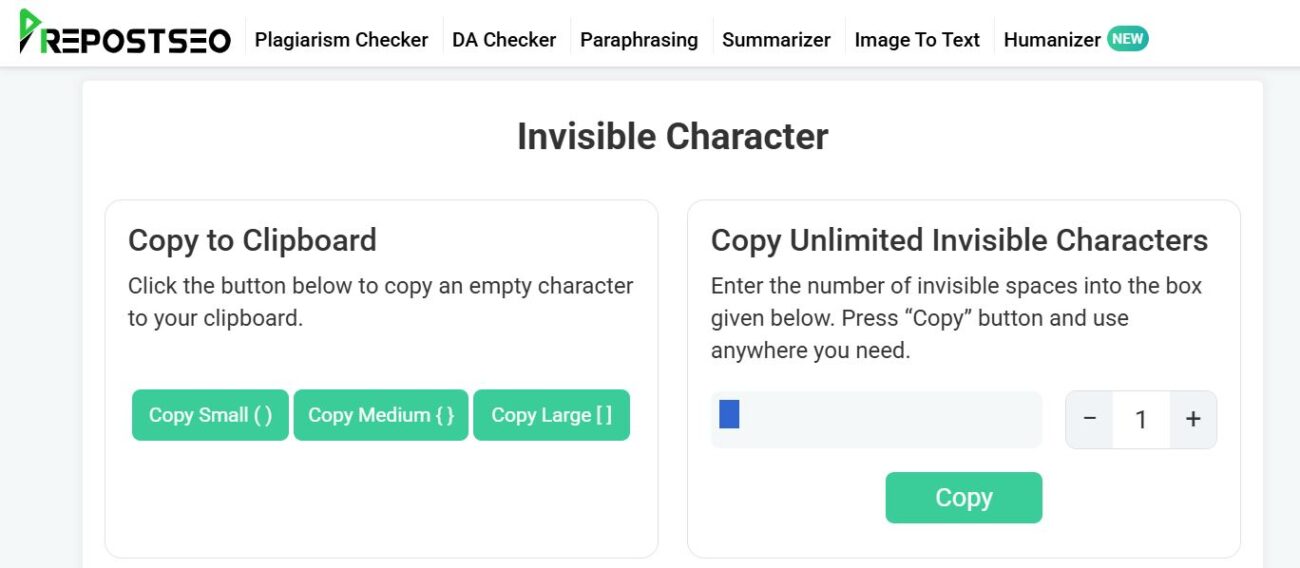
First of all, you must copy invisible characters. These are invisible Unicode characters that some gaming platforms like Free Fire accept as valid input, allowing a name to appear blank.
They are also referred to as blank spaces, empty text, and invisible spaces. When it comes to copying invisible spaces, there are two methods that can be taken. One is by utilizing an online invisible character tool. It allows gamers to copy blank text with a single click.
You can easily find such tools online. One popular option is Prepostseo; it is free and allows you to copy invisible characters in different sizes (small, medium, and large) and quantities (1,2, 3…so on).
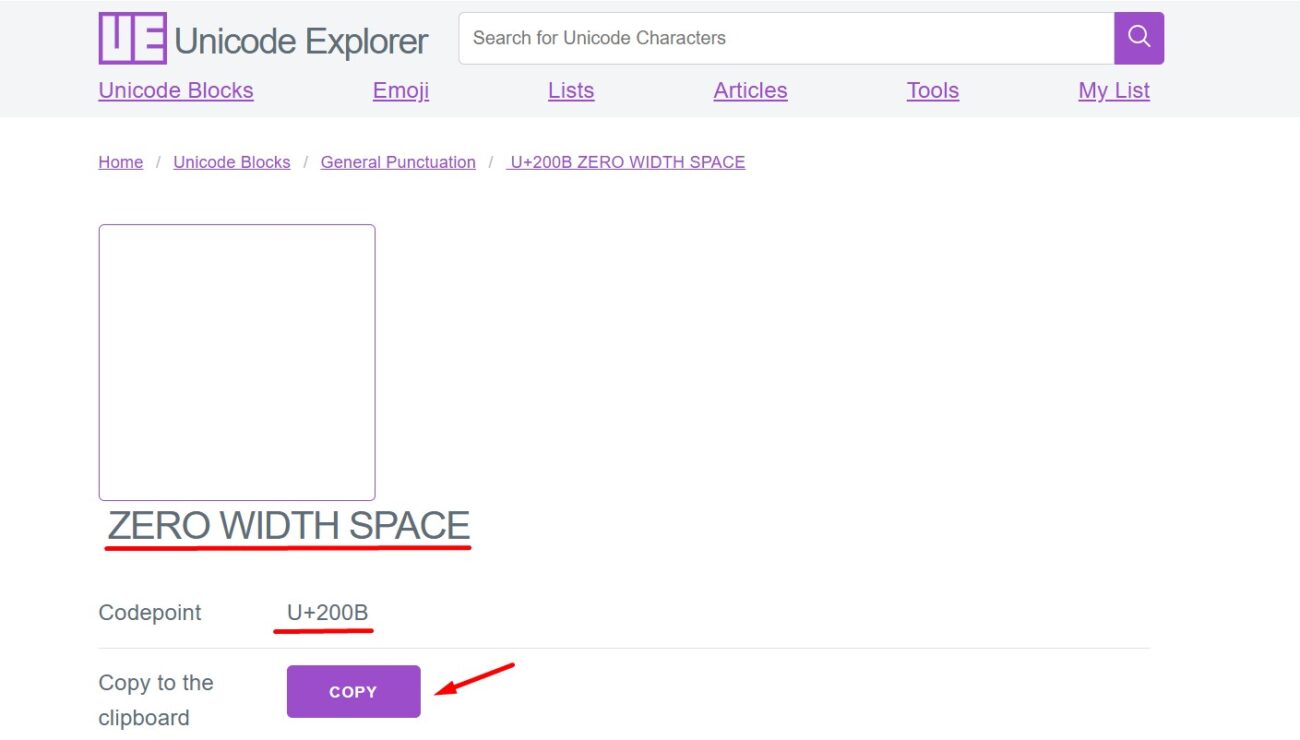
Another method for copying invisible characters is through a Unicode website. Pick any Unicode website available online and search for invisible characters on it using their official name (Zero width space) or code (U+200B).
After that, the website will show invisible spaces along with the option to copy. Take a look at the attachment below for demonstration.
Edit Your Free Fire Profile Name and Paste Invisible Characters
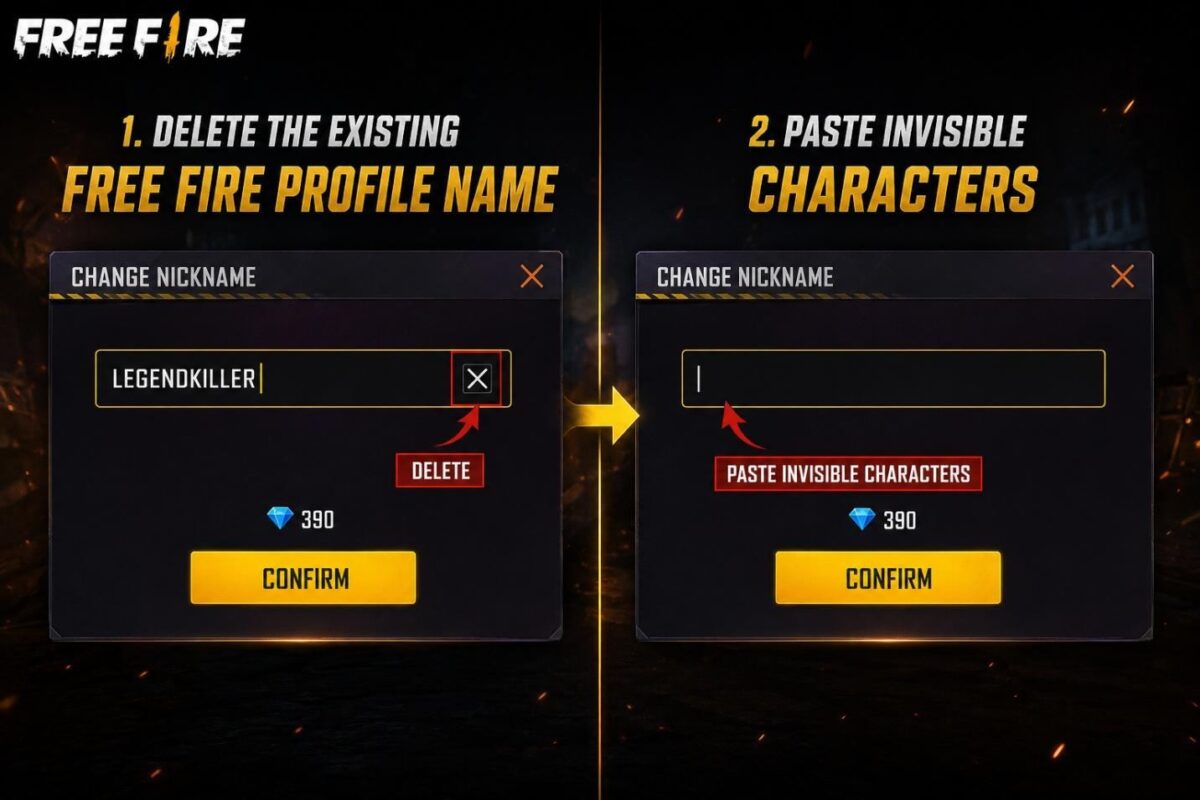
Once you have copied the blank spaces by using any of the aforementioned methods, go to your Free Fire profile and edit and delete the existing name. When done, paste the invisible characters in the input box.
It is recommended to paste the blank spaces multiple times (not more than 12 characters) so that the blank name displays properly.
Save Changes
After pasting, you will notice that Free Fire is allowing you to proceed with saving the changes. This will indicate that it has recognized the Unicode characters. So, click on the “Confirm” button to get the job done.
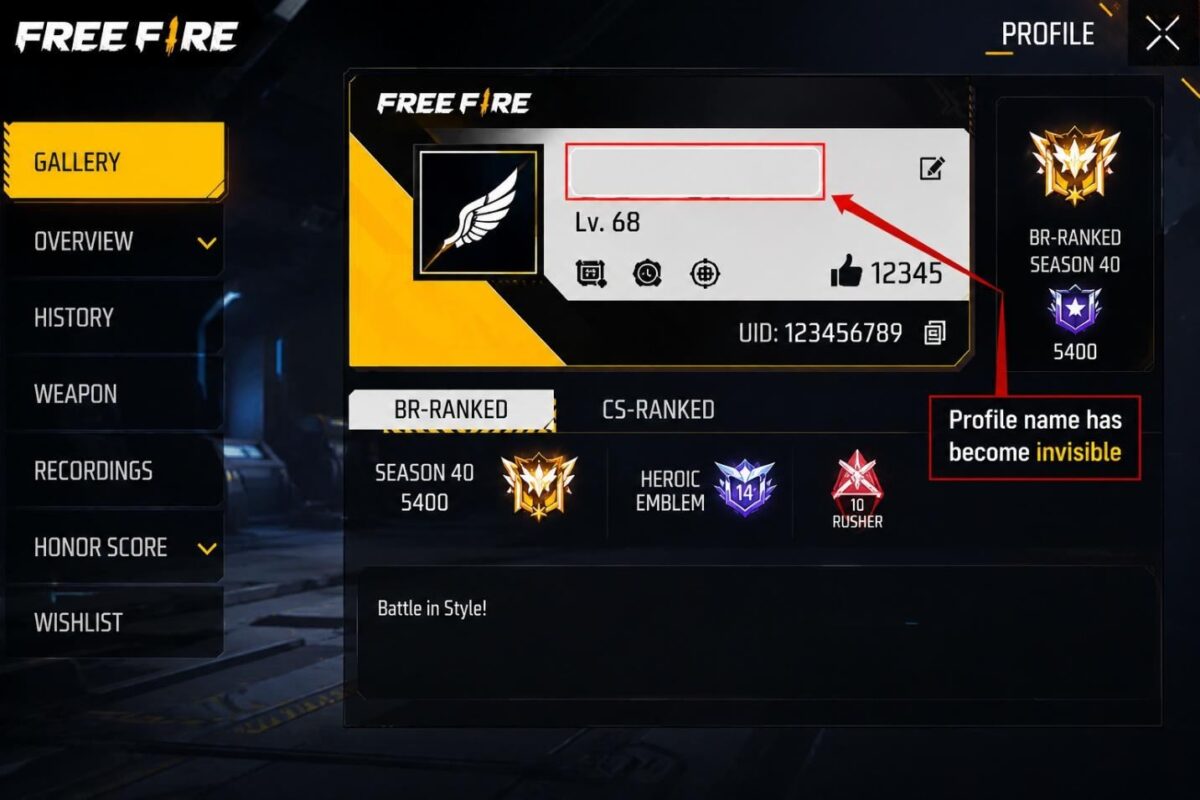
Test (Optional)
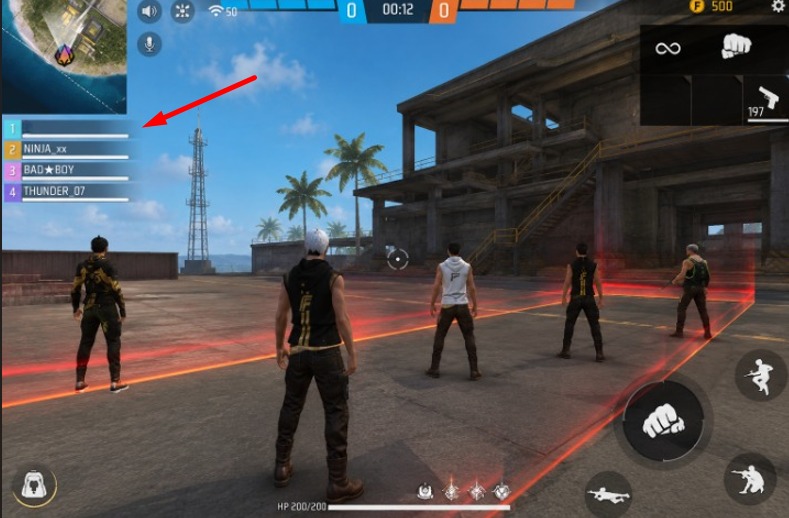
This is an optional step. After saving the changes, it is suggested to enter a match to make sure that your name appears completely blank compared to other players.
That’s the step-by-step procedure of making your Free Fire profile name unseen to others.
Bottom Line
Gamers are always looking for innovative ways to alter their Free Fire profile uniquely. One way that has become quite popular recently is making their profile name blank to others. This not only helps grab attention but also sparks curiosity among fellow gamers.
It is essential to note that Free Fire does not officially support making the profile name invisible. However, you can still do that by following the aforementioned steps.
Frequently Asked Questions (FAQs)
| Question | Answer |
|---|---|
| Will an invisible profile affect my gameplay? | No, it does not affect your gameplay in any way. An invisible or blank name is only a cosmetic change to your profile and has no impact on performance, matchmaking, or game mechanics. |
| Can I change my invisible name back to a normal one? | Yes. You can switch back to a regular display name at any time by editing your profile and entering a standard name, provided you have the required rename option or card. |
| Why isn’t my invisible name working? | There can be several reasons. You may have copied the wrong invisible character, as many different Unicode characters exist. Make sure you are using an invisible Unicode character that Free Fire currently accepts. If it still doesn’t work, the game may have updated its validation rules or no longer supports that specific char |