
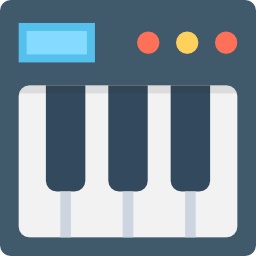
Virtual Online Piano
Virtual Online Piano is a browser-based music game that lets you play piano notes directly from your keyboard or touchscreen. It is designed as a simple digital instrument where players can experiment with melodies, practise notes, and create their own sounds without needing a real piano.
The game focuses on accessibility rather than complicated features. Anyone can open it, start pressing keys, and begin creating music immediately.
Virtual Online Piano is a browser-based music game that lets you play piano notes directly from your keyboard or touchscreen. It is designed as a simple digital instrument where players can experiment with melodies, practise notes, and create their own sounds without needing a real piano.
The game focuses on accessibility rather than complicated features. Anyone can open it, start pressing keys, and begin creating music immediately.
| Detail | Information |
|---|---|
| Genre | Music, Casual, Simulation |
| Main Mechanic | Virtual Piano Playing |
| Game Mode | Single Player |
| Platform | Desktop, Mobile, Tablet |
| Technology | HTML5 |
| Controls | Keyboard, Mouse, Touch |
For more creative and casual experiences, visit Mopoga’s Casual games section.
About Virtual Online Piano
Virtual Online Piano turns your device into a playable piano. The interface shows piano keys on the screen, and each key produces a corresponding musical note when pressed.
It can be used by beginners who want to understand basic piano layouts or by casual players who simply want to experiment with different sounds.
Unlike rhythm games that require following a fixed pattern, Virtual Online Piano gives you freedom. There is no score, timer, or required sequence. The focus is on playing, practising, and creating simple melodies.
The game works well for short sessions because you can start making sounds immediately without learning complex controls.
Players who enjoy creative tools may also like Vero Life – Dress Up & Decor.
How To Play Virtual Online Piano
Start by selecting the piano keys on the screen or using your computer keyboard.
A simple way to begin:
- Learn the position of the virtual keys.
- Try playing individual notes.
- Combine different notes to create short melodies.
- Practise repeating patterns.
- Experiment with different combinations.
- Use headphones or speakers for clearer sound.
The game does not require musical experience. Beginners can use it to become familiar with note patterns before moving to a real instrument.
Playing And Practice Tips
If you are new to piano-style games, avoid pressing random keys without listening.
Try creating small patterns first.
For example:
- Play a few notes repeatedly.
- Change the order of notes.
- Create a simple melody.
- Practise moving between nearby keys.
This helps develop basic timing and coordination.
Virtual Online Piano is not a replacement for professional music lessons, but it can be a useful way to explore how different notes work together.
For another relaxing browser experience, Jigsaw Surprise offers a different type of creative activity.
Controls
| Control | Action |
|---|---|
| Computer Keyboard | Play piano notes |
| Mouse | Click piano keys |
| Touchscreen | Tap keys on mobile devices |
Virtual Online Piano is a simple way to experiment with music directly from your browser. Whether you want to practise basic notes or just create a quick melody, the game provides an easy and accessible digital piano experience.






Reviews
There are no reviews yet.