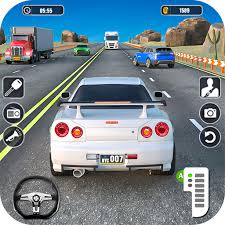
Driver Club: Highway Racing
| Detail | Information |
|---|---|
| Game Name | Driver Club: Highway Racing |
| Developer | Pipoza Games |
| Release | June 2025 |
| Game Engine | Unity 2022 |
| Genre | 3D highway driving and racing |
| Main Gameplay | Overtake traffic and maintain a fast run |
| Vehicles | Multiple unlockable cars |
| Environments | Multiple dynamic environments |
| Leaderboard | Yes |
| Camera Switching | Yes |
| Pause Function | Yes |
| Platform | Desktop web browser |
| Mobile Browser Support | Not listed by the supplied reference |
| Main Controls | WASD or Arrow Keys |
| Camera Control | C |
| Pause | P |
Driver Club: Highway Racing
Driver Club: Highway Racing is a fast 3D traffic-driving game where keeping the accelerator down is easy. Staying in control when several vehicles occupy the road ahead is the real challenge.
You drive through highway traffic, move between lanes, overtake vehicles, change your camera view and try to keep a strong run going without letting speed turn every manoeuvre into a last-second correction. The game also includes different environments, unlockable cars and a highway leaderboard, giving repeated runs a reason beyond simply seeing how fast one vehicle can go.
Players who enjoy browser driving games can find more road and track challenges in Mopoga’s Racing games collection.
About Driver Club: Highway Racing
Driver Club: Highway Racing was developed by Pipoza Games and released in June 2025.
The game uses Unity 2022 and is currently listed as a desktop-only browser game.
Its central idea is straightforward:
- accelerate along the highway
- steer through traffic
- overtake other vehicles
- react to changing road situations
- drive through different environments
- unlock additional cars
- improve your leaderboard performance
Pipoza Games also maintains an official Google Play developer profile, where the studio describes its focus as making fun games.
One thing worth being careful about is the amount of progression information available. The supplied reference confirms that multiple cars can be unlocked, but it does not document a specific currency system, upgrade tree, garage pricing structure or individual vehicle statistics.
Those details should not be invented just to make the game sound deeper than the verified version actually is.
Driver Club: Highway Racing Game Details
| Detail | Information |
|---|---|
| Game Name | Driver Club: Highway Racing |
| Developer | Pipoza Games |
| Release | June 2025 |
| Game Engine | Unity 2022 |
| Genre | 3D highway driving and racing |
| Main Gameplay | Overtake traffic and maintain a fast run |
| Vehicles | Multiple unlockable cars |
| Environments | Multiple dynamic environments |
| Leaderboard | Yes |
| Camera Switching | Yes |
| Pause Function | Yes |
| Platform | Desktop web browser |
| Mobile Browser Support | Not listed by the supplied reference |
| Main Controls | WASD or Arrow Keys |
| Camera Control | C |
| Pause | P |
How Driver Club: Highway Racing Works
The game puts you on a busy highway rather than a closed racing circuit.
Traffic becomes part of the course.
You accelerate, steer around slower vehicles and continue trying to maintain speed while avoiding the situations that can interrupt a good run.
The basic loop is:
drive → read the traffic ahead → choose space → overtake → keep the run alive → improve your result
That looks simple when written down.
It becomes harder once speed increases because the amount of time available to make each decision decreases.
What appears to be a comfortable opening between two cars from farther away can become a much tighter situation by the time you reach it.
That is why this game rewards looking ahead rather than watching only the car directly in front of you.
For a very different Mopoga driving challenge where control matters more than pure highway speed, Drive Mad asks you to keep unusual vehicles balanced across obstacle-filled tracks.
Traffic Is The Main Challenge
Driver Club: Highway Racing does not need elaborate ramps or fantasy hazards to create pressure.
Normal traffic is enough.
Every vehicle ahead affects the route available to you.
A lane that appears clear can become less useful when another vehicle occupies the space farther ahead. Moving around one car without considering what comes next can leave you immediately needing another large correction.
One of the easiest in-game mistakes is therefore treating each overtake as an isolated action.
It is more useful to read traffic as a group.
Before moving, look at what comes after the first vehicle as well.
Look Beyond The Nearest Vehicle
When the game is moving slowly, concentrating on the closest car may work.
At higher virtual speeds, that gives you very little preparation time.
Suppose one vehicle is blocking the current lane.
Moving left may clear it.
But if another vehicle is already occupying that lane slightly farther ahead, the first move has only replaced one problem with another.
The stronger habit is to scan farther down the road and identify where usable space continues for more than a moment.
This does not mean calculating an elaborate racing line.
It simply means refusing to make the first opening you see automatically become your choice.
Smooth Inputs Matter More As Speed Builds
The game’s controls are described as smooth and responsive.
Responsive controls are useful because small movements can be enough to reposition the car.
They can also punish unnecessary oversteering.
When a player reacts late, there is a natural temptation to hold a direction key for too long.
That large movement may avoid the immediate vehicle but leave the car badly positioned for whatever comes next.
Within the game, smaller corrections made earlier tend to leave more options than one dramatic last-second movement.
The important part is timing.
The steering key is simple.
Knowing when to release it is what takes practice.
Overtaking Is Not The Same As Constant Lane Changing
The description places a lot of emphasis on overtaking traffic.
That does not mean moving left and right continuously is automatically faster.
Unnecessary movement creates extra chances to misread another vehicle.
A clean piece of road is valuable.
If the current virtual lane provides enough open space, staying there briefly can be better than changing position simply because another lane looks empty.
This becomes especially important when the screen is busy.
Each additional movement is another decision that has to be completed before the next vehicle arrives.
Use The Brake Before A Situation Becomes Messy
S or the Down Arrow operates the brake.
It can be easy to forget because speed is the main attraction of the game.
Braking still gives you another option when the available road ahead becomes too crowded.
Within the game, slowing slightly can sometimes be more useful than forcing a late move into a narrow opening.
That is one of the clearest differences between playing for raw speed and playing for a longer, more controlled run.
A fast run is only useful while the car remains under control.
Acceleration Controls
Use:
- W
- Up Arrow
to accelerate.
The accelerator is likely to be the first control most players understand.
The harder part is resisting the urge to treat it as something that must be held regardless of what appears ahead.
Driver Club works because speed and available reaction time work against one another.
More speed means less time to correct a poor decision.
Steering Left And Right
Use:
- A or Left Arrow to move left
- D or Right Arrow to move right
The ability to use either WASD or Arrow Keys makes the layout familiar for desktop players.
Mozilla’s technical documentation for browser keyboard events explains how modern web applications can detect key presses such as these through standard browser input systems.
You do not need to understand that technology to play.
From the player’s side, the important part is simply choosing whichever key layout feels more comfortable and keeping it consistent.
Changing The Camera View
Press C to change the camera.
This is more useful than a cosmetic feature.
A different perspective changes what portion of the road is easiest to read.
Some players prefer feeling closer to the vehicle.
Others find a wider view more useful because it makes traffic spacing easier to judge.
There is no reason to assume one camera is automatically best for everyone.
Try the available perspectives and ask a practical question:
Which view lets me recognise traffic patterns earlier?
That is the camera worth using for a serious leaderboard attempt.
Do Not Change Camera Mid-Crisis
Experimenting with the camera is useful.
Doing it while already trying to squeeze around several vehicles is not.
A perspective change briefly alters your visual reference for:
- car position
- lane width
- distance
- approaching traffic
If you want to compare cameras, do it during a calmer part of a run.
Give yourself enough time to adjust before treating the new view as normal.
Pause With P
Press P to pause.
That small feature matters in a game where the road continually demands attention.
If something outside the game needs your attention, pausing is better than trying to divide your focus while continuing a fast run.
Returning to the game can still require a moment of adjustment.
Before immediately accelerating hard again, re-read what is happening on screen.
Different Environments
The source specifically confirms a variety of dynamic environments.
That visual variety helps prevent repeated highway runs from looking exactly the same.
Different scenery can also change the way speed feels.
A road surrounded by nearby environmental objects can make movement appear faster than a more open environment, even when the underlying controls remain familiar.
What is not documented is a complete named list of every environment.
Rather than inventing locations, weather conditions or maps that the source does not identify, it is more accurate to leave the confirmed information at multiple changing environments.
Unlockable Cars
Driver Club: Highway Racing includes a range of cars that can be unlocked and driven.
That gives repeated runs a progression goal alongside leaderboard performance.
Unlockable vehicles are particularly useful in a driving game because changing cars makes progression visible.
However, the source does not provide a complete car list.
It also does not clearly document:
- exact unlock requirements
- vehicle prices
- individual maximum speeds
- handling ratings
- acceleration statistics
- braking statistics
- upgrade levels
Unless those details are visible and verified from the actual build, they should not be stated as fact.
That distinction matters because generic game pages often fill gaps with assumptions based on what similar racing games usually contain.
Mopoga’s Car Simulator 2 is a better fit when you want a broader car-simulation structure involving city driving and multiple activities rather than a focused highway run.
Do Different Cars Handle Differently?
The supplied reference says you can unlock and drive a range of powerful cars.
It does not explain whether each car has unique handling statistics.
That means it would be misleading to promise that one unlocked car brakes better or another has superior acceleration without verified information.
The safest approach is to treat the cars as confirmed unlockable content while judging performance differences from what the game itself shows you.
If the selection screen displays statistics, use those.
If it does not, avoid assuming that appearance alone tells you how the vehicle performs.
The Highway Leaderboard
The game encourages players to push their results and compete on a highway leaderboard.
A leaderboard changes the way a short driving session feels.
Without one, a run can be judged only against your own previous attempt.
With one, performance becomes measurable against other recorded results as well.
That creates two useful goals:
- beat your previous performance
- improve your leaderboard position
Mopoga’s article on features that keep online games engaging discusses why visible progression and competitive systems such as leaderboards can give players clear reasons to return.
Driver Club uses that idea in a simple way.
The highway itself remains familiar, but the number you are trying to beat can keep changing.
A Leaderboard Run Needs Consistency
It is tempting to think a stronger result comes from being aggressive every second.
In practice, the game asks you to maintain the run long enough for speed and overtaking to matter.
One unnecessary mistake can erase the advantage gained from several risky manoeuvres.
A more consistent in-game approach is:
- build speed
- keep scanning ahead
- use clear openings
- avoid unnecessary corrections
- keep the run alive
- increase risk only when the road situation gives you room
That still creates a fast game.
It simply replaces random movement with deliberate movement.
Why A Good Run Often Ends After One Small Mistake
High-speed games create an interesting concentration problem.
The longer a run survives, the more valuable it feels.
That can make the player tense.
A movement that would have felt routine in the first minute suddenly feels important because a personal best or leaderboard improvement may be at stake.
That pressure can cause overcorrection.
A useful mental approach is to keep treating the next traffic situation exactly like an earlier one.
The score does not change how the steering works.
Do Not Watch The Leaderboard While Driving
If the game displays performance information during a run, staring at it can become a distraction.
The road ahead contains the information needed to keep playing.
The ranking can be checked when the situation allows it.
A good run is easier to protect when attention stays on:
- the current lane
- traffic ahead
- the next available opening
- the car’s position
Numbers do not need constant supervision.
Traffic does.
Desktop-Only Browser Play
The supplied reference currently lists the platform as:
Browser (desktop-only)
That detail should be preserved.
It would be inaccurate to automatically claim that Driver Club: Highway Racing supports phones and tablets simply because many other browser games do.
This version relies on keyboard controls including:
- WASD
- Arrow Keys
- C
- P
No official touchscreen control scheme is documented on the supplied page.
If a separate mobile edition appears elsewhere, that should be treated as a separate platform listing unless confirmed to be the same build.
For a Mopoga driving game that has been presented with broader device compatibility, Car Simulator 3D provides a more free-form driving experience rather than highway leaderboard competition.
Unity 2022 Engine
Driver Club: Highway Racing is listed as using Unity 2022.
That is relevant because the game presents a full 3D road environment while running through a browser.
Unity’s official 2022.3 WebGL documentation explains that Unity web builds can use technologies including JavaScript, WebAssembly and the WebGL rendering API to run interactive content inside compatible browsers.
For the player, the technical result is straightforward.
The highway, cars, camera and 3D movement can run directly through a modern desktop browser without the game needing to be presented as an old plugin-based web title.
Why Browser Performance Matters In A Racing Game
A puzzle game can sometimes tolerate a brief visual hesitation without completely changing the next decision.
A fast driving game is less forgiving.
Traffic positions keep changing while you are moving.
That makes smooth performance particularly important because steering decisions depend on seeing the road clearly and responding at the intended time.
If the game does not feel smooth on a particular computer, reducing unnecessary background browser activity may help the browser concentrate resources on the active game.
The game itself is described as having smooth, responsive controls, and that responsiveness is central to the intended experience.
Driver Club: Highway Racing Controls
| Control | Action |
|---|---|
| W | Accelerate |
| Up Arrow | Accelerate |
| S | Brake |
| Down Arrow | Brake |
| A | Move Left |
| Left Arrow | Move Left |
| D | Move Right |
| Right Arrow | Move Right |
| C | Change Camera View |
| P | Pause |
There are no additional controls documented on the supplied reference page.
That is worth saying because racing guides sometimes add imagined controls for nitro, handbrakes or drifting simply because those features are common elsewhere.
No separate nitro, handbrake or manual gear control is confirmed in the supplied reference.
There Is No Confirmed Nitro Control
The official control list contains:
- acceleration
- braking
- left movement
- right movement
- camera switching
- pause
There is no documented nitro button.
Unless a future update adds one or the game itself visibly explains one, it should not be included in a control guide.
The same rule applies to drifting.
The page categorises Driver Club as a high-speed highway driving game but does not document a dedicated drift mechanic.
Practical Driver Club: Highway Racing Tips
Read Several Cars Ahead
Do not focus exclusively on the closest vehicle.
A good opening should still leave usable road after you complete the first move.
Avoid Random Left-Right Movement
Changing position constantly creates unnecessary decisions.
Stay in a useful lane until there is an actual reason to move.
Correct Earlier Rather Than Harder
Within the game, an early small steering input can be easier to control than a large correction at the last moment.
Remember The Brake Exists
Maximum acceleration is not useful when the road immediately ahead has become crowded.
Use the in-game brake rather than forcing every situation at full speed.
Test The Camera Views
Use C during a calmer section and decide which perspective gives you the clearest picture of approaching traffic.
Keep Your Eyes Ahead
Watching the vehicle itself provides less warning than looking farther down the highway.
Stay Calm Near A Personal Best
The controls have not changed simply because the score has become important.
Continue making the same decisions that kept the run alive.
Use Pause When Your Attention Is Needed Elsewhere
A highway-driving game requires concentration.
If you need to look away, P is there for a reason.
Common Driver Club Mistakes
Accelerating Regardless Of Traffic
Speed is useful only while you have somewhere safe in the game to place the car.
Moving Around One Vehicle Without Checking The Next
The first overtake can position you directly behind another slower vehicle.
Holding A Steering Key Too Long
A movement intended to clear one car can carry you farther across the road than intended.
Forgetting About The Brake
Players often think every problem must be solved by steering.
It does not.
Changing Camera During Heavy Traffic
A new perspective can briefly make distance and positioning harder to judge.
Assuming Every Unlock Improves Performance
The source confirms unlockable cars but does not provide verified statistics for them.
Assuming Mobile Support
The current reference specifically identifies the browser version as desktop-only.
Driver Club Is More Arcade Than Driving Simulator
Driver Club: Highway Racing is built around:
- speed
- traffic overtaking
- reaction time
- unlockable cars
- repeated runs
- leaderboard performance
Those priorities make it closer to an arcade highway-driving challenge than a detailed driving simulator.
A simulation game would usually spend more time on systems such as traffic rules, vehicle operation, parking, fuel, road procedures or realistic driving behaviour.
Driver Club strips the experience back to the entertaining part of an arcade run: react quickly and keep moving.
If a freer driving environment sounds better, Real Cars in City on Mopoga puts more emphasis on driving around an urban setting rather than maintaining one focused highway run.
Driver Club Versus PolyTrack
PolyTrack and Driver Club are both 3D car games, but the pressure comes from different places.
Driver Club: Highway Racing
The road contains normal traffic that becomes part of the challenge.
You are constantly reacting to moving vehicles.
PolyTrack
The course itself is the challenge.
Performance is more closely connected to learning track layouts, turns and precise racing lines.
Driver Club is better suited to players who like unpredictable traffic situations.
PolyTrack makes more sense if you prefer repeating a designed track and gradually improving how you drive it.
Driver Club Versus Drive Mad
Drive Mad barely resembles normal highway racing once its strange tracks and vehicle physics begin causing problems.
Its challenge often comes from:
- ramps
- balance
- unusual vehicles
- unstable terrain
- level-specific obstacles
Driver Club is much more direct.
You have a road, traffic, speed and steering.
The challenge comes from keeping those simple systems under control for long enough to produce a strong result.
Driver Club Versus Car Simulator 2
Car Simulator 2 is broader.
Its Mopoga page describes open-world driving, missions and several simulation-style systems.
Driver Club is narrower and faster.
You are not trying to live in a virtual city or complete a broad mission list.
You are trying to drive well through traffic and improve your highway performance.
That narrower focus is part of its appeal.
A player can understand the objective almost immediately.
Why The Game Can Stay Interesting With A Simple Rule Set
Driver Club does not need a complicated story to create repeat play.
Several confirmed features already support variety:
- changing environments
- unlockable cars
- responsive driving
- traffic situations
- camera options
- leaderboard competition
The road itself also generates natural variation because vehicles do not present exactly the same visual decision every second.
That is enough to make one run feel cleaner or messier than another even when the controls stay identical.
Visual Clarity Matters More Than Decoration
The reference highlights the game’s visuals as one of its features.
In a high-speed driving game, good graphics have a practical job too.
Traffic needs to be readable quickly.
A player should be able to tell:
- where another car is
- how much space is available
- what lane is open
- how the road continues
The prettiest scene in the world would not help much if the objects you need to avoid were difficult to identify.
So visual quality matters most when it supports fast decision-making as well as atmosphere.
Virtual Highway Racing Is Not Real Road Driving
Driver Club: Highway Racing is an arcade game.
The objective is built around speed and overtaking because those mechanics make the virtual challenge exciting.
Real roads work differently.
High-speed weaving or racing in public traffic is dangerous and should not be copied outside the game. The US National Highway Traffic Safety Administration’s speeding safety information explains that higher speed reduces control, increases stopping distance and can make crashes more severe.
The useful boundary is simple:
keep Driver Club’s high-speed behaviour inside Driver Club.
The game gives you a virtual highway where mistakes can be restarted.
Real traffic does not.
Main Driver Club: Highway Racing Features
High-Speed Highway Driving
Traffic overtaking is the central challenge rather than conventional closed-circuit racing.
Multiple Environments
Runs take place across a variety of changing environments.
Unlockable Cars
Additional vehicles provide progression and variety.
Responsive Controls
Acceleration, braking and steering use a familiar keyboard layout.
Camera Switching
Press C to change perspective.
Pause Function
Press P when you need to stop the action.
3D Graphics
The Unity-powered browser presentation creates a full 3D road environment.
Leaderboard Competition
Performance can be measured through the highway leaderboard.
Desktop Browser Support
The current supplied reference lists the game as desktop-only.
What The Reference Does Not Confirm
For accuracy, several common racing-game systems should not be assumed.
The supplied reference does not document:
- nitro
- a dedicated drift button
- vehicle damage
- fuel
- police chases
- manual gears
- multiplayer racing
- named tracks
- specific car models
- vehicle stat tables
- tuning upgrades
- a detailed currency system
- mobile touchscreen controls
Some of these features might exist in another version or future update.
They are simply not confirmed by the reference supplied for this Mopoga page.
Keeping that distinction makes the page more useful than filling space with generic racing-game assumptions.
Frequently Asked Questions
What Is Driver Club: Highway Racing?
Driver Club: Highway Racing is a 3D browser driving game where you travel through highway traffic, overtake vehicles, unlock cars and try to improve your leaderboard result.
Who Developed Driver Club: Highway Racing?
The game was developed by Pipoza Games.
When Was Driver Club: Highway Racing Released?
The supplied reference lists June 2025 as the release date.
What Game Engine Does Driver Club Use?
It uses Unity 2022.
Is Driver Club: Highway Racing A Browser Game?
Yes. The current version is listed for web browsers.
Can I Play Driver Club On Mobile?
The supplied reference currently lists Browser (desktop-only). No touchscreen control scheme is documented there.
What Is The Main Goal?
Drive at speed through highway traffic, overtake vehicles, continue your run and work towards stronger leaderboard performance.
Are There Different Cars?
Yes. The reference confirms that a range of cars can be unlocked and driven.
Does The Game Explain Every Car’s Statistics?
Not in the supplied reference. Specific handling, acceleration, braking and top-speed statistics should not be assumed unless the game itself displays them.
Are There Different Environments?
Yes. Multiple dynamic environments are one of the confirmed features.
What Are The Controls?
Use W or Up Arrow to accelerate, S or Down Arrow to brake, A or Left Arrow to move left, and D or Right Arrow to move right.
How Do I Change The Camera?
Press C.
How Do I Pause?
Press P.
Does Driver Club Have Nitro?
No nitro control is documented in the supplied reference.
Is There A Drift Button?
No dedicated drift control is documented.
Does Driver Club Have A Leaderboard?
Yes. Highway leaderboard competition is one of the confirmed features.
What Is A Good Way To Improve A Run?
Within the game, watch several vehicles ahead rather than reacting only to the nearest car. Smaller, earlier steering corrections and remembering that braking is available can make busy traffic easier to manage.
Should I Change Lanes Constantly?
Not necessarily. Unnecessary movement can create another problem immediately after solving the first one. Move when the traffic situation gives you a clear reason.
Which Camera Is Best?
There is no universal answer. Use C to compare the available perspectives and choose the view that makes approaching traffic easiest for you to read.
Is Driver Club A Realistic Driving Simulator?
It is better described as an arcade-style highway driving game. Its main focus is speed, overtaking, traffic reactions, unlockable vehicles and leaderboard performance.
Is The Highway Racing Meant To Be Copied In Real Life?
No. The high-speed traffic behaviour is part of the virtual game. Real public roads require lawful, safe driving rather than racing or high-speed weaving.
More Driving Games On Mopoga
If traffic-based driving is what interests you most, Real Cars in City provides another 3D road environment with more freedom to move around.
Try Car Simulator 2 if you want a broader simulation structure.
PolyTrack is a better match for track-focused racing where learning the course becomes central.
Drive Mad is worth playing when strange physics and obstacle courses sound more entertaining than normal highway traffic.
You can also browse the full Racing section on Mopoga for the site’s current collection of car, motorcycle, stunt and driving games.

Reviews
There are no reviews yet.