
Blog
I Fed AI Music Tools 12 Genres Nobody Talks About

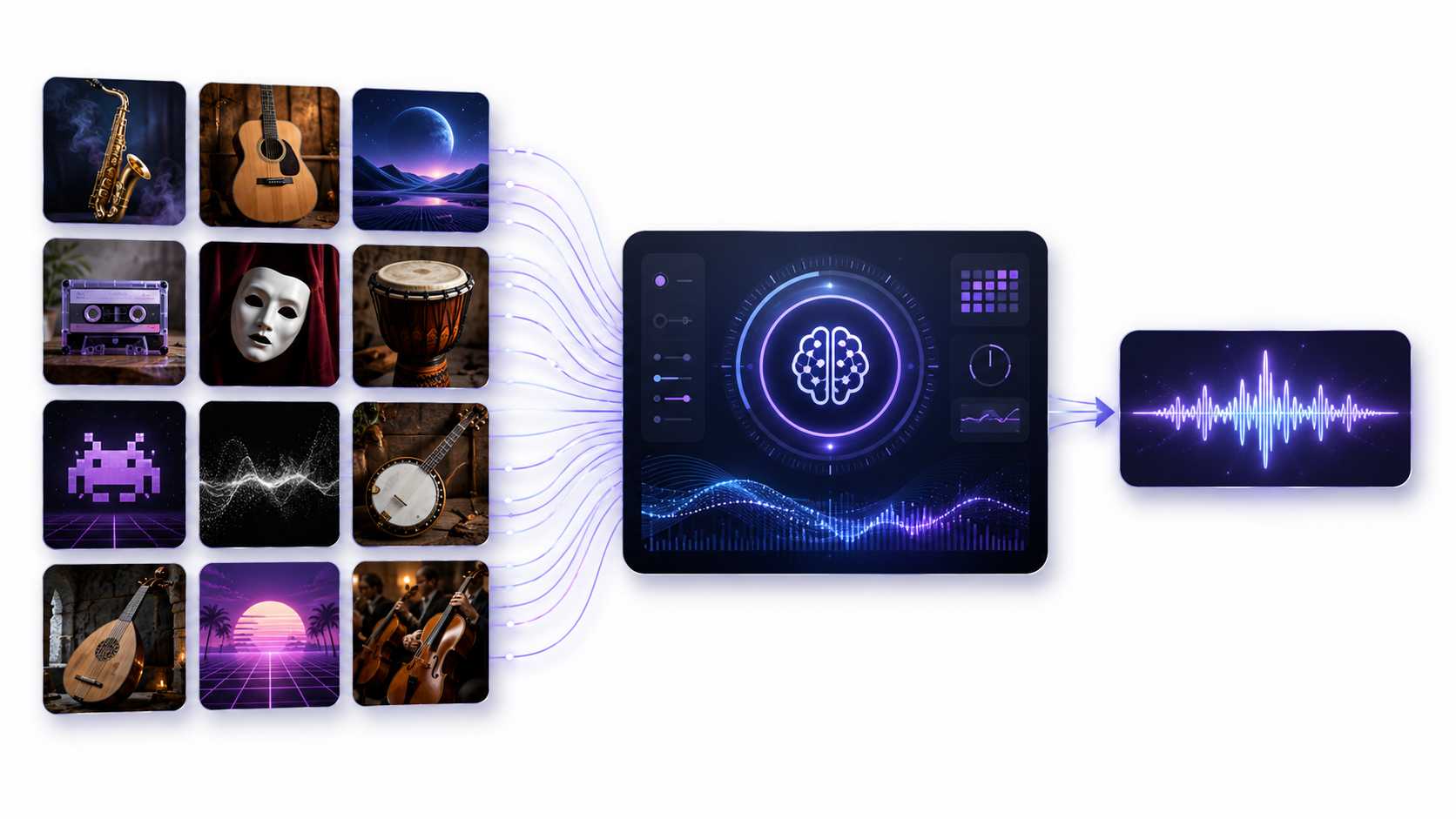
A few months ago, I tried to create an Ethiopian jazz track with an AI Music Generator. I expected something warm, loose, jazzy, and full of character. Instead, the result sounded more like a generic hotel lounge loop with one tired saxophone placed on top.
That moment stayed with me because most conversations around AI music usually focus on the same common styles. People talk about pop, lo-fi beats, rap, EDM, cinematic background music, and simple social media tracks. These genres already have a lot of material online, so AI tools usually understand them better.
I wanted to see what would happen when these tools were pushed into less common musical spaces. Instead of testing basic pop prompts, I created a list of twelve niche genres that are not discussed as often. These included 1970s Zamrock, Japanese city pop, Irish sean nós singing, Mexican son jarocho, Finnish humppa, fado, qawwali, Bulgarian women’s choir, Cambodian psychedelic rock, deep dub techno, glitch hop, and modern chiptune with baroque strings.
The goal was not to prove that AI could perfectly recreate these styles. That would be unfair and unrealistic. A generated track cannot replace a trained singer, a local folk ensemble, a real field recording, or a musician who understands the cultural background of a genre.
The real question was simpler: could the AI tools capture enough of each genre’s rhythm, instruments, mood, vocal style, and overall feeling to make the result sound close? In other words, would the track feel like it belonged in the right musical neighborhood, or would it collapse into something generic?
How I Tested the AI Music Tools
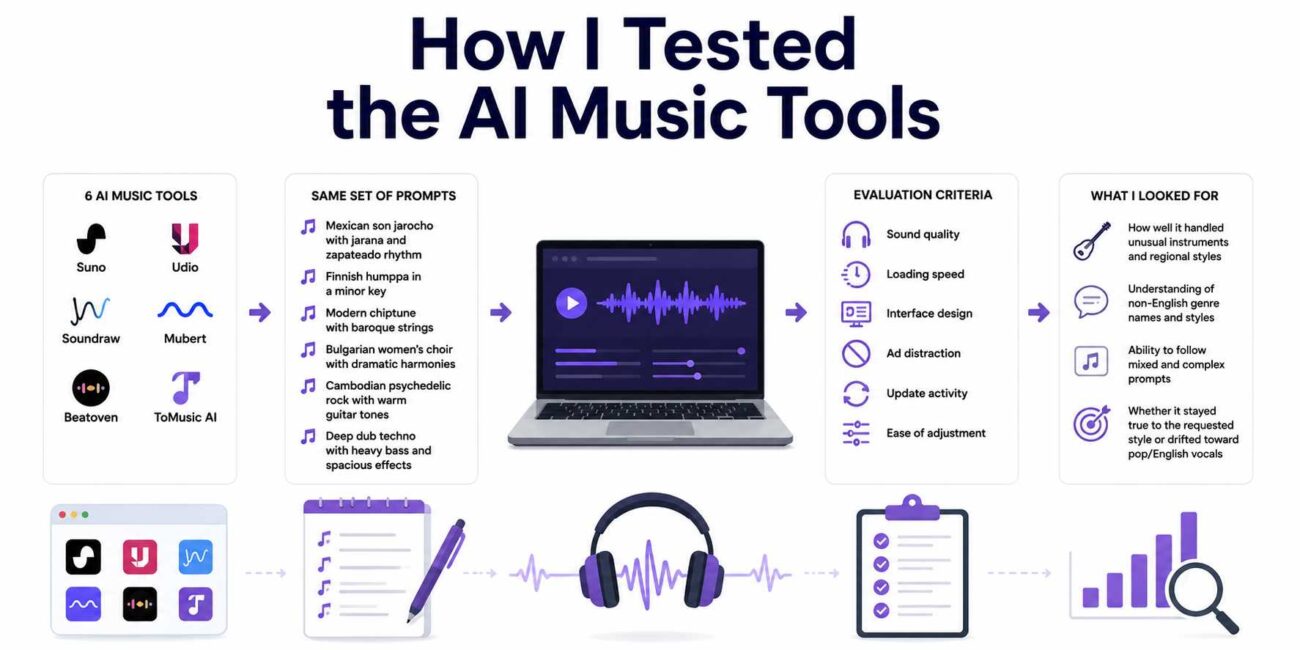
I tested six AI music platforms: Suno, Udio, Soundraw, Mubert, Beatoven, and ToMusic AI. I also paid close attention to the AI Music Maker features inside these tools, especially how they handled custom prompts, instruments, vocals, and niche genre details.
The prompts were written in simple language. I did not try to confuse the tools with overly technical wording. I used prompts such as:
- Mexican son jarocho with jarana and zapateado rhythm
- Finnish humppa in a minor key
- Modern chiptune with baroque strings
- Bulgarian women’s choir with dramatic harmonies
- Cambodian psychedelic rock with warm guitar tones
- Deep dub techno with heavy bass and spacious effects
I listened carefully to the results and judged more than basic sound quality. I also looked at loading speed, interface design, ad distraction, update activity, and how easily each tool allowed me to adjust the result.
I paid special attention to how each platform handled unusual instruments, non-English genre names, regional singing styles, and mixed genre prompts. Some tools understood the general direction quickly. Others started well but drifted into something completely different after a few seconds.
One problem appeared again and again. Several tools quietly moved back toward English pop vocals or modern pop production, even when I asked for traditional instruments or no vocals. That showed how strongly some AI music systems lean toward the most common styles in their training data.
AI Music Tool Comparison Table
Platform Sound Quality Loading Speed Ad Distraction Update Activity Interface Cleanliness Overall Score
| Platform | Sound Quality | Loading Speed | Ad Distraction | Update Activity | Interface Cleanliness | Overall Score |
|---|---|---|---|---|---|---|
| Suno | 8 | 8 | 5 | 7 | 5 | 6.6 |
| Udio | 7 | 5 | 7 | 8 | 7 | 6.8 |
| Soundraw | 8 | 7 | 8 | 6 | 8 | 7.4 |
| Mubert | 7 | 9 | 8 | 5 | 7 | 7.2 |
| Beatoven | 6 | 6 | 7 | 6 | 6 | 6.2 |
| ToMusic AI | 8 | 8 | 9 | 8 | 9 | 8.4 |
These scores are not meant to be universal ratings for every user. They are based on how each tool handled unusual and difficult genre prompts.
Soundraw and Mubert performed well with electronic subgenres. They were especially useful for deep dub techno, glitch hop, and other styles where texture, rhythm, and atmosphere matter more than vocal detail.
Suno produced some surprisingly strong vocal moments. One fado-style result was especially emotional and had the kind of dramatic feeling I was hoping for. However, the results were not always consistent. One generation could sound impressive, while the next could feel far away from the prompt.
Udio gave more control than some of the other tools, but it also required more adjustment. It was useful when I wanted to shape the track more carefully, but it took extra time before the results felt close to the intended genre.
Beatoven handled ambient and background textures nicely. It was useful for mood-based tracks, but it was less suitable for genres that needed strong vocal expression or highly specific traditional performance styles.
ToMusic AI gave the most balanced experience across the full test. It did not get every genre perfect, but it stayed more consistent across acoustic, vocal, and hybrid prompts. Even when it missed the exact style, the result often sounded usable and intentional instead of completely generic.
What Genre Understanding Means in AI Music
AI music tools do not understand genres the way musicians do. A musician understands history, culture, rhythm, technique, emotion, and performance tradition. AI tools work in a different way. They identify patterns connected to words, instruments, tempo, harmony, vocals, and sound texture.
That means popular genres are usually easier for AI tools. Pop, hip hop, EDM, cinematic music, and lo-fi beats have a large amount of online material. Because of that, AI systems often have more examples to learn from.
Niche genres are more difficult. A style like Mongolian long Song, Bulgarian choir music, or Irish sean nós singing carries very specific performance details. If the AI does not have enough reliable patterns for that genre, it may create something that only sounds vaguely similar.
This is why niche genre testing is useful. It reveals whether a music generator can follow a detailed creative direction or whether it quickly falls back into familiar formulas.
Where the Prompts Started to Break
Several platforms showed what I would call pop drift. This happened when the track started with the right mood or instrumentation, but slowly turned into a modern pop Song.
For example, a folk-style prompt might begin with acoustic instruments, but then a modern kick drum would enter. A qawwali-inspired track might begin with a devotional mood, but then shift into a polished ballad. A chiptune prompt might start with retro game sounds, then become a standard electronic pop track.
This was one of the clearest signs that the tool was struggling. It could recognize the beginning of the prompt, but it could not maintain the genre identity for the full track.
ToMusic AI showed less of this problem when I used its custom mode. Being able to define mood, tempo, instruments, and vocal direction helped keep the result closer to the prompt. It also helped when I clearly stated what I did not want, such as no English vocals, no pop drums, or no modern dance beat.
Why Custom Prompts Worked Better
Short prompts were usually not enough for niche genres. A prompt like “make fado music” gave the tool too much room to guess. Sometimes the result sounded close, but other times it became a generic emotional ballad.
A more detailed prompt worked better because it gave the AI more direction. For example, instead of writing:
- Create Bulgarian choir music
- A stronger prompt would be:
Create a dramatic Bulgarian women’s choir style track with layered female harmonies, folk feeling, slow build, no modern pop drums, and no English vocals.
This type of prompt tells the tool what to include and what to avoid. It also reduces the chance of the track drifting into a more common style.
For niche genres, the best prompts usually include five things: the genre name, the main instruments, the mood, the tempo or energy level, and the vocal preference. When those details were included, the results became easier to control.
Role of Model Choice
One feature that helped ToMusic AI was the ability to work with different music models. This mattered because not every model handled every style the same way.
Some models were better for percussion-heavy styles. Others worked better for strings, soft background textures, cinematic sounds, or expressive vocals. Being able to switch models without completely rewriting the prompt made the testing process faster.
This is useful for creators who need to explore different directions quickly. A game designer might want several versions of the same regional mood. A podcast producer might want a more serious version and a more relaxed version. A video editor might want to test different atmospheres before choosing the final background track.
Model choice made the process feel less random. Instead of generating one track and hoping for the best, I could test variations and compare the results more clearly.
A Practical Workflow for Niche Genre Testing
After testing many prompts, I found that a simple workflow gave better results.
First, I used the custom generation option instead of relying on a basic prompt box. This gave me more control over the mood, tempo, instruments, and vocal direction.
Next, I wrote a descriptive prompt that clearly named the genre and included key sound details. If the genre had traditional instruments, I named them. If I wanted vocals, I described the vocal style. If I did not want vocals, I stated that clearly.
Then I generated a track and listened for three things: whether the rhythm matched the genre, whether the instruments felt appropriate, and whether the track avoided unwanted pop elements.
If the result was close but not perfect, I adjusted the prompt instead of starting from zero. I added stronger instructions, removed confusing words, or tested another model.
This process made the tool more useful. It felt less like gambling and more like guided creative testing.
Who Can Benefit From This Type of AI Music Testing
This type of niche genre testing is not only for people who enjoy unusual music prompts. It can be useful for many types of creators.
Game designers may need music that suggests a certain region, time period, or cultural atmosphere. Podcast producers may want something more original than common stock music. Teachers may want examples that help students understand different music styles. YouTube creators may want background tracks that do not sound like the same royalty-free loops used everywhere.
Filmmakers and editors can also benefit from this kind of tool during early production. Even if the AI track is not used in the final version, it can help set a mood, test a scene, or explain a musical direction before hiring a composer.
For small studios and independent creators, AI music tools can save time during the idea stage. They can help generate rough concepts quickly before money is spent on final production.
What AI Music Still Cannot Replace
Even when the result sounds impressive, AI music should be treated as an approximation. It can suggest a style, mood, or texture, but it cannot fully replace cultural knowledge.
If a project needs accurate language, sacred music sensitivity, traditional performance technique, or historically correct instrumentation, human expertise is still necessary. A local musician, researcher, or cultural consultant can understand details that an AI tool may miss.
This is especially important when working with music connected to real communities, religious traditions, or regional identity. Using AI carelessly can make the result feel shallow or inaccurate.
The safest way to use AI music is as a starting point. It can support brainstorming, demos, background testing, and early creative exploration. For final work that needs authenticity, human review is still important.
What I Learned From the Test
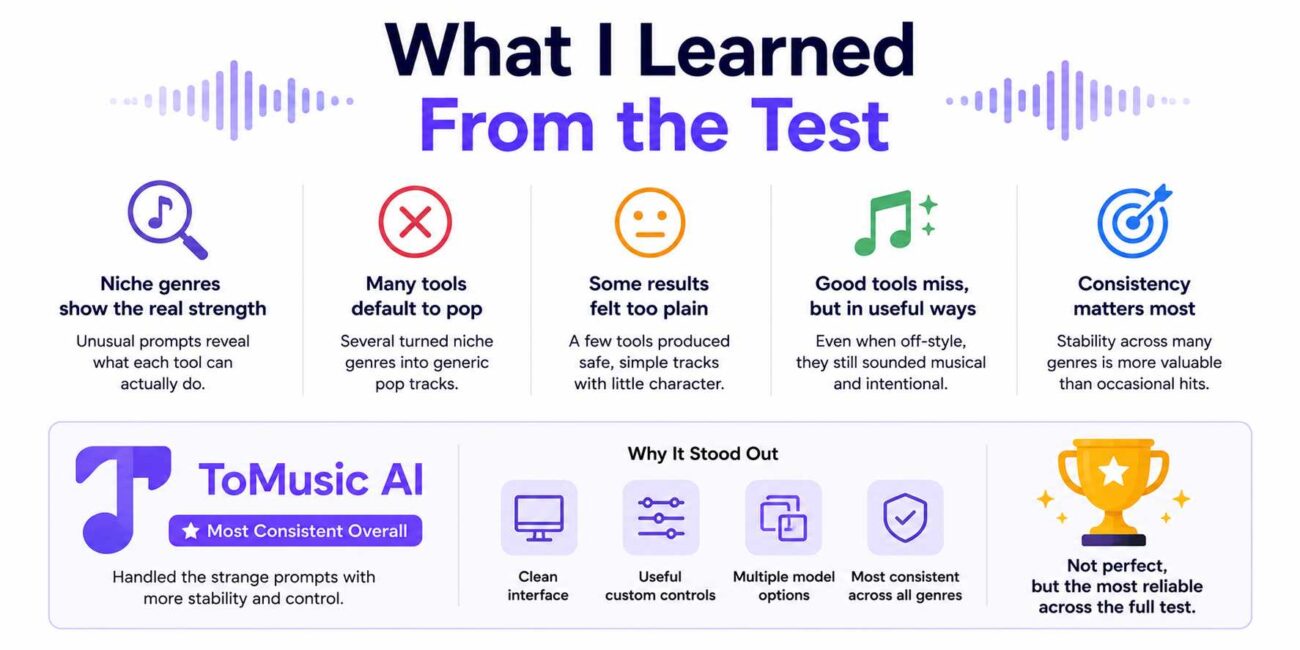
The biggest lesson was that niche genres reveal the real strength of an AI music tool. Most platforms can create a decent pop track or simple background beat. The difference becomes clearer when the prompt is unusual.
Some tools failed by turning everything into pop. Some failed by making the result too plain. Others created tracks that sounded polished but had very little connection to the requested style.
The stronger tools failed in more useful ways. Even when they missed the exact genre, they still created something musical and intentional. That matters because creators can work with a good near miss. They can edit it, adjust it, or use it as inspiration.
ToMusic AI stood out because it handled the strange prompts with more stability. Its interface was clean, the custom controls were useful, and the model options made it easier to test different directions. It was not perfect, but it was the most consistent across the full set of genres.
Final Conclusion
Testing AI music tools with twelve overlooked genres showed that sound quality alone is not enough. A good AI music generator should follow detailed prompts, stay close to the requested style, avoid unwanted pop drift, and give users enough control to improve weak results.
Suno, Udio, Soundraw, Mubert, and Beatoven all had useful strengths. Some were better for vocals, some worked better with electronic music, and others were more suitable for ambient background tracks. However, across the full test, ToMusic AI gave the most balanced experience because it combined clean output, simple controls, model flexibility, and more consistent handling of acoustic, vocal, and hybrid prompts.
Still, AI music tools should be used carefully. They are helpful for brainstorming, demos, background tracks, and early creative testing, but they cannot fully replace musicians, cultural experts, or authentic recordings. The best use of AI music is not to remove human creativity. It is to support the early stages of creative work and help creators explore ideas faster.
References
- Suno. “AI Song Maker.” Suno Official Website. Publisher: Suno. Publication date: Not listed. Accessed May 19, 2026.
- Udio. “Create Your First Song.” Udio Help Center. Publisher: Udio. Publication date: Not listed. Last updated: Not clearly listed. Accessed May 19, 2026.
- Soundraw. “AI Music Generator, Royalty-Free Beats.” Soundraw Official Website. Publisher: Soundraw. Publication date: Not listed. Accessed May 19, 2026.
- Mubert. “AI Music Generator.” Mubert Official Website. Publisher: Mubert. Publication date: Not listed. Accessed May 19, 2026.
- Beatoven.ai. “AI Music Generator.” Beatoven.ai Official Website. Publisher: Beatoven.ai. Publication date: Not listed. Accessed May 19, 2026.
- ToMusic AI. “AI Music Generator.” To the Music AI Official Website. Publisher: ToMusic AI. Publication date: Not listed and accessed May 19, 2026.