
Blog
How Creators Can Transform Photos into Stunning Videos


Static photos used to be enough. You’d post a carousel on Instagram, a few product shots on your storefront, maybe a gallery on your website, and call it a day. That world is gone. Every major platform now prioritizes video in its feed algorithm, and even the most beautifully shot photograph gets buried beneath autoplaying clips that capture attention more aggressively.
The good news is that you don’t have to abandon your existing photo library to keep up. The smarter move is learning to convert the assets you already have product shots, event photos, travel snapshots, portfolio pieces into video content that performs well on the platforms where your audience actually spends time.
Why Photo to Video Content Outperforms Static Posts
Before getting into the how, it’s worth understanding why this format works. The brain processes movement faster than stillness, which is why a video of a slowly panning landscape stops your scroll in a way a static version of the same image doesn’t. Platforms know this, and their algorithms reward it. On Instagram, Reels consistently get higher reach than photo posts. On TikTok, anything static is essentially invisible. Even LinkedIn now favors video over image posts in the feed.
But there’s a more practical reason photo-based videos work: they’re cheaper and faster to produce than filming from scratch. A wedding photographer with a thousand client images doesn’t need to learn videography to start posting Reels they need a way to bring those existing images to life. A small ecommerce brand with great product photography doesn’t need to hire a videographer for every launch. they need to animate what they already have.
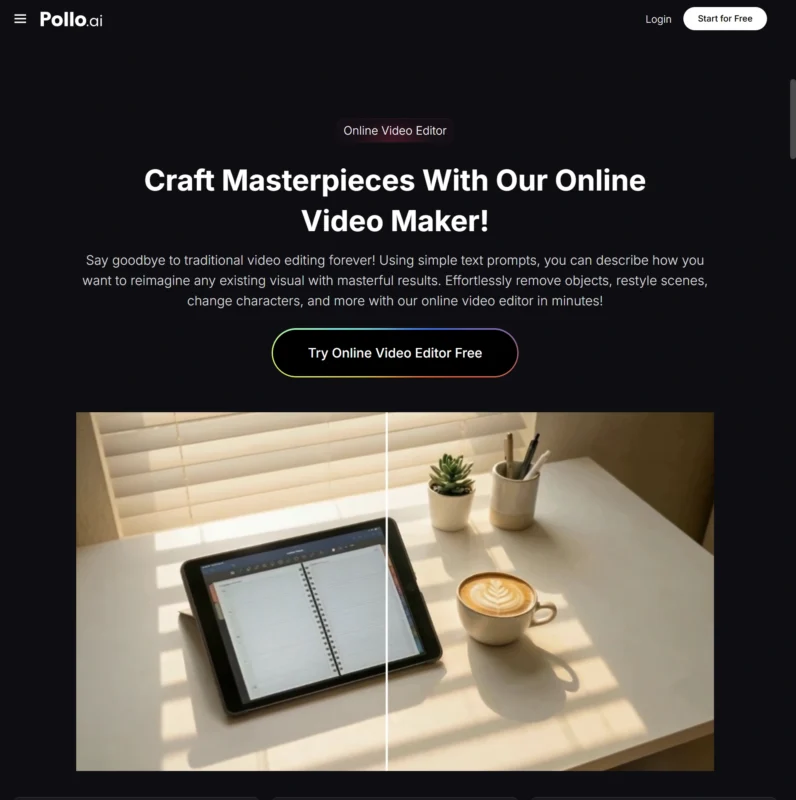
This is where Pollo AI’s Photo Video Maker earns its place in a creator’s toolkit. Rather than forcing you to learn complex editing software, Pollo AI lets you upload your images, apply motion effects, sync them to music, and export platform-ready videos in minutes. The output looks polished without screaming “I used a template” which matters because templated content is the fastest way to make your brand look generic.
Choosing the Right Photos for Video Conversion
| Tip / Consideration | Details |
|---|---|
| High-Resolution Images | Works best because subtle pan-and-zoom effects reveal compression artifacts or noise. Avoid heavy filters; shoot at the highest quality your device supports. |
| Images with Depth | Photos with a clear foreground and blurred background animate more naturally. Flat compositions may need text, transitions, or music to feel dynamic. |
| Sequential Photos | Multiple shots from the same shoot or event create a stronger narrative. Think of it as creating a story from a series of images rather than a single photo. |
Building Videos That Actually Hold Attention
The mechanics of conversion are easy. The harder part is making something people watch all the way through. A few principles worth following.
Lead with your strongest image. The first frame determines whether viewers stay or scroll, so put your most striking photo first rather than building up to it. The “save the best for last” instinct from print and gallery work doesn’t translate to social video.
Keep the pacing tight. Most photo-to-video creators leave each image on screen too long. Three seconds per photo is usually the upper limit for social content; two seconds often works better. If you’re worried viewers won’t have time to absorb the image, trust that they’ll watch twice rather than padding the runtime.
Match the music to the mood, not the trend. It’s tempting to slap a trending audio clip on every video to chase the algorithm, but mismatched music actively hurts engagement. A slow, contemplative photo series doesn’t need an aggressive trap beat under it. The platforms can tell when audio and visual energy don’t align, and so can viewers.
Other Tools Worth Knowing About

Photo-to-video isn’t the only conversion pattern worth exploring. Depending on what you’re producing, a few other tools fit different jobs.
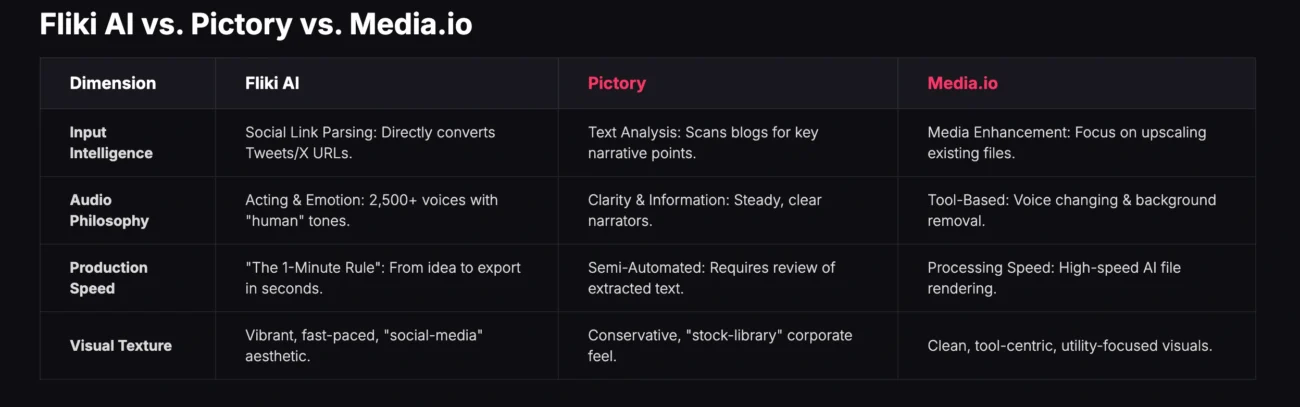
Fliki AI is particularly strong if your starting point is text rather than images. turning blog posts, scripts, or article summaries into narrated videos with synced visuals. It’s a different workflow, but for content marketers repurposing written work, it’s hard to beat.
If you’re producing content that needs realistic on-camera presenters rather than image-based videos, the AI UGC generators on the Pollo AI platform are a better fit. And for animated explainer content, dedicated tools like Steve AI handle that specific format well.
Platform Specific Considerations
The same source photos often need to be cut differently for different platforms, and this is where most creators cut corners and pay for it later.
Instagram Reels and TikTok favor vertical 9:16 video with text overlays that hold attention even with the sound off. Captions matter enormously here — assume the majority of viewers are watching on mute, and design accordingly. Hooks in the first second are non-negotiable.
YouTube Shorts works similarly to Reels but tends to reward slightly longer watch times, so you can afford to give each image a beat longer on screen. The audience there is often more willing to watch a 45-second piece than a 15-second one.
For website embeds, email newsletters, and LinkedIn posts, horizontal 16:9 or square 1:1 formats still work better. The same source photos can produce both — just resist the urge to export everything in one ratio and call it done.
A Sustainable Production Rhythm
The creators who get the most value out of photo-to-video tools aren’t producing one masterpiece a month they’re producing five solid pieces a week. Build a small batching habit: pick one afternoon to convert ten to fifteen photos into video clips, schedule them across the next two weeks, and move on.
This rhythm matters more than perfection. Algorithms reward consistency, audiences reward presence, and the compounding effect of showing up regularly with decent content beats a single brilliant post almost every time. The tools have removed the production excuse the only thing left is to actually use them.